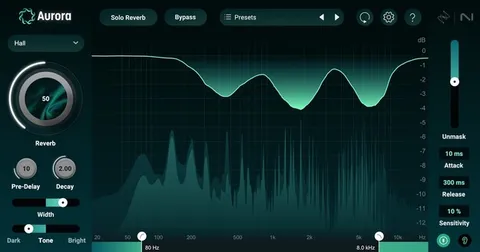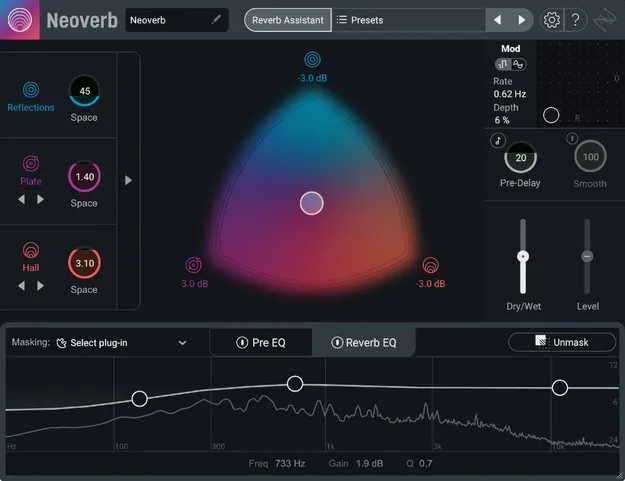
Neoverb Educational Version by iZotope reverb plugin interface

Neoverb Educational Version: AI-Assisted Reverb Plugin by iZotope Free Download

Neoverb Educational Version is an educational reverb plugin by iZotope that blends up to three reverb types and uses AI-assisted EQ to help place reverb in a mix. It is intended for students and teachers only.

VST3VST2AUAAXWindowsmacOS64-bit
AVAILABLE ATPlugin Boutique
Free trial available from the developer
01Overview

Neoverb Educational Version is the full Neoverb reverb plugin, offered for students and teachers. iZotope says the plugin draws on Exponential Audio reverb engines, which the developer describes as inspired by classic studio hardware. Its main tools are a Blend Pad for mixing three reverb types, a Reverb Assistant that adjusts settings in real time, and EQ sections that listen to the input and suggest cuts to reduce masking and mud.

Best for

  • Vocal reverb
  • Drum room design
  • Guitar ambience
  • Mix reverb control
  • Transition effects
  • Film and game ambience
Developer
iZotope
Category
Reverbs
Store
Plugin Boutique
02Key features

What you get

  • Blend Pad mixing three reverb types at once
  • Separate Size control for each reverb type
  • Automatable Blend Pad for transitions
  • Reverb Assistant with four Tone selections
  • Pre EQ with 3 bands and Auto Cut
  • Reverb EQ with Unmask button and masking meter
  • Advanced Panel for per-engine parameter control
  • Dozens of presets for vocals, instruments and genres
03In depth

Reverb Blending and Assistant Workflow

The Blend Pad lets you combine three reverb types at once: Reflections for realistic space, Plate for classic environments, and Hall for height and depth. Each reverb type has its own Size control, which can be used for large drum rooms or more unusual spaces. The Blend Pad can be automated in your DAW to move between blends during a song.

The Reverb Assistant uses a four-step workflow. You choose Size and Style, and the plugin selects and blends reverb combinations and advanced settings as you move the sliders. Four Tone selections adjust the result toward dark, airy or bright sounds.
EQ Controls and Masking Tools

Neoverb includes a 3-band Pre EQ on the input signal. Its Auto Cut function listens to the audio and suggests areas to cut before reverb is applied, and you can add shelving and band filters manually.

The Reverb EQ includes an Unmask button that automatically unmasks the dry signal, and a masking meter helps keep the reverb under control in the mix. Developer details suggest these tools can reduce the need for long corrective plugin chains.

04Specs

Will it run?

Formats, systems and requirements as listed by Plugin Boutique. Missing details are left out, not guessed.

DeveloperiZotope
TypePlugin
CategoryReverb
FormatsVST3, VST2, AU, AAX
Operating systemsWindows, macOS
Architecture64-bit
Free trialYes
05FAQ

Questions, answered

What formats does Neoverb Educational Version support?

It is available in VST3, VST2, AU and AAX formats. All plugin formats are 64-bit only.

Which operating systems can run Neoverb Educational Version?

It runs on Windows 10 and Windows 11, and on macOS High Sierra (10.13.6) through macOS Monterey (12.3.x). It is supported on Intel Macs and Apple silicon Macs.

What do I need to use Neoverb Educational Version?

It needs a compatible host application. Listed hosts include Logic Pro, Live 9.7 to 11, Cubase 9.5 to 10.5, Pro Tools 12 to 2022, FL Studio 20, Studio One 5, REAPER 6, Reason, Bitwig Studio 4 and Digital Performer 11.

Who is the educational version intended for?

The developer states this educational version is for students and teachers only. Eligibility and required proof are described in iZotope's EDU guide.

07Developer

More from iZotope

All iZotope products →