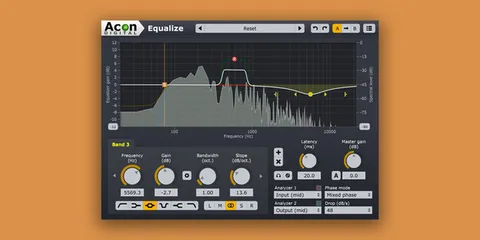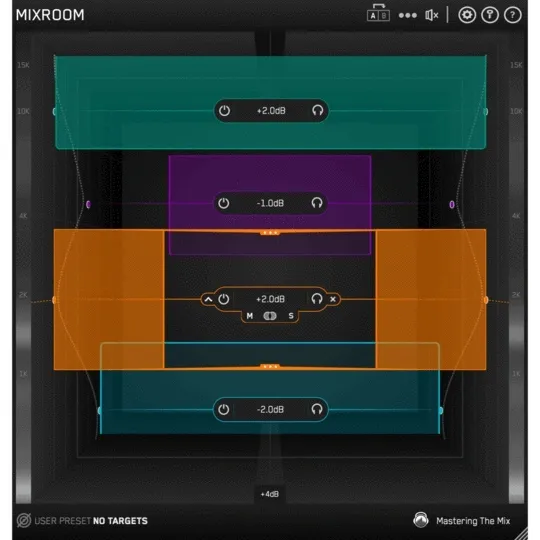
MIXROOM EQ plugin interface by Mastering The Mix

MIXROOM: Intelligent EQ Plugin by Mastering The Mix Free Download

Rated 4.7/5 on Plugin Boutique (1,452 ratings)

MIXROOM is an intelligent EQ plugin from Mastering The Mix that analyzes your audio, shows which frequencies to adjust, and suggests EQ targets for vocals, synths and mastering.

VST3AUAAXWindowsmacOS64-bit
AVAILABLE ATPlugin Boutique
Free trial available from the developer
01Overview

MIXROOM is an EQ plugin built to help you find a balance between richness and clarity. It can be placed on a single channel, a group bus or the master channel. The plugin analyzes the audio passing through it and highlights frequencies that could be adjusted. Starting from a genre- or channel-specific target curve, you can then tweak the result to your own taste. Mastering The Mix offers it in VST3, AU and AAX formats for Windows and macOS, with a trial available.

Best for

  • Vocal EQ
  • Synth tonal balancing
  • Master bus EQ
  • Matching reference tracks
  • Mix clarity and richness
Category
EQ
Store
Plugin Boutique
02Key features

What you get

  • Analyzes audio and highlights frequencies that could be adjusted
  • Genre and channel-specific EQ target suggestions
  • Create custom targets by importing reference tracks
  • Add Smart Bands button loads bands matching the target curve
  • Level match pointer for comparing processed and unprocessed loudness
  • Easily adjustable EQ bands with mid-side functionality
  • Fully resizable user interface
03In depth

Analysis, Target Curves and Smart Bands

MIXROOM shows you which frequencies could be adjusted to improve your sound. Its EQ target suggestions give you a starting point, and you can choose a preset that fits the material you are working on.

You can also build your own target by importing reference tracks. This lets you move your mix closer to the tonal balance of records you admire. The Add Smart Bands button loads EQ bands that match the target curve, so you can start from a concrete set of adjustments and refine them by ear.
Workflow, Level Matching and Interface

The EQ bands are easy to adjust, and mid-side processing is available. A level match pointer on the output gain helps you compare the processed signal with the original at matching perceived loudness, so you can judge whether a change really improves the sound.

The user interface is fully resizable, giving you room to work on detailed EQ curves in a long session.

04Specs

Will it run?

Formats, systems and requirements as listed by Plugin Boutique. Missing details are left out, not guessed.

DeveloperMastering The Mix
TypePlugin
CategoryEQ
FormatsVST3, AU, AAX
Operating systemsWindows, macOS
Architecture64-bit
Free trialYes
05FAQ

Questions, answered

What formats does MIXROOM support?

MIXROOM is available in VST3, AU and AAX formats. It runs on Windows and macOS.

What do I need to run MIXROOM?

On Mac you need OS X 10.15 or higher and a 64-bit AU, VST3 or AAX host, and Apple Silicon Native is supported. On Windows you need Windows 10 or higher, 64-bit, with a 64-bit VST3 or AAX host. AAX works with Pro Tools 11 and later only.

Can I use MIXROOM on individual channels as well as the master?

Yes. MIXROOM can be loaded on individual channels, grouped buses or the master channel.

Does MIXROOM need an internet connection?

If you access it through a Rent to Own plan or the Beatport Studio membership, it runs through the Beatport Access portal and needs an internet connection every 30 days to validate your license.

07Developer

More from Mastering The Mix

All Mastering The Mix products →