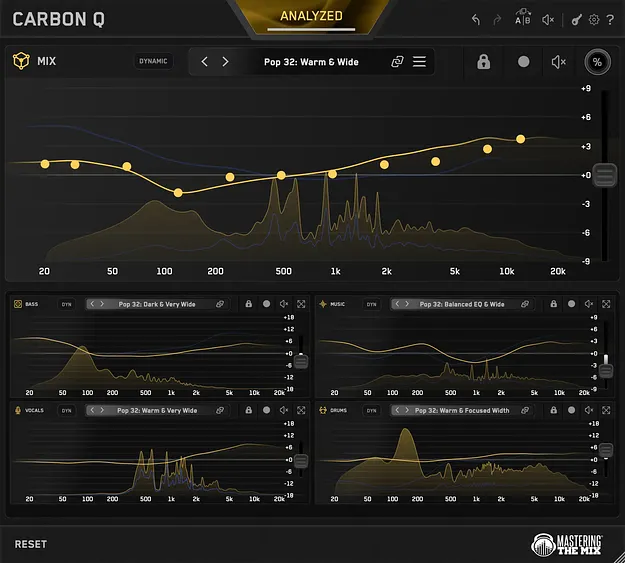
CARBON Q by Mastering The Mix EQ plugin interface

CARBON Q: Connected EQ Plugin for Whole Mixes by Mastering The Mix Free Download

Rated 4.5/5 on Plugin Boutique (8 ratings)

CARBON Q is a connected EQ plugin from Mastering The Mix that sets the tonal balance and volume of vocals, music, drums and bass together. It runs as a VST3, AU or AAX plugin on Windows and macOS.

VST3AUAAXWindowsmacOS64-bit
AVAILABLE ATPlugin Boutique
Free trial available from the developer
01Overview

CARBON Q is built around the idea that a mix sounds right when its parts fit together. Instead of treating each track's EQ in isolation, it links your vocal, music, drum, bass and output channels so every adjustment is made with the rest of the session in mind. Smart presets analyze your song and give each channel a starting point, while reference tracks let you aim for the balance of a record you admire. The plugin is a 64-bit EQ for producers who mix in VST3, AU or AAX hosts.

Best for

  • Vocal and music balance
  • Drum and bass balancing
  • Reference track matching
  • Full mix EQ
  • Stereo space control
Category
EQ
Store
Plugin Boutique
02Key features

What you get

  • Connected EQ linking vocals, music, drums, bass and output
  • Context aware smart presets generated from your song
  • Tonal balance and volume balance set together per preset
  • Reference track analysis split into vocals, music, drums and bass
  • Level matched EQ moves for true tonal comparison
  • One-click mid side mode for space and depth control
  • Dynamic Mode keeps channels on their tonal balance target
  • Linear phase filters on every band
03In depth

Connected EQ and Smart Presets for Balanced Mixes

CARBON Q loads on each channel in your session, with a MIX instance on the output. Once the channels are armed, the Analyze function reads your song and produces a context aware smart preset. Each preset sets the tonal balance and the volume balance of every channel at the same time, which is the core difference from a standard EQ working on one track at a time.

Fine adjustments stay consistent with that balance. Every move is level matched, so changes in tone are heard as changes in tone rather than as a simple boost in loudness. Dynamic Mode keeps each channel on its tonal balance target by controlling peaks, and the linear phase filters on every band are designed for maximum quality.
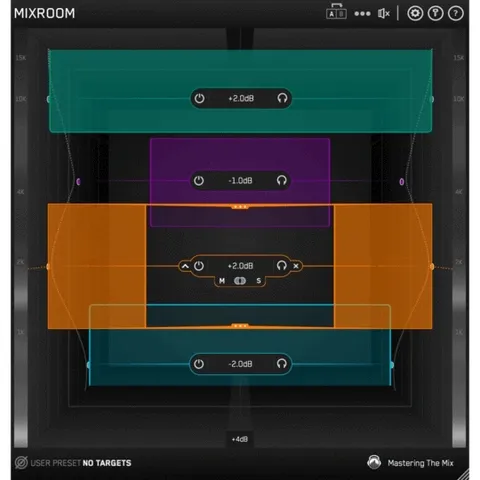
Reference Tracks and Mid Side Control

The reference tracks feature lets you drop in a record you like. CARBON Q separates it into vocals, music, drums and bass, measures the tonal balance of each part and how loud each one sits against the rest, then converts those measurements into a preset for your session.

Mid side mode gives you control over the space and depth of the mix from a single setting, which is useful when you want the stereo image to feel wider or more focused without reworking each channel by hand.

04Specs

Will it run?

Formats, systems and requirements as listed by Plugin Boutique. Missing details are left out, not guessed.

DeveloperMastering The Mix
TypePlugin
CategoryEQ
FormatsVST3, AU, AAX
Operating systemsWindows, macOS
Architecture64-bit
Free trialYes
05FAQ

Questions, answered

Which plugin formats does CARBON Q support?

CARBON Q is available in VST3, AU and AAX formats. It runs on Windows and macOS and is a 64-bit plugin.

What do I need to run CARBON Q?

On macOS you need Mac OS X 10.15 or higher with a 64-bit AU, VST 3 or AAX host, and it supports Apple Silicon natively. On Windows you need Windows 10 or higher with a 64-bit VST 3 or 64-bit AAX host.

How is CARBON Q different from a normal EQ?

Every instance is connected, so it balances the parts of your mix against each other rather than processing each track on its own. Each EQ move is level matched in real time.

Is there a trial version?

Yes, CARBON Q offers a trial version so you can test it in your own sessions.

07Developer

More from Mastering The Mix

All Mastering The Mix products →