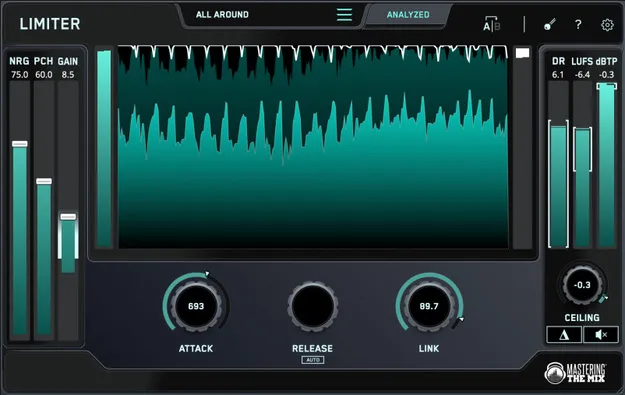
LIMITER by Mastering The Mix mastering limiter plugin interface

LIMITER: Smart Mastering Limiter by Mastering The Mix Free Download

Rated 4.7/5 on Plugin Boutique (422 ratings)

LIMITER is a mastering plugin from Mastering The Mix that analyzes your audio and suggests limiter settings for loud, clean masters. It runs as VST3, AU and AAX on Windows and macOS.

VST3AUAAXWindowsmacOS64-bit
AVAILABLE ATPlugin Boutique
Free trial available from the developer
01Overview

LIMITER is a dynamics processor built for the final stage of mixing. You load it on your master channel, choose a target preset such as Loud, Spotify or Apple Music, and run the analysis on the loudest section of your track. The plugin then highlights a suggested input gain range and shows target arrows on the attack, release, link and ceiling controls. The developer says it is designed to keep low-end clarity intact even when mastering to high loudness levels.

Best for

  • Final master limiting
  • Streaming loudness targets
  • Loud electronic masters
  • Low-end clarity mastering
  • Master bus processing
Store
Plugin Boutique
02Key features

What you get

  • Analyzes your audio and suggests limiter settings
  • Preset targets including Loud, Spotify and Apple Music
  • Target range on the input gain slider after analysis
  • Target arrows on attack, release, link and ceiling controls
  • NRG slider for harmonic distortion
  • PCH slider for transient enhancement
  • True peak control and loudness metering
  • Available as VST3, AU and AAX on Windows and macOS
03In depth

Analysis-Guided Limiting for Loud Masters

The core of LIMITER is its analysis step. After you select a preset and click analyze on the loudest part of your track, the input gain slider shows a target range. Target arrows on the other controls indicate where to set them, so you have a starting point rather than working by ear from scratch.

Mastering The Mix says the NRG slider adds harmonic distortion and the PCH slider enhances transients. Both are presented as ways to add perceived loudness and punch, which can help offset the effects of limiting.

The developer also states that LIMITER produces less harmonic distortion in the low end than other limiters in its comparison, a test it describes with a 100Hz sine wave.
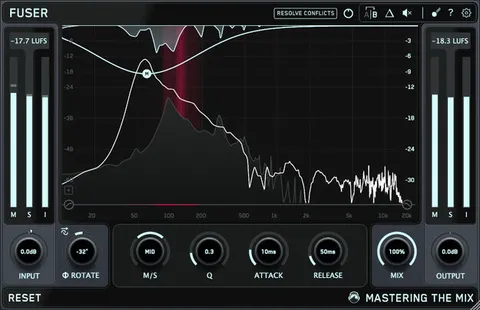
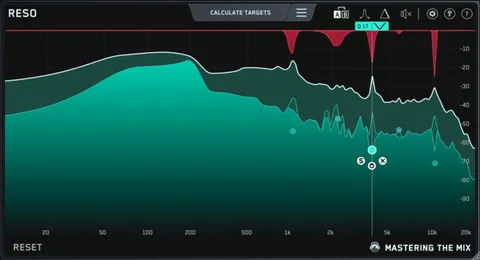
Setting Up LIMITER in Three Steps

The developer outlines a simple workflow. Load LIMITER on the master channel and pick a preset. Monitor the loudest section and click analyze. Then set the gain slider within the highlighted range and adjust attack, link and ceiling to match the suggestions.

The guidance recommends leaving Release on auto for the most musical result. Because the analysis is tied to your material, the suggestions change with each track.

04Specs

Will it run?

Formats, systems and requirements as listed by Plugin Boutique. Missing details are left out, not guessed.

DeveloperMastering The Mix
TypePlugin
CategoryDynamics Processor
FormatsVST3, AU, AAX
Operating systemsWindows, macOS
Architecture64-bit
Free trialYes
05FAQ

Questions, answered

Which formats does LIMITER support?

LIMITER is available in VST3, AU and AAX formats. AAX is compatible with Pro Tools 11 and later.

What operating systems can run LIMITER?

LIMITER runs on Windows 10 or higher and macOS 10.15 or higher, including Apple Silicon Macs in native 64-bit mode.

Is LIMITER good for streaming masters?

The developer says LIMITER controls true peak so a master stays clean after encoding for Spotify, Apple Music and YouTube.

What do I need to use LIMITER?

You need a 64-bit AU, VST3 or AAX host on your system. A trial is available. If you access it through a Rent to Own plan or Beatport Studio membership, it runs through the Beatport Access portal and requires an internet connection every 30 days to validate the license.

07Developer

More from Mastering The Mix

All Mastering The Mix products →