Comparing your mix to reference targets
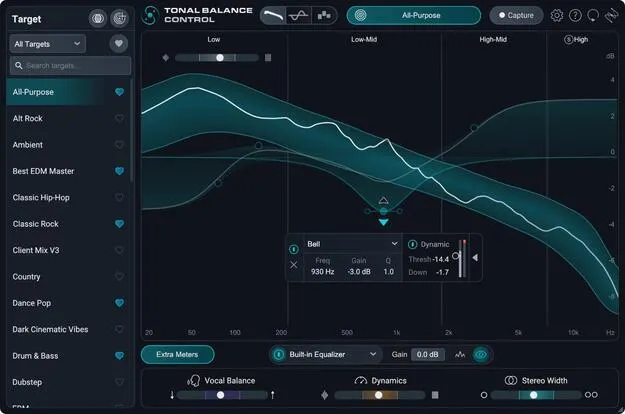
The core of the plugin is the tonal balance meter, which plots your audio against a target curve. The new Leveled View shows exactly where and how far your audio strays from that target, so you can see which frequency regions need attention.
The Target Library contains dozens of genre and subgenre targets, which you can search, filter and favorite. You can also capture a target from any track on your computer, including audio from Spotify, Apple Music or YouTube, or capture live audio inside your DAW. The Target Blender combines any two targets using percentage weighting to create a custom reference.