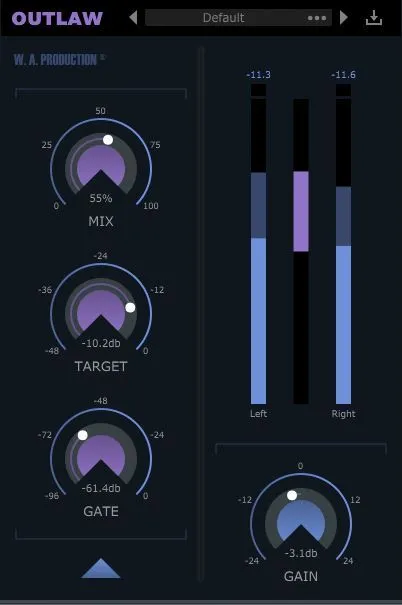
Outlaw gain-riding dynamics plugin interface by W. A. Production

Outlaw: Gain-Riding Dynamics Plugin by W. A. Production Free Download

Rated 4.4/5 on Plugin Boutique (3,236 ratings)

Outlaw is a gain-riding dynamics plugin by W. A. Production that listens to incoming audio and compensates for volume changes, mimicking a mixing engineer's fader movements. It is available as VST2, AU and AAX.

VST2AUAAXWindowsmacOS64-bit
AVAILABLE ATPlugin Boutique
Free trial available from the developer
01Overview

Outlaw is aimed at producers who want smooth level control without drawing volume automation by hand. Its core controls are MIX, TARGET, GATE and GAIN, which set the intensity of the effect, the RMS target level, the threshold for ignoring softer sounds and the master output. The developer describes it as a toolbox plugin for balancing dynamics on sources such as live guitars, vocals, bass and drums.

Best for

  • Vocal leveling
  • Live guitar balancing
  • Bass level control
  • Drum gain riding
  • Speech rumble removal
Store
Plugin Boutique
02Key features

What you get

  • Automatic gain-riding that compensates for level changes in the signal
  • MIX, TARGET, GATE and GAIN dials for core control
  • HPF and LPF detection filters with variable slopes
  • Attack, Release and Direction controls for shaping gain movement
  • MAX UP and MAX DOWN limits for gain-riding intensity
  • RMS detection options: slow, medium, fast, Instant and Zero
  • Large visual display of peak and RMS levels per channel
  • Resizable user interface
03In depth

Gain-Riding Controls and Detection Filters

The four main dials give broad control over the effect. MIX sets how strongly the gain-riding is applied, TARGET sets the RMS level the plugin aims for, GATE sets a level relative to the target so softer material is ignored, and GAIN sets the master output for accurate A/B comparison.

The HPF, LPF and Slope controls filter the detection signal, not the audio itself. You can remove low rumble from a vocal recording or ignore the high attack and finger noise of a bass part, with variable slopes to shape how sharply the filtering works.
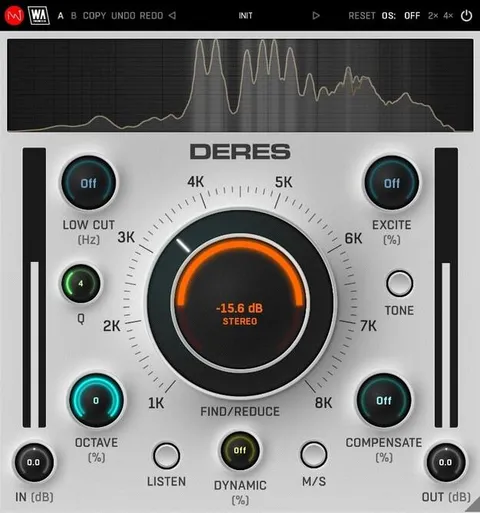
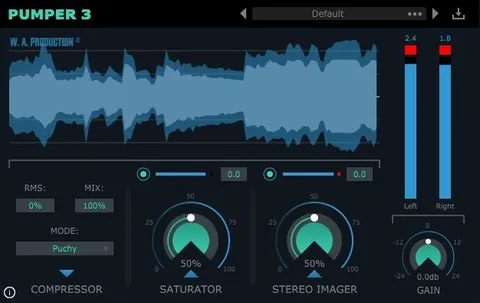
Attack, Release and Response Settings

Attack and Release add extra shaping to the gain-riding, letting you keep peaks or smooth out tails. The DIRECTION control sets whether these apply upwards, downwards or in both directions.

MAX UP and MAX DOWN cap how much gain the plugin can apply in each direction. Low values produce subtle movement, while high values can sound erratic. The RMS setting selects slow, medium or fast detection, with INSTANT as a very fast option and ZERO for 0 ms RMS time.

04Specs

Will it run?

Formats, systems and requirements as listed by Plugin Boutique. Missing details are left out, not guessed.

DeveloperW. A. Production
TypePlugin
CategoryDynamics Processor
FormatsVST2, AU, AAX
Operating systemsWindows, macOS
Architecture64-bit
Free trialYes
05FAQ

Questions, answered

What is Outlaw used for?

Outlaw is a gain-riding plugin that automatically adjusts volume to keep a signal balanced. The developer positions it for live sound, vocals and solo instruments, where it can replace hand-drawn volume automation.

Which formats and operating systems does Outlaw support?

Outlaw is available in VST2, AU and AAX formats. It runs on Windows and macOS as a 64-bit plugin. The VST build requires Windows 8 or later, and the VST and AU builds require macOS 10.13 or later in 64-bit.

Does Outlaw need Pro Tools to run in AAX?

Yes. The AAX format requires Pro Tools 11 or higher. Mac users on Apple Silicon should check the current compatibility status before purchasing.

Is there a trial version of Outlaw?

Yes, Outlaw offers a trial.

07Developer

More from W. A. Production

All W. A. Production products →