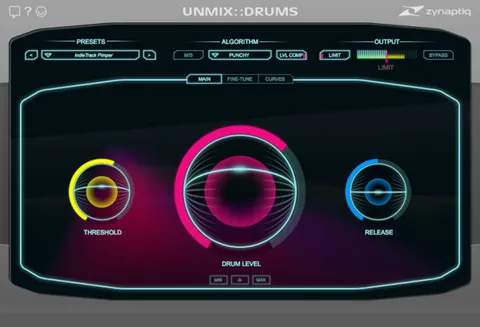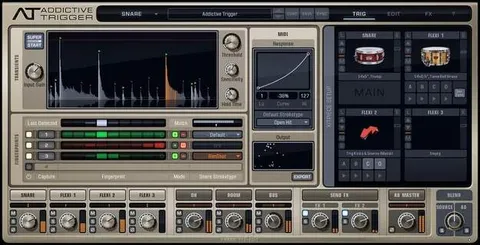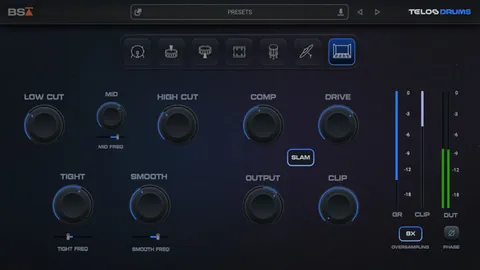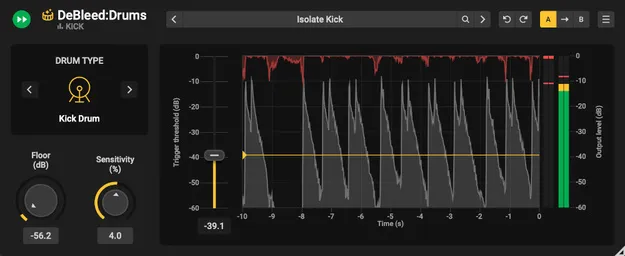
DeBleed:Drums drum mic spill removal plugin by Acon Digital interface

DeBleed:Drums: Real-Time Drum Mic Spill Removal Plugin Free Download

DeBleed:Drums is an AI-powered plugin by Acon Digital that removes unwanted microphone spill from recorded drum tracks in real time. It works as an insert effect during mixing.

VST3VST2AUAAXWindowsmacOS
AVAILABLE ATPlugin Boutique
Free trial available from the developer
01Overview

Mic bleed from other drums and cymbals can make a recorded kit sound muddy and undefined. DeBleed:Drums, developed by Acon Digital, targets that problem during the mixing stage. The developer says it uses neural network technology to separate kit elements such as kicks and snares, while DSP algorithms work to protect transients. Its triggering logic sets thresholds to reduce bleed on individual drum tracks. It is offered as a perpetual license with no subscription.

Best for

  • Drum bus cleanup
  • Close-mic spill removal
  • Tight snare mixing
  • Kick and snare isolation
  • Mixing recorded drum kits
Developer
Acon Digital
Category
Drum Tools
Store
Plugin Boutique
02Key features

What you get

  • AI-driven separation trained on hours of real drum recordings
  • Real-time processing as an insert effect, no offline rendering
  • Sensitivity control for quick setup of bleed removal
  • Trigger Threshold to process only the hits you choose
  • Preset Manager for saving and recalling settings
  • Perpetual license with no subscription required
  • Available in VST3, VST2, AU and AAX formats
03In depth

How DeBleed:Drums Separates Spill From Drum Hits

DeBleed:Drums is built around a neural network trained on hours of real drum recordings. According to Acon Digital, the network separates kit elements so that hits on a single track can be isolated from spill picked up by nearby microphones.

Because it runs as an insert effect, processing happens in real time rather than as an offline render. That means you can audition the result directly in your session without waiting for a bounce.

The Sensitivity control and Trigger Threshold give you two ways to dial in how much material is removed. Sensitivity sets the overall behavior of the processing, while the threshold lets you limit processing to the hits you want to treat.
Workflow, Controls and Presets

The plugin focuses on a small set of controls. Sensitivity is the main setting to adjust, and the Trigger Threshold refines which hits are processed, so you can clean up spill without touching the hits you want to keep.

A built-in Preset Manager lets you save your settings and recall them later, which helps when you work on several drum tracks in a session.

DeBleed:Drums is available for Windows and macOS in VST3, VST2, AU and AAX formats, and a trial version is offered so you can test it in your own setup before buying.

04Specs

Will it run?

Formats, systems and requirements as listed by Plugin Boutique. Missing details are left out, not guessed.

DeveloperAcon Digital
TypePlugin
CategoryDrum Tools
FormatsVST3, VST2, AU, AAX
Operating systemsWindows, macOS
Free trialYes
05Upgrades

Upgrade and crossgrade options

06FAQ

Questions, answered

What is DeBleed:Drums used for?

DeBleed:Drums removes unwanted microphone spill from individual drum tracks during mixing. It is aimed at recorded drum kits where bleed from other drums makes the mix sound muddy.

Which formats and operating systems does DeBleed:Drums support?

DeBleed:Drums is available in VST3, VST2, AU and AAX formats. It runs on Windows and macOS.

What do I need to run DeBleed:Drums?

You need a host application that supports VST, VST3 or AAX on Windows, or AU, VST, VST3 or AAX on macOS. Pro Tools 12 or higher is listed for Windows and Pro Tools 12.8.3 or higher for macOS. The macOS version runs natively on ARM64 and Intel.

Does DeBleed:Drums require a subscription?

No. DeBleed:Drums is sold as a perpetual license, so no subscription is needed.

08Developer

More from Acon Digital

All Acon Digital products →