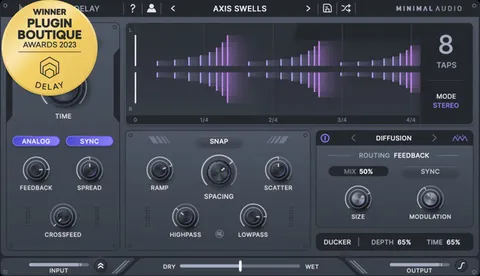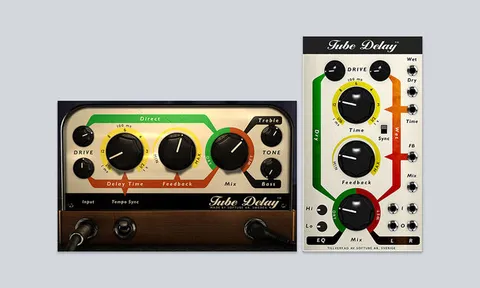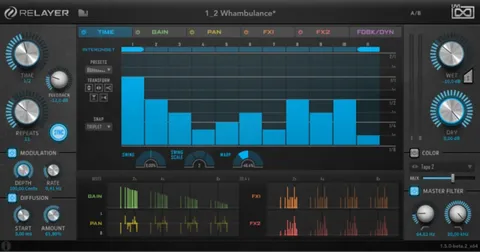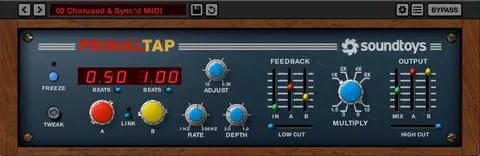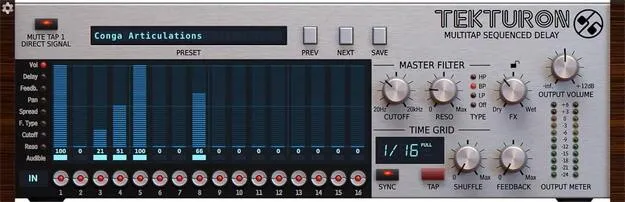
Tekturon multitap delay plugin interface by D16 Group showing the 16-line Delay Matrix

Tekturon: Multitap Delay Effect with 16 Delay Lines by D16 Group Free Download

Rated 4.8/5 on Plugin Boutique (212 ratings)

Tekturon is a multitap delay effect by D16 Group with 16 independent delay lines arranged in an equally spaced sequence of taps, controlled through a visual Delay Matrix.

VST3VST2AUAAXStandaloneWindowsmacOS64-bit
AVAILABLE ATPlugin Boutique
Free trial available from the developer
01Overview

Tekturon is built around its Delay Matrix, a topology in which 16 delay lines form a sequence of taps spaced equally apart. The layout works more like a step sequencer than a conventional tap delay, which makes rhythmic patterns easy to shape. Each line has its own feedback, timing, panning, stereo spread and filter settings, while a set of global controls lets you adjust the whole grid at once. Tekturon runs as a plugin inside a host DAW on Windows and macOS.

Best for

  • Rhythmic delay patterns
  • Stereo echo movement
  • Live performance muting
  • Swing delay grooves
  • Experimental sound design
Developer
D16 Group
Category
Delays
Store
Plugin Boutique
02Key features

What you get

  • 16 delay lines arranged as equally spaced sequential taps
  • Delay Matrix layout for visual, step-sequencer-style editing
  • Global time grid with optional host tempo synchronization
  • Global shuffle (swing) control and master filter
  • Per-line feedback, delay multiple, filter, panorama and spread
  • Per-line output volume with level indication
  • Quick-access mute buttons, MIDI-assignable
  • MIDI-learn functionality and tag-based preset browser
  • 64-bit internal processing
03In depth

Delay Matrix Layout and Two-Tier Control

Tekturon arranges its 16 delay lines as a visible grid, so you can see the whole delay pattern at a glance. The global section sets the time grid, which is the delay between taps and the base delay time for all 16 feedback loops. It can sync to host tempo, and it offers a shuffle control for swing, along with a master filter.

The local controls work per delay line. Each line has its own feedback relative to the base value, a delay time expressed as a multiple of the time grid, a local filter, stereo panorama and spread, and an output volume with level indication. Together, global and local controls let you make broad changes or fine adjustments.

Each line also has a quick-access mute button for selectively suppressing its output, which is useful for changing patterns during a performance.
Per-Line Processing for Rhythmic and Stereo Effects

Because every delay line can be panned, spread and filtered independently, Tekturon can build stereo movement that a single delay cannot. Changing the feedback and filter on individual lines lets you shape echoes into patterns rather than uniform repeats.

The mute buttons can be assigned to MIDI, and the plugin includes MIDI-learn functionality, so you can control them from hardware or a controller. The interface uses a tag-based preset browser to organize saved settings.

04Specs

Will it run?

Formats, systems and requirements as listed by Plugin Boutique. Missing details are left out, not guessed.

DeveloperD16 Group
TypePlugin
CategoryDelay
FormatsVST3, VST2, AU, AAX, Standalone
Operating systemsWindows, macOS
Architecture64-bit
Free trialYes
05FAQ

Questions, answered

What formats does Tekturon support?

Tekturon is available in VST3, VST2, AU, AAX and Standalone formats.

Which operating systems can run Tekturon?

Tekturon runs on Windows and macOS. The Windows requirements list Windows 7 through 10, and the macOS requirements list macOS 10.13 through macOS 12 Monterey, 64-bit only.

Do I need a host application to use Tekturon?

Yes. Tekturon is not a standalone program for everyday use, so a host application such as a DAW is required to run it.

Does Tekturon sync to tempo?

Yes. The global Time Grid has an optional host tempo synchronization setting.

07Developer

More from D16 Group

All D16 Group products →