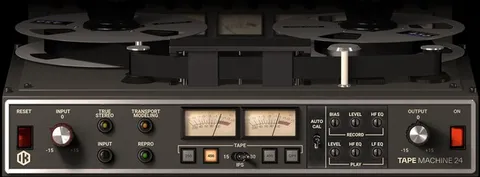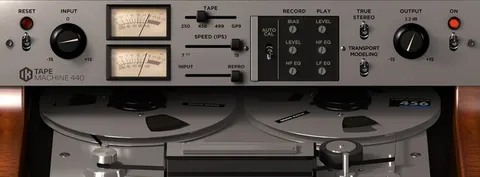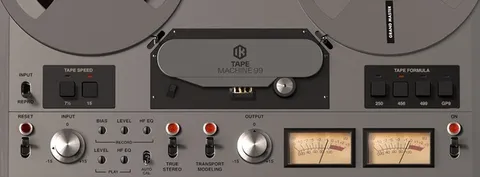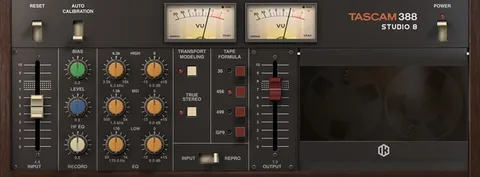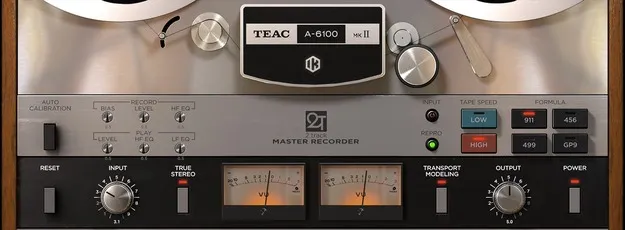
TEAC A-6100 MKII tape emulation plugin interface by IK Multimedia

TEAC A-6100 MKII: Tape Emulation Plugin by IK Multimedia

TEAC A-6100 MKII is a tape emulation plugin from IK Multimedia that models the TEAC A-6100 mastering deck. It offers four tape formulations, two tape speeds and adjustable record and playback EQ for tape-style coloration.

VST3VST2AUAAXWindowsmacOS64-bit
AVAILABLE ATPlugin Boutique
Opens the store in a new tab
01Overview

The TEAC A-6100 MKII plugin recreates a mastering tape recorder that TEAC designed in 1973 for reliable, high-quality mastering. IK Multimedia models the machine's controls, including record and playback calibration, so you can shape the tape character in your DAW. The plugin is built for adding warmth and color to a master bus or to individual tracks. It is available in VST3, VST2, AU and AAX formats.

Best for

  • Master bus tape warmth
  • Mastering tape coloration
  • Tape saturation on drums
  • Analog-style vocal color
  • Adding movement to mixes
Developer
IK Multimedia
Store
Plugin Boutique
02Key features

What you get

  • Models the TEAC A-6100 MKII mastering tape deck
  • Four tape formulas: 911, 456, GP9 and 499
  • Two tape speeds with distinct fidelity and warmth
  • Calibration controls for record and playback heads
  • Record and playback EQ for fine-tuning
  • Signal path selection between Input and Repro
  • True Stereo channel differences that can be disabled
  • Transport Modeling for mechanical tape movement
  • Bundled presets and the ability to save your own
03In depth

Sound and Tape Formulations

The plugin includes four tape formulas, each with a distinct tone. The 456 formula is modeled on the Ampex 456, which the developer describes as the most widely used tape and the source of much of the classic tape sound. It offers a warm, round tone with slight saturation that responds to recording level. The GP9 formula, modeled on the Quantegy GP9, accepts higher signal levels with minimal distortion and compression and is described as punchy. The 499 formula, modeled on the Ampex 499, handles high levels cleanly and adds high-frequency definition. The 911 formula, modeled on the BASF SM911, is the one TASCAM recommends for balancing warmth and precision.

Tape speed also changes the sound. The developer notes that the higher speed gives more fidelity, while the lower speed produces a warmer, rounder tone.
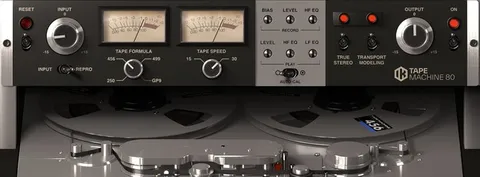
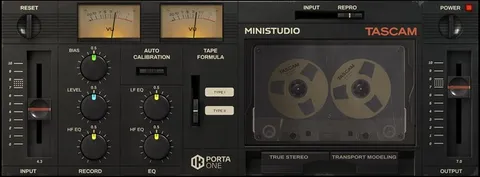
Controls and Workflow

The plugin provides the controls of the original machine along with extra options for tuning the sound. You can calibrate the record and playback heads, choose between two tape speeds, and select one of four tape formulas. Record and playback EQ settings let you fine-tune the response.

A signal path selector switches between Input, which passes the signal through the electronics only and can sound quite transparent, and Repro, which runs the signal through the full analog chain including the tape. True Stereo reproduces small level, EQ and distortion differences between channels, and it can be disabled for identical left and right processing. Transport Modeling adds the small irregularities of a mechanical tape transport, and it can be switched off for a perfectly steady performance. A presets library is included, and you can save your own settings.

04Specs

Will it run?

Formats, systems and requirements as listed by Plugin Boutique. Missing details are left out, not guessed.

DeveloperIK Multimedia
TypePlugin
CategoryTape Emulation
FormatsVST3, VST2, AU, AAX
Operating systemsWindows, macOS
Architecture64-bit
05FAQ

Questions, answered

What formats does TEAC A-6100 MKII support?

The plugin is available in VST3, VST2, AU and AAX formats. It runs on Windows and macOS as a 64-bit plugin.

What do I need to run TEAC A-6100 MKII?

On macOS you need 64-bit macOS 10.15 or newer, with macOS 11 or newer for Apple Silicon, 8 GB of RAM and 9 GB of hard drive space. On Windows you need Windows 10 (64-bit) or newer, 8 GB of RAM, 9 GB of hard drive space and an ASIO-compatible sound card. Both platforms require an OpenGL 2 compatible graphics adapter and an internet connection for the Custom Shop operations.

Which tape formula should I choose?

The 456 formula gives a warm, round tone with slight saturation, while GP9 is punchier and handles higher levels. The 499 formula adds high-frequency definition, and 911 offers a balance of warmth and precision.

07Developer

More from IK Multimedia

All IK Multimedia products →