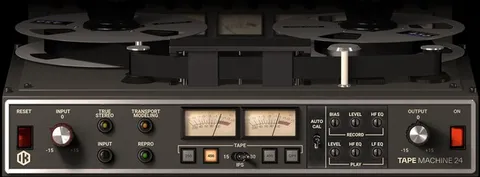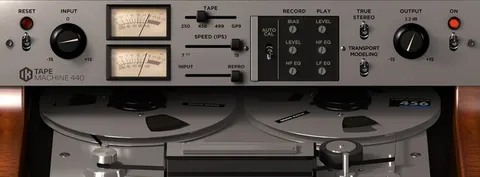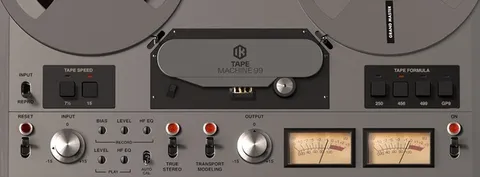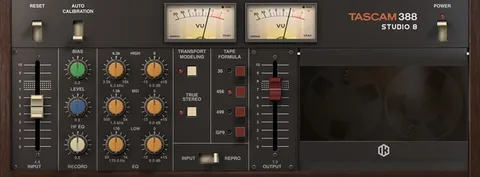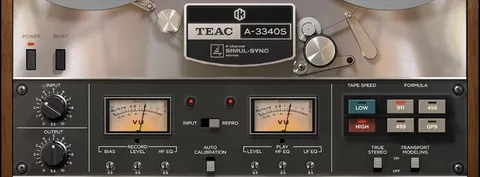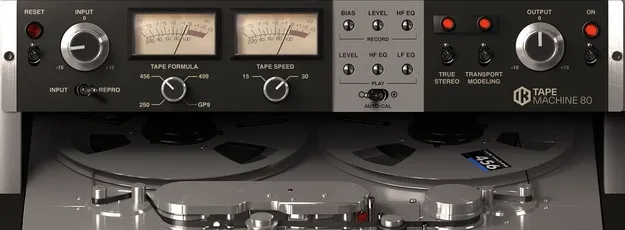
Tape Machine 80 by IK Multimedia tape emulation plugin interface

Tape Machine 80: Studer A80 Tape Emulation Plugin by IK Multimedia

Rated 4.4/5 on Plugin Boutique (195 ratings)

Tape Machine 80 is a tape emulation effects plugin from IK Multimedia that models the Studer A80 professional analog multi-track tape recorder. It is available in VST3, VST2, AU and AAX formats.

VST3VST2AUAAXWindowsmacOS64-bit
AVAILABLE ATPlugin Boutique
Opens the store in a new tab
01Overview

Tape Machine 80 is built around the Studer A80, a Swiss analog multi-track recorder that IK Multimedia describes as a universal standard for professional high-end multi-tracking. The plugin recreates how a tape machine colors audio, combining the interaction of saturation, compression and EQ with the movement of the tape transport. It targets producers who want the character of analog tape on digital tracks, from subtle warmth to pronounced saturation.

Best for

  • Mix bus warmth
  • Drum saturation
  • Vocal tape color
  • Analog-style mastering
  • Adding movement to synths
Developer
IK Multimedia
Store
Plugin Boutique
02Key features

What you get

  • Models the Studer A80 professional analog multi-track tape recorder
  • Four tape formulas: 250, 456, GP9 and 499
  • Tape speed selectable between 15 and 30 ips
  • Signal path switch between Input and Repro
  • True Stereo mode modeling channel differences
  • Transport Modeling for mechanical tape irregularities
  • Adjustable Record Bias for saturation and high-frequency effects
  • Built on dynamic convolution and physical modeling
03In depth

Tape formulas and tone

Tape Machine 80 offers four tape formulations, each with its own tone. The 250 formula, modeled after the 3M/Scotch 250, is the most colored and adds warmth with more distortion and saturation than the others. The 456 formula, based on Ampex 456, is described as contributing the most to what is considered the classic tape sound, with a warm, round tone that responds to recording level. The GP9, modeled after the Quantegy GP9, accepts higher signal levels with minimal distortion and compression, which suits punchy modern recordings. The 499, based on the Ampex 499, handles high levels cleanly and adds high-frequency definition while keeping an analog sound.

Switching between formulas lets you match the tape character to the source material.
Controls and signal path

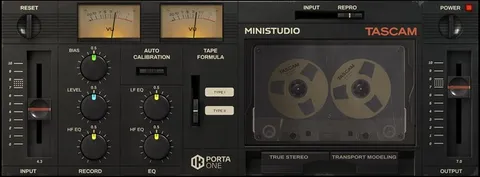
All plugins in the Tape Machine collection share the same set of controls, which makes quick A/B comparisons between them straightforward. The signal path selector switches between Input, which passes audio only through the electronic input and output stages, and Repro, which runs the signal through the full analog recording chain including the tape and playback head.

Tape speed selects between 15 and 30 inches per second. Higher speed adds fidelity, while lower speed gives a warmer, rounder tone. True Stereo reproduces small level, EQ and distortion differences between channels, and can be disabled if identical left and right processing is needed. Transport Modeling recreates small mechanical irregularities in the tape movement, and Record Bias lets you overbias for warmer saturation or underbias to boost highs and add nonlinear distortion.

04Specs

Will it run?

Formats, systems and requirements as listed by Plugin Boutique. Missing details are left out, not guessed.

DeveloperIK Multimedia
TypePlugin
CategoryTape Emulation
FormatsVST3, VST2, AU, AAX
Operating systemsWindows, macOS
Architecture64-bit
05FAQ

Questions, answered

What is Tape Machine 80 based on?

Tape Machine 80 is based on the Studer A80, a Swiss analog multi-track tape recorder produced from 1970 through 1988. IK Multimedia says each machine was restored before its modeling process began.

Which plugin formats does Tape Machine 80 support?

Tape Machine 80 is listed in VST3, VST2, AU and AAX formats. Windows versions support VST2, VST3 and AAX, and macOS versions support Audio Units, VST2, VST3 and AAX.

What do I need to run Tape Machine 80?

On Mac, it requires a 64-bit system with Apple M1 or Intel Core i5, 8 GB of RAM, macOS 10.15 or newer (macOS 11 or newer for Apple Silicon) and 9 GB of disk space. On Windows, it requires an Intel Core i5 or equivalent, 8 GB of RAM, Windows 10 64-bit or newer, 9 GB of disk space and an ASIO-compatible sound card. Both need an OpenGL 2 compatible graphics adapter and an internet connection, since Custom Shop operations are web based.

07Developer

More from IK Multimedia

All IK Multimedia products →