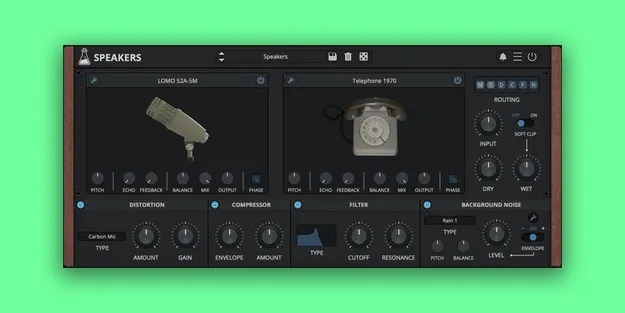
Speakers by AudioThing microphone and speaker simulation plugin interface

Speakers: Microphone and Speaker Simulation Plugin by AudioThing Free Download

Rated 4.8/5 on Plugin Boutique (785 ratings)

Speakers is an effects plugin by AudioThing that simulates loudspeakers and microphones using a convolution engine, with a configurable chain of EQ, compression, distortion and background noise.

VST3VST2AUAAXCLAPWindowsmacOS64-bit
AVAILABLE ATPlugin Boutique
Free trial available from the developer
01Overview

Speakers is a multi-effect plugin that emulates a wide range of speakers and microphones. Its convolution engine lets you make a sound seem to come through an old telephone, a radio, a classic cabinet or a toy recorder, or be captured by a vintage ribbon microphone. The plugin combines these simulations with a freely arranged chain of effects and looping background noises, so you can place a sound in a chosen environment. It runs on Windows and macOS in several common plugin formats.

Best for

  • Telephone voice effects
  • Radio and vintage speaker sounds
  • Sound design textures
  • Post-production sound effects
  • Lo-fi vocal processing
  • Environmental background sounds
Developer
AudioThing
Store
Plugin Boutique
02Key features

What you get

  • 50 speaker models: cabinets, devices, phones, radios, speakers, toys
  • 32 microphone models: condensers, dynamics, phone mics, ribbons
  • 18 distortion and degradation algorithms, including Bit Crusher and GSM
  • 42 looping background noises covering devices, places and organic sounds
  • Freely reorderable signal routing with drag-and-drop modules
  • Five-band EQ with two shelves and three parametric bands
  • Built-in compressor and multimode filter
  • Preset system with randomizer and resizable window
03In depth

Speaker and Microphone Emulation

Speakers includes 50 speaker models, covering cabinets, devices, phones, radios, speakers and toys. It also offers 32 microphone models, including condensers, dynamics, phone mics and ribbons.

A five-band EQ with low and high shelves and three parametric bands shapes the frequency response of each emulation. You drag the nodes to set frequency and gain, use the mouse wheel to adjust Q, and double-click to reset a band.
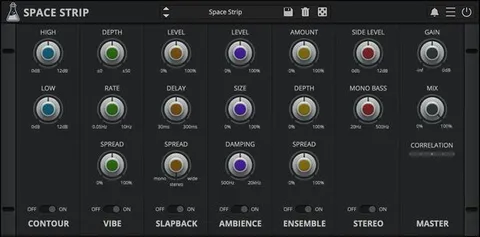
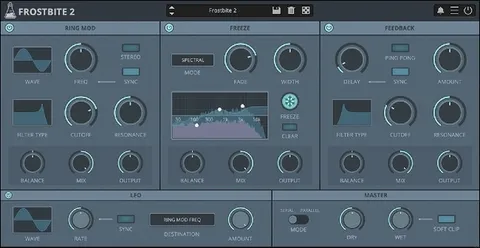
Routing, Distortion and Background Noise

The Routing panel lets you reorder the signal flow by dragging modules left or right. An Input module marks where the source signal enters the chain, so you can run noise through certain modules before the input joins further down the path. You can disable a module with CMD or CTRL + Click.

The distortion and degradation section offers 18 algorithms, from carbon mic overdrive to GSM interference. Noise is blended from 42 looping background samples covering devices, places and organic sounds, and you can add your own samples.

04Specs

Will it run?

Formats, systems and requirements as listed by Plugin Boutique. Missing details are left out, not guessed.

DeveloperAudioThing
TypePlugin
CategoryMulti Effect
FormatsVST3, VST2, AU, AAX, CLAP
Operating systemsWindows, macOS
Architecture64-bit
Free trialYes
05FAQ

Questions, answered

What formats and operating systems does Speakers support?

Speakers is available in VST3, VST2, AU, AAX and CLAP formats, in 64-bit. It runs on Windows (7, 8, 10 and 11) and macOS, with macOS 10.9 through macOS 13 Ventura listed, including Apple Silicon as a Universal 2 binary.

Does Speakers add latency?

The convolution engine runs with zero latency. The Robotization and Quantization degradation algorithms do add some latency, which depends on the FFT size parameter.

Is there a trial version of Speakers?

Yes, Speakers offers a trial.

Can I add my own background noise samples?

Yes. The Noise section accepts your own samples in addition to the 42 included background noises.

07Developer

More from AudioThing

All AudioThing products →