RX 12 Advanced audio restoration plugin upgrade interface by iZotope

RX 12 Advanced: Upgrade from RX 12 Standard by iZotope

RX 12 Advanced: Upgrade from RX 12 Standard is an upgrade for existing RX 12 Standard owners, moving them to the RX 12 Advanced audio restoration suite from iZotope. It is available as a plugin in VST3, AU and AAX formats.

VST3AUAAXWindowsmacOS64-bit
AVAILABLE ATPlugin Boutique
Opens the store in a new tab
01Overview

RX 12 Advanced: Upgrade from RX 12 Standard is aimed at people who already own RX 12 Standard and want to move up to the Advanced edition of iZotope's audio restoration suite. According to iZotope, RX combines a 50+ tool ecosystem with machine learning modules for removing noise, fixing flaws and rebalancing mixes. The upgrade runs on Windows and macOS as a 64-bit plugin, and iZotope lists its requirements for both platforms.

Best for

  • Dialogue cleanup
  • Post-production mix rebalancing
  • Vocal breath reduction
  • Signal bleed removal
  • Music stem separation
  • Long file silence trimming
Developer
iZotope
Store
Plugin Boutique
02Key features

What you get

  • Upgrade path for existing RX 12 Standard owners
  • 50+ audio restoration tools in one suite
  • Scene Rebalance for independent dialogue, music and effects levels
  • Stems View for applying repair tools to individual stems
  • Rebuilt De-bleed with neural nets and a real-time plugin
  • Rebuilt Breath Control using advanced machine learning
  • Trim Silence for automatically removing audio gaps
  • Available in VST3, AU and AAX formats, 64-bit only
03In depth

What the Advanced edition adds to RX 12

iZotope describes RX 12 Advanced as its complete audio restoration suite, with the full set of 50+ tools. Among the features the developer highlights are Scene Rebalance, which adjusts dialogue, music and effects levels independently, and Stems View, which applies RX tools to separated stems. Scene Rebalance is built for post production, and Stems View lets you apply repair tools to individual parts of a mix before exporting them back together.

Music Rebalance and Dialogue Isolate are also described as improved, with better precision for mix element tweaking and voice cleanup, in both real-time and offline modes.
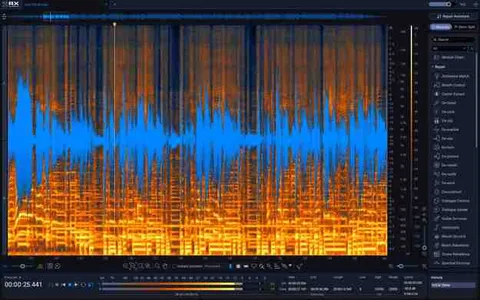
Repair tools and workflow

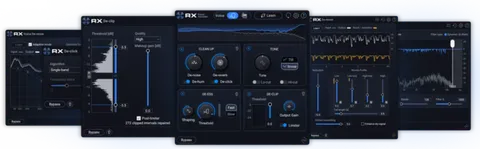
De-bleed has been rebuilt with neural networks to remove signal leakage, and it includes a real-time plugin version. Breath Control, also rebuilt, detects and reduces breaths in vocals and speech. Trim Silence automatically detects and removes audio gaps in long files.

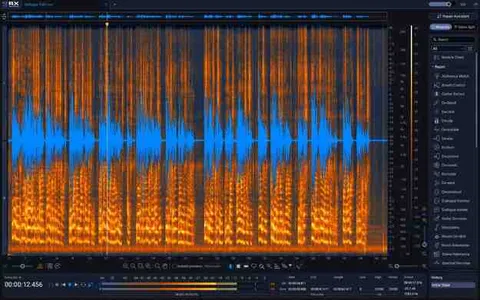
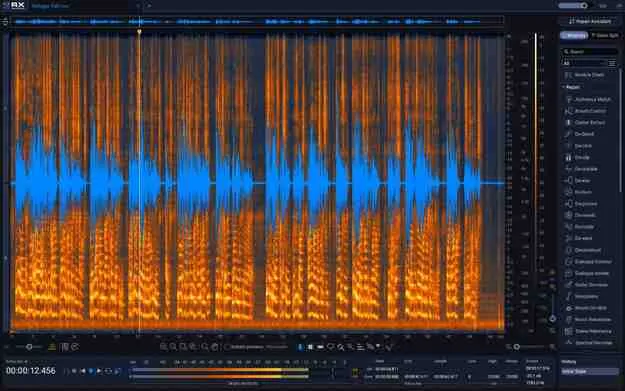
The interface has been updated with a larger Spectrogram, a module search and a resizable History panel. Repair Assistant is available in AAX Audiosuite, AU and VST3 formats.

04Specs

Will it run?

Formats, systems and requirements as listed by Plugin Boutique. Missing details are left out, not guessed.

DeveloperiZotope
TypePlugin
CategoryAudio Restoration
FormatsVST3, AU, AAX
Operating systemsWindows, macOS
Architecture64-bit
05FAQ

Questions, answered

Who is this upgrade for?

It is an upgrade for owners of RX 12 Standard who want to move to RX 12 Advanced. iZotope describes it as the complete 50+ tool audio restoration suite.

What formats does RX 12 Advanced support?

The upgrade is listed in VST3, AU and AAX formats. Repair Assistant is available in AAX Audiosuite, AU and VST3, and Ambience Match and De-rustle are AAX Audiosuite only.

Which operating systems are supported?

Windows 10 (22H2) and Windows 11 (24H2) are supported, along with macOS Sonoma (14.7.x), macOS Sequoia (15.7.x) and macOS Tahoe (26.4.x). Mac support covers Intel and Apple silicon, native and under Rosetta.

What do I need to use RX 12 Advanced?

You need a supported host. iZotope lists compatibility with DAWs and NLEs such as Pro Tools 2025, Logic Pro 12, Ableton Live 12, Cubase 15, Reaper 7 and DaVinci Resolve 19, among others.

07Developer

More from iZotope

All iZotope products →