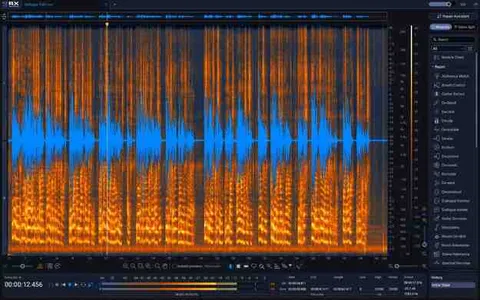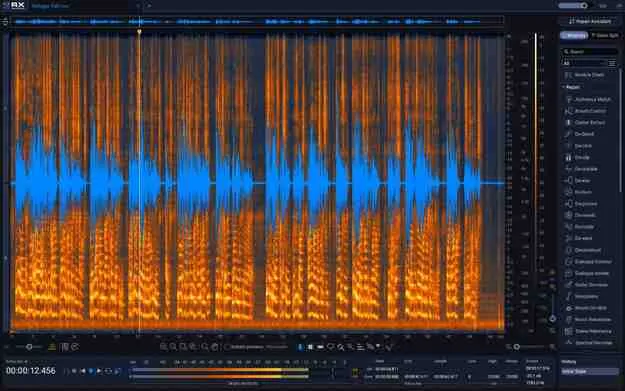
RX 12 Advanced audio restoration plugin interface by iZotope

RX 12 Advanced: Audio Restoration Update from RX 10 Advanced

RX 12 Advanced is an audio restoration plugin suite from iZotope that offers 50+ tools for repairing and cleaning up audio. It is offered as an update for owners of RX 10 Advanced.

VST3AUAAXWindowsmacOS64-bit
AVAILABLE ATPlugin Boutique
Opens the store in a new tab
01Overview

RX 12 Advanced is an update for existing owners of RX 10 Advanced, not a standalone purchase. It brings the RX 12 toolset to audio restoration work, covering tasks from background noise removal to dialogue intonation. The developer describes the suite as an ecosystem for fixing flaws and protecting performances, with machine learning features that work alongside manual, surgical editing. The update is built for producers and post-production engineers who already use the RX 10 Advanced workflow.

Best for

  • Dialogue cleanup
  • Post-production scene mixing
  • Vocal breath reduction
  • Signal bleed removal
  • Music stem separation
  • Long-file silence trimming
Developer
iZotope
Store
Plugin Boutique
02Key features

What you get

  • Scene Rebalance for independent dialogue, music and effects level control
  • Stems View for applying RX tools to individual stems
  • Rebuilt De-bleed using neural networks for signal separation
  • Rebuilt Breath Control for detecting and reducing breaths
  • New Trim Silence module for automatic removal of audio gaps
  • Music Rebalance real-time plugin with source separation
  • Larger Spectrogram, module search and resizable History panel
  • Supports VST3, AU and AAX formats, 64-bit only
03In depth

What RX 12 Advanced Adds to Audio Restoration

RX 12 Advanced centers on new workflow features. Scene Rebalance lets you independently adjust levels and make detailed edits to dialogue, music and effects. Stems View splits audio into stems through Scene Rebalance, Music Rebalance and Dialogue Isolate, so any RX tool can be applied to an individual track.

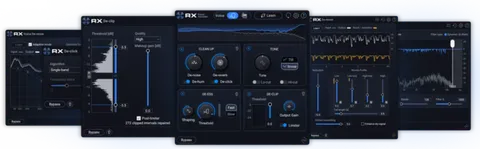
The update also rebuilds De-bleed and Breath Control with neural networks, and the developer says Music Rebalance and Dialogue Isolate gained better intelligence. A new Trim Silence module automatically detects and deletes audio lulls in long files.
Interface and Workflow Changes

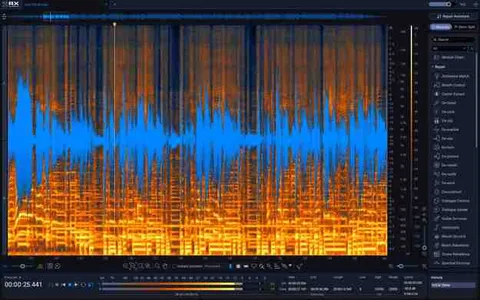
The RX 12 interface includes a larger Spectrogram, a new module search, and a resizable History panel. Repair Assistant, the guided repair tool, is available in AAX Audiosuite, AU and VST3 formats, letting you clean up sound with less manual setup.

De-bleed also includes a real-time plugin, so signal bleed can be removed without uploading a separate bleed track for reference.

04Specs

Will it run?

Formats, systems and requirements as listed by Plugin Boutique. Missing details are left out, not guessed.

DeveloperiZotope
TypePlugin
CategoryAudio Restoration
FormatsVST3, AU, AAX
Operating systemsWindows, macOS
Architecture64-bit
05FAQ

Questions, answered

Who is RX 12 Advanced for?

It is an update for existing owners of RX 10 Advanced. The full RX 12 Advanced version is sold separately for new users.

Which formats and operating systems does RX 12 Advanced support?

It is available in VST3, AU and AAX formats, all 64-bit only, on Windows and macOS. Specific operating system versions are listed in the system requirements.

What do I need to use RX 12 Advanced?

RX 12 Advanced runs as a standalone application or as plugins in a compatible digital audio workstation. Supported hosts include Logic Pro, Pro Tools, Ableton Live, Cubase, Nuendo, Reaper and FL Studio, among others, depending on the ARA integration used.

07Developer

More from iZotope

All iZotope products →