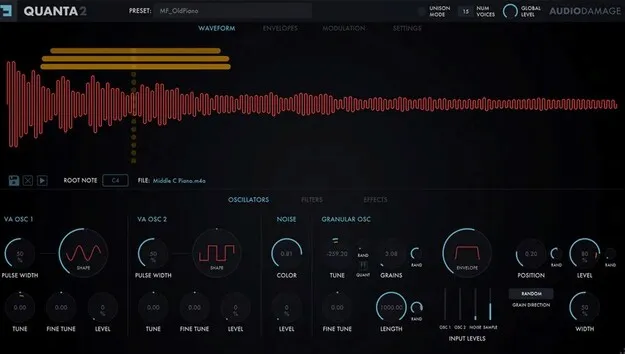
Quanta 2 Upgrade from Quanta granular synth plugin interface by Audio Damage

Quanta 2 Upgrade from Quanta: Granular Synth Plugin by Audio Damage Free Download

Rated 4.6/5 on Plugin Boutique (116 ratings)

Quanta 2 Upgrade from Quanta is an upgrade offer from Audio Damage for owners of the original Quanta granular synthesizer plugin. It adds a grain engine, two virtual analog oscillators and expanded modulation.

VST2AUAAXWindowsmacOS64-bit
AVAILABLE ATPlugin Boutique
Free trial available from the developer
01Overview

Quanta 2 Upgrade from Quanta is priced for owners of the original Quanta, and it brings that synth up to the full Quanta 2 feature set. The core of the instrument is a granular engine that can process any imported sample, with up to 100 simultaneous grains per voice. Audio Damage has also added a second virtual analog oscillator, four flexible envelope generators and two flexible LFOs. The plugin is available as a VST2, AU or AAX plugin for 64-bit Windows and macOS systems.

Best for

  • Granular texture design
  • Ambient pad creation
  • Sample-based sound design
  • Microtonal synth patches
  • MPE controller performance
  • Experimental sound design
Developer
Audio Damage
Category
Synths
Store
Plugin Boutique
02Key features

What you get

  • Granular engine with up to 100 simultaneous grains per voice
  • Loads AIFF, WAV, Broadcast WAV, FLAC, MP3 and Ogg samples
  • Two virtual analog oscillators with pulse width modulation
  • Dual multi-mode filters with serial or parallel routing
  • Four flexible envelope generators with up to 99 steps
  • Two bipolar flexible LFOs with host tempo sync
  • MPE support plus MTS-ESP and TUN microtuning
  • Resizable vector-based GUI for Hi-DPI and Retina displays
03In depth

Granular Sound Design and Sample Processing

The grain engine is the centerpiece of Quanta 2. Each voice can run up to 100 simultaneous grains of up to one second long, with control over grain rate, pitch, direction, shape, length, panning, source position and level.

Quanta 2 loads AIFF, WAV, Broadcast WAV, FLAC, MP3 and Ogg files at any sample rate, bit depth or channel configuration. It converts each sample to the session's sample rate and attempts to detect the root note. Both virtual analog oscillators and the noise source can be sent directly into the grain engine, so you can granularize a synth tone, a noise texture or a recorded sample.
Modulation, Tuning and MPE Control

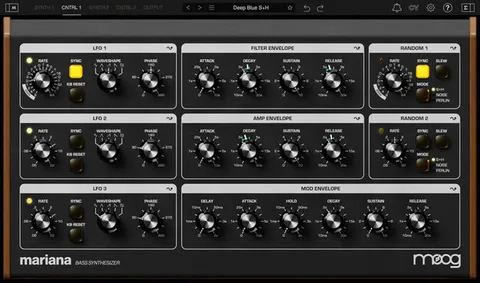
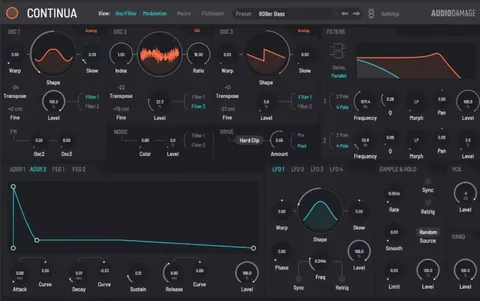
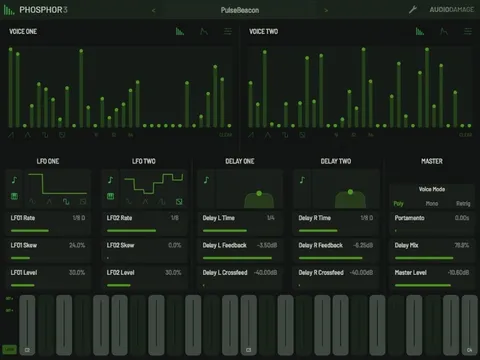
Quanta 2 has four flexible envelope generators, each with up to 99 steps and arbitrary loop points, plus two bipolar flexible LFOs with host tempo sync and retrigger. The sample and hold source can sample noise or other modulation sources at a set rate or a musical division. Every modulation and MIDI source can be assigned to any destination from a right-click menu.

For tuning, Quanta 2 supports ODDSound's MTS-ESP system and TUN tuning tables, along with a global tuning offset. It understands both legacy MIDI and MPE, so controllers such as the Linnstrument, Roli Seaboard and Haken Continuum can send per-note pressure, pitch bend and modulation. Settings such as MPE mode and tuning table are stored per instance in your DAW.

04Specs

Will it run?

Formats, systems and requirements as listed by Plugin Boutique. Missing details are left out, not guessed.

DeveloperAudio Damage
TypePlugin
CategorySynth
FormatsVST2, AU, AAX
Operating systemsWindows, macOS
Architecture64-bit
Free trialYes
05FAQ

Questions, answered

Who is Quanta 2 Upgrade from Quanta for?

It is an upgrade offer for owners of the original Quanta. The full version of Quanta 2 is also available separately.

What formats and operating systems does Quanta 2 support?

Quanta 2 is available in VST2, AU and AAX formats for 64-bit Windows and macOS. Windows 8.1 or newer and macOS 10.12 or newer are required.

Can Quanta 2 load my own samples?

Yes. It loads AIFF, WAV, Broadcast WAV, FLAC, MP3 and Ogg files at any sample rate, bit depth or channel configuration, and attempts to find the root note automatically.

Will presets made for Quanta 1 work in Quanta 2?

Quanta 2 will load presets created for Quanta 1. Drag the preset folder into the Quanta 2 preset user folder and they will appear ready to use.

07Developer

More from Audio Damage

All Audio Damage products →