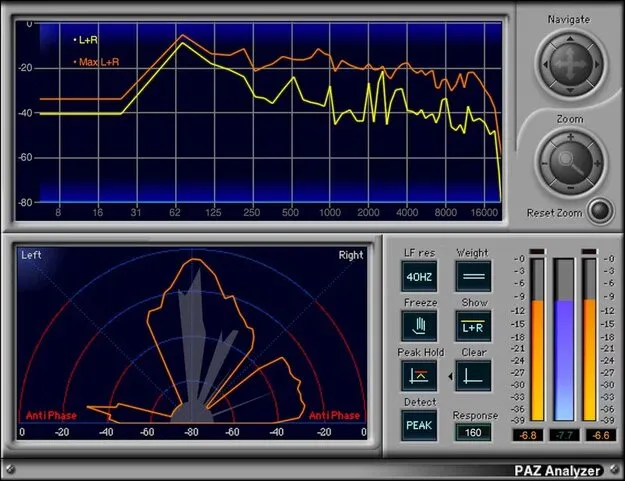
PAZ Analyzer by Waves spectrum analysis plugin interface

PAZ Analyzer: Spectral and Level Analysis Plugin by Waves

Rated 4.7/5 on Plugin Boutique (6 ratings)

PAZ Analyzer is an analysis plugin from Waves for viewing frequency response, stereo loudness spread, phase issues and peak and RMS levels. It is built for checking mixes and masters.

VST2AUAAXWindowsmacOS
AVAILABLE ATPlugin Boutique
Opens the store in a new tab
01Overview

PAZ Analyzer is an effects plugin from Waves that focuses on analysis rather than processing. It shows the frequency content of a track, how loudness is distributed across the stereo field, and where phase problems may be present. Peak and RMS level meters sit alongside these displays, so you can compare readings at a glance. The developer describes the spectrum view as precise, and it can be loaded as a full analyzer or as individual components.

Best for

  • Mix checking
  • Mastering level review
  • Mono compatibility checks
  • Stereo balance analysis
  • Frequency response inspection
Developer
Waves
Store
Plugin Boutique
02Key features

What you get

  • Peak or RMS spectrum analysis with selectable response time
  • 52 or 68 bands of spectrum analysis
  • Indicator for potential out-of-phase audio issues
  • Stereo Position Display of loudness distribution
  • Peak meter hold with independent reset
  • RMS meter placed between left and right peak meters
  • Unweighted, dBA, dBB and dBC weighting curves
  • Resettable clip indicators in the full plugin
03In depth

Spectrum and Stereo Analysis for Mixing and Mastering

The spectrum display can run in Peak or RMS mode, and you can set the response time to suit the material you are checking. You can choose 52 or 68 bands of spectrum resolution, depending on how much detail you need.

The Stereo Position Display shows how loudness is distributed across the left and right channels. A dedicated indicator flags potential issues with out-of-phase audio, which helps when checking mono compatibility of a mix or master.
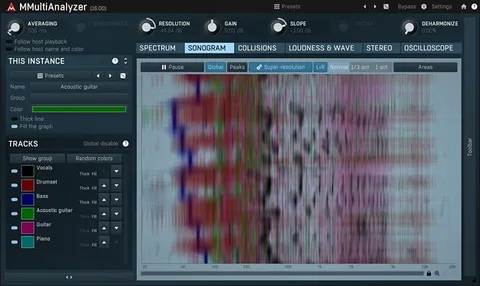
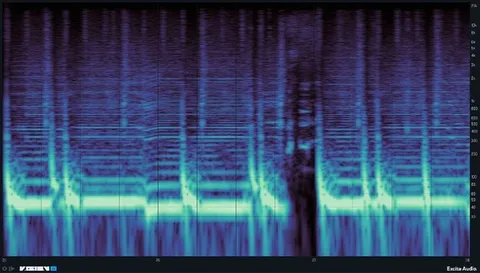
Level Meters and Weighting Options

The meters can hold peak values, and the hold can be reset independently. The RMS meter sits between the left and right peak meters, which makes it easier to compare levels across the two channels. In the full plugin, the meters include resettable clip indicators.

Four weighting curves are available: unweighted, dBA, dBB and dBC. Switching between them lets you read levels in the way that suits the measurement you are making.

04Specs

Will it run?

Formats, systems and requirements as listed by Plugin Boutique. Missing details are left out, not guessed.

DeveloperWaves
TypePlugin
CategorySpectral Analysis
FormatsVST2, AU, AAX
Operating systemsWindows, macOS
05FAQ

Questions, answered

What formats does PAZ Analyzer support?

PAZ Analyzer is available in VST2, AU and AAX formats.

Which operating systems does PAZ Analyzer run on?

It runs on Windows and macOS. The listed macOS versions are Monterey 12, Ventura 13, Sonoma 14 and Sequoia 15, and the listed Windows version is Windows 10 or later.

Can I use PAZ Analyzer for phase checking?

Yes. It includes an indicator that flags potential issues with out-of-phase audio, and a Stereo Position Display that shows how loudness is distributed across the stereo field.

07Developer

More from Waves

All Waves products →