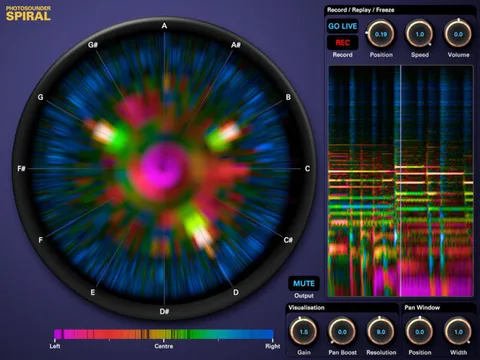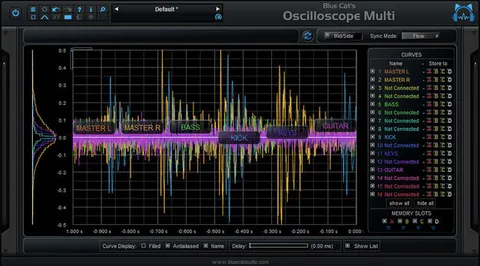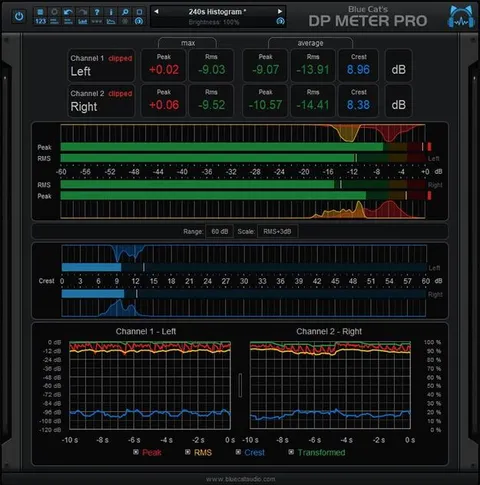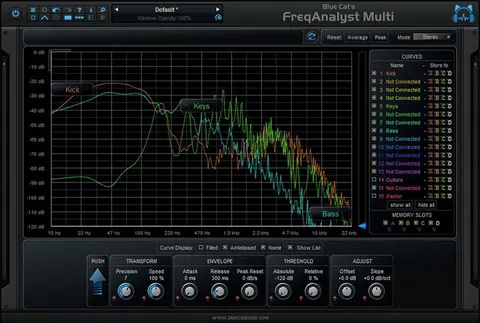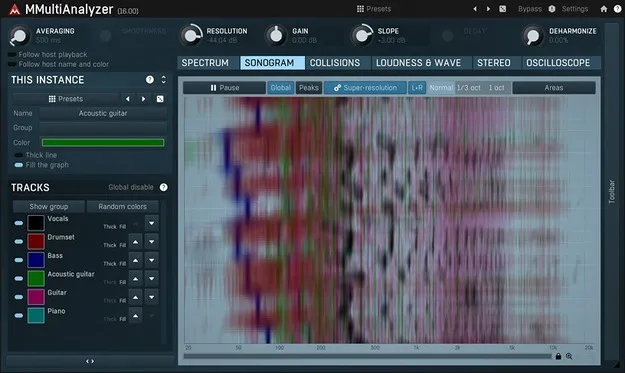
MMultiAnalyzer by MeldaProduction multitrack spectrum analyzer plugin interface

MMultiAnalyzer: Multitrack Spectrum Analyzer and Sonogram Plugin Free Download

Rated 4.7/5 on Plugin Boutique (1,550 ratings)

MMultiAnalyzer is a multitrack spectrum analyzer and sonogram plugin from MeldaProduction. Place an instance on each track and the instances find each other to reveal frequency collisions and compare loudness across the mix.

VST3VST2AUAAXWindowsmacOS64-bit
AVAILABLE ATPlugin Boutique
Free trial available from the developer
01Overview

MMultiAnalyzer is built for mix work where the question is how tracks interact. Instead of viewing one signal at a time, it lets you look at several tracks together, using a multitrack sonogram, a collision detector and a loudness comparison. MeldaProduction describes its normalization, super-resolution and deharmonization features as ways to make standard analysis easier to read. The plugin is offered in VST3, VST2, AU and AAX formats for Windows and macOS.

Best for

  • Mix collision detection
  • Frequency masking analysis
  • Loudness comparison
  • Surround mix analysis
  • Sonogram review
  • Resonance hunting
Store
Plugin Boutique
02Key features

What you get

  • Multitrack spectrum analysis with one instance per track
  • Collision detector for spotting frequency clashes between tracks
  • Sonogram view showing spectral content over time
  • Loudness comparison across tracks
  • Classic meters and time graphs in a resizable, GPU-accelerated interface
  • Adjustable up-sampling from 1x to 16x
  • M/S, single channel and up to 8-channel surround processing
  • MIDI learn support and global preset management
03In depth

Multitrack Analysis and Collision Detection

MeldaProduction says MMultiAnalyzer works across tracks rather than on a single channel. You load an instance on each track you want to examine, and the instances detect one another automatically, so you do not have to set up routing between them.

The collision view is designed to show where tracks compete for the same frequency ranges. The developer also describes a sonogram that shows how spectral content changes over time, which can help when you are tracking down a resonance or a buildup that only appears during certain passages.

The analyzer's display is a central part of the product. It includes classic meters and time graphs, and the user interface can be styled and resized, with GPU acceleration for display performance.
Display Options and Processing Settings

Beyond analysis, MMultiAnalyzer includes processing-oriented options listed by the developer, including an automatic gain compensation setting, a safety limiter and adjustable up-sampling from 1x to 16x. Multiparameter controls and versatile modulators are also included, along with MIDI learn for mapping external controllers.

Channel handling covers M/S processing, single channel, and up to 8 channels of surround. Presets can be managed globally and shared through an online preset exchange.

04Specs

Will it run?

Formats, systems and requirements as listed by Plugin Boutique. Missing details are left out, not guessed.

DeveloperMeldaProduction
TypePlugin
CategorySpectral Analysis
FormatsVST3, VST2, AU, AAX
Operating systemsWindows, macOS
Architecture64-bit
Free trialYes
05FAQ

Questions, answered

What is MMultiAnalyzer used for?

MMultiAnalyzer is used to analyze audio across multiple tracks. Its collision detector and multitrack sonogram help you see where frequencies from different tracks overlap in a mix.

Which formats and operating systems does MMultiAnalyzer support?

MMultiAnalyzer is available in VST3, VST2, AU and AAX formats. It runs on Windows 8, 10 and 11 (64-bit) and macOS 10.14 and newer (64-bit), including native Apple Silicon support on Mac.

What do I need to run MMultiAnalyzer?

You need a 64-bit VST, VST3, AU or AAX compatible host and an Intel or AMD processor with SSE2 support on Windows, or an Intel, AMD or M1 processor with SSE2 support on macOS.

Does MMultiAnalyzer require an internet connection or dongle?

No. The developer states that no dongle or internet access is required for activation. The plugin also comes with a trial.

07Developer

More from MeldaProduction

All MeldaProduction products →