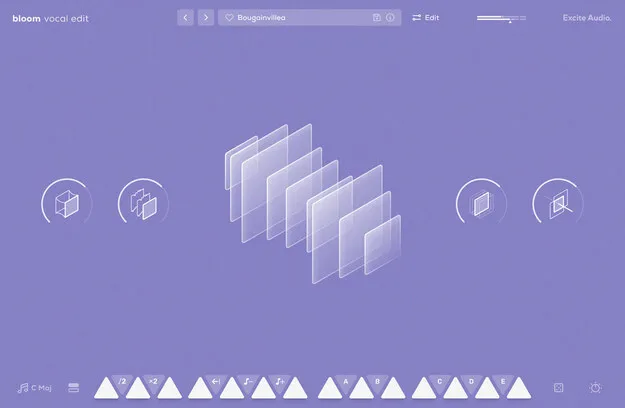
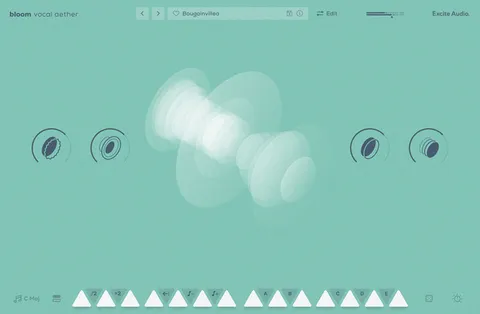
Bloom Vocal Edit Crossgrade by Excite Audio vocal chop instrument plugin interface

Bloom Vocal Edit Crossgrade from any Full Bloom Product: Vocal Chop Instrument by Excite Audio Free Download

Rated 4.8/5 on Plugin Boutique (120 ratings)

Bloom Vocal Edit Crossgrade from any Full Bloom Product is a vocal chop virtual instrument by Excite Audio, built around 112 vocal samples across eight banks, with 250 presets, BPM-synced phrases and a macro-controlled effects chain.

VST3VST2AUAAXStandaloneWindowsmacOS64-bit
AVAILABLE ATPlugin Boutique
Free trial available from the developer
01Overview

Bloom Vocal Edit Crossgrade from any Full Bloom Product is aimed at owners of any Full Bloom product who want the Vocal Edit instrument at a crossgrade level. The collection focuses on energetic vocal chops, hooks and one-shots rather than atmospheric background vocals. Excite Audio describes the instrument as suited to modern electronic, hip-hop and pop productions, with sample material spanning rhythmic EDM chops, smooth R&B harmonies and distorted or glitchy textures.

Best for

  • EDM vocal chops
  • Hip-hop hooks
  • Pop vocal phrases
  • Glitch and experimental vocals
  • Distorted vocal textures
Developer
Excite Audio
Store
Plugin Boutique
02Key features

What you get

  • 14 sample keys across eight banks with 112 vocal samples
  • Five factory modifiers: Half-time, Double-Time, Reverse, Octave Down, Octave Up
  • Five custom modifiers for personal phrase processing
  • Samples synced to host BPM
  • Four macros: Glue, Fuzz, Metallic and Width
  • Five main FX parameters: Bitcrush, Delay, Reverb, Lo-Cut and Hi-Cut
  • Phrase Player with Rate, Latching and Swing controls
  • Import up to 112 of your own samples
  • All included samples are royalty-free
03In depth

Vocal Chop Sound and Character

Bloom Vocal Edit organizes its content into eight sample banks, each dedicated to a different type of vocal element. Each bank contains 14 phrases that are triggered from the keyboard across two octaves, with white keys starting samples and black keys adjusting playback and triggering sequences.

Four macro controls shape the sound quickly: Glue, Fuzz, Metallic and Width. Glue smooths dynamics, Fuzz adds pedal-style distortion, Metallic adds a short slapback delay, and Width handles stereo spread and ensemble effects.
Workflow, Editing and Import

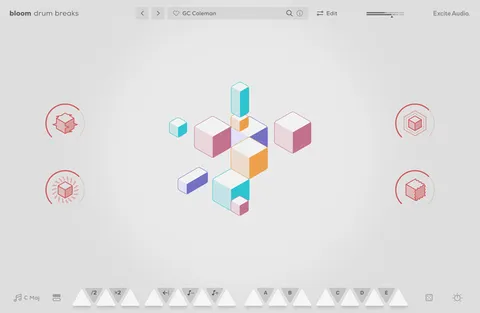
The Edit page exposes sample start and end points, playback direction and speed, pitch and formant settings, envelopes, and four choke groups for interaction between samples. The Phrase Player sequences samples and modulates pitch, velocity and filters, with familiar arpeggiator controls such as Rate, Latching and Swing.

You can import up to 112 of your own samples by dragging audio files onto the waveform view or an empty bank slot, then set their key and BPM so they sync with the engine. Imported samples can be swapped at any time.

04Specs

Will it run?

Formats, systems and requirements as listed by Plugin Boutique. Missing details are left out, not guessed.

DeveloperExcite Audio
TypePlugin
CategoryVirtual Instruments
FormatsVST3, VST2, AU, AAX, Standalone
Operating systemsWindows, macOS
Architecture64-bit
Free trialYes
05FAQ

Questions, answered

What formats and operating systems does Bloom Vocal Edit support?

Bloom Vocal Edit is available in VST3, VST2, AU, AAX and Standalone formats. It runs on Windows and macOS, and is 64-bit only.

What do I need to use Bloom Vocal Edit?

A supported DAW such as Ableton Live, Pro Tools, Logic Pro, FL Studio, Cubase, Nuendo, Reaper or Reason. An internet connection is required to authorize the software. macOS 10.15 or higher is needed on Mac, and Windows 7 or higher on PC.

Are the included samples royalty-free?

Yes. Excite Audio states that all samples that come with Bloom Vocal Edit are royalty-free.

Can I use my own vocal samples?

Yes. You can import up to 112 of your own samples, set their key and BPM, and swap them at any time.

07Developer

More from Excite Audio

All Excite Audio products →