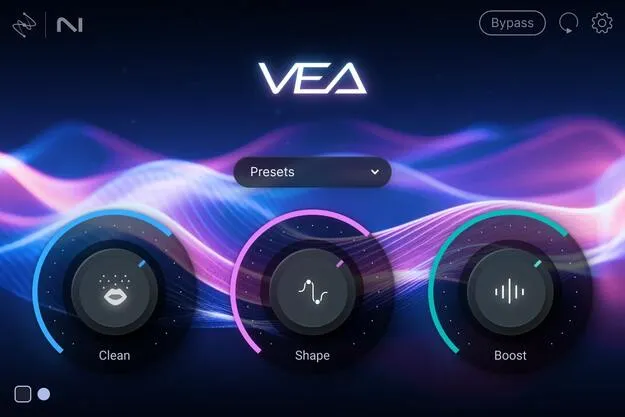
VEA by iZotope AI voice enhancer plugin interface

VEA: AI Voice Enhancer Plugin by iZotope Free Download

Rated 4.6/5 on Plugin Boutique (238 ratings)

VEA is an AI voice enhancer plugin from iZotope that analyzes a voice recording and applies suggested edits to improve clarity, level consistency and background noise.

VST3VST2AUAAXWindowsmacOS64-bit
AVAILABLE ATPlugin Boutique
Free trial available from the developer
01Overview

VEA is an audio effects plugin from iZotope built for voice work. Its AI listens to a recording and suggests processing that makes the voice sound more polished and professional. The plugin is aimed at podcasters and content creators, and iZotope says it draws on enhancement technology from RX, Ozone and Nectar. VEA is offered in VST3, AU and AAX formats for Windows and macOS, and a trial is available.

Best for

  • Podcast voice editing
  • Vlog narration cleanup
  • Interview recording polish
  • Video voiceover processing
  • Matching a reference voice
Developer
iZotope
Store
Plugin Boutique
02Key features

What you get

  • AI-suggested edits based on analysis of your voice recording
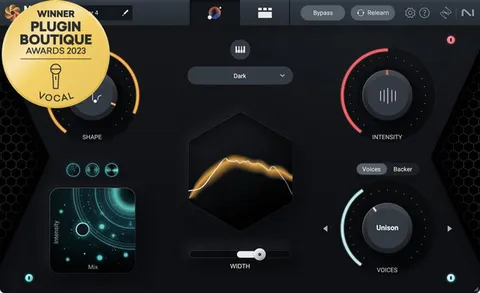
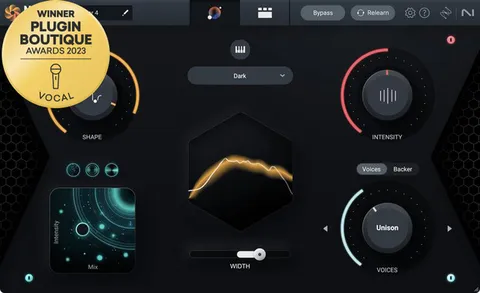
  • Shape control tuned to the voice for a polished sound
  • Boost control for added presence and power
  • Clean noise reduction for background sound
  • Audiolens reference matching inside the Shape control
  • Two color palettes to differentiate speakers
  • Works in VST3, AU and AAX formats
03In depth

Shape, Boost and Clean for voice processing

VEA groups its processing into three main controls. Shape is tuned to the voice and aims to make it sound more polished without manual equalizer work. Boost adds presence and power, and iZotope describes it as handling compression and limiting decisions for you. Clean is a noise reduction stage that reduces background sound while keeping the voice intact.

The interface is designed to be simple, with no complex control layout to learn. Two color palettes let you tell speakers apart in a session.
Matching a reference voice with Audiolens

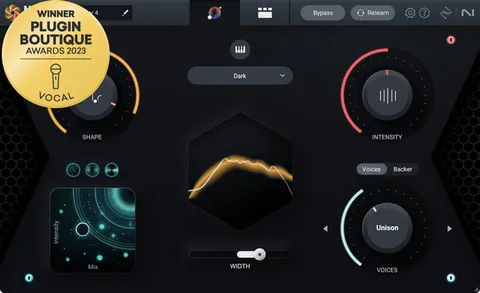
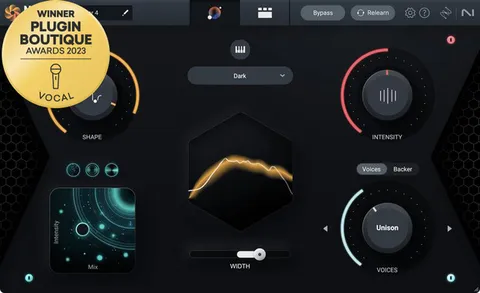
Audiolens is part of the Shape control and lets you load a target audio clip from any source. The plugin then shows you how the reference compares to your recording and helps you replicate its sound. This is useful if you want your narration or interview recordings to match the tone of a particular creator or podcast.

VEA works inside a range of hosts, including Logic Pro, Pro Tools, Ableton Live, Cubase, Nuendo, Studio One, Reaper, FL Studio, Audition, Premiere Pro and DaVinci Resolve.

04Specs

Will it run?

Formats, systems and requirements as listed by Plugin Boutique. Missing details are left out, not guessed.

DeveloperiZotope
TypePlugin
CategoryVocal Processing
FormatsVST3, VST2, AU, AAX
Operating systemsWindows, macOS
Architecture64-bit
Free trialYes
05FAQ

Questions, answered

What is VEA used for?

VEA is used to enhance voice recordings. It adds clarity, sets more consistent levels and reduces background noise, and iZotope positions it for podcasters and content creators.

Which formats and operating systems does VEA support?

VEA is available in VST3, AU and AAX formats, and all formats are 64-bit only. It runs on Windows 10 and 11 and on macOS Catalina through Ventura, with native support for Apple silicon Macs. The VST2 format is no longer supported.

What do I need to use VEA?

VEA runs as a plugin inside a supported host such as Logic Pro, Pro Tools, Ableton Live, Cubase, Studio One, Reaper, FL Studio, Audition, Premiere Pro or DaVinci Resolve.

07Developer

More from iZotope

All iZotope products →