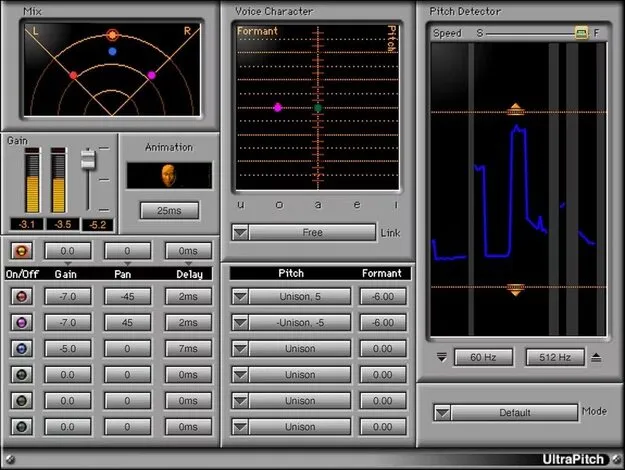
UltraPitch by Waves vocal harmony plugin interface

UltraPitch: Vocal Harmony and Pitch Shift Plugin by Waves

UltraPitch is a vocal processing plugin from Waves that combines pitch shifting with 3- and 6-voice harmony generation, panning and formant control. It works in VST2, AU and AAX formats on macOS and Windows.

VST2AUAAXWindowsmacOS
AVAILABLE ATPlugin Boutique
Opens the store in a new tab
01Overview

UltraPitch covers a wide range of vocal processing, from simple pitch shifts to layered harmonies with independent formant changes and stereo panning. Its harmony components can build a six-voice choir from a single voice, and the developer notes it also handles other monophonic sources. Detection profiles for different voice types and bass help match the processing to the source. Producers can also use it for spoken word, such as giving different characters distinct voices in audiobooks and podcasts, or for creating robot-style voices.

Best for

  • Vocal harmonies
  • Choir layering
  • Robot voices
  • Audiobook character voices
  • Podcast voice effects
  • Bass processing
  • Instrument formant shaping
Developer
Waves
Store
Plugin Boutique
02Key features

What you get

  • Two harmony components: 3-voice and 6-voice, plus pitch shift
  • Automation controls note pitches for specific harmonies
  • Per-voice control of gain, panning, delay, pitch and formant
  • Pitch shift range of ±1 octave in 5-cent increments
  • Note selection from a virtual keyboard or pull-down menu
  • Six-voice choir creation from a single voice
  • Formant correction linked to pitch or set independently
  • Animation option adds random delays to voices
03In depth

Harmony Building and Voice Control

UltraPitch offers two harmony components, one producing three voices and one producing six, along with a separate pitch shift component. Each voice can be adjusted for gain, panning, delay, pitch and formant, so you can shape how each layer sits in the mix.

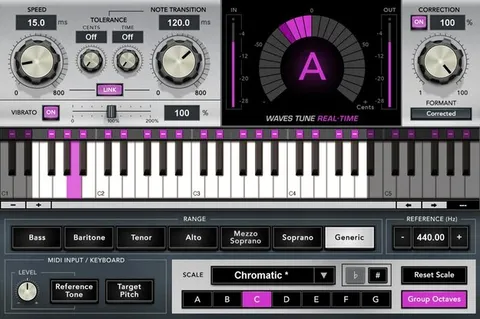
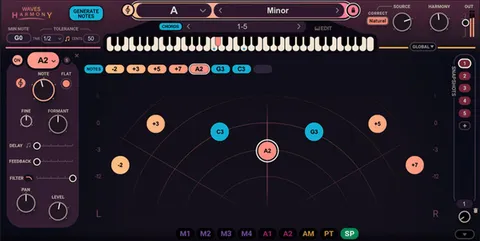
Pitch shift covers a range of one octave above and below the original pitch, in 5-cent steps. You can choose target pitches from a virtual keyboard or a pull-down menu, and automation can change note pitches over time to create specific harmonies.

Harmonies can be tuned using even-tempered or other intonations. The Animation option adds random time delays to the voices for a less rigid, more natural spread.
Formant Correction and Source Profiles

Formant correction can be linked to the vocal pitch or adjusted independently, which helps keep shifted voices sounding natural rather than thin or cartoonish. The plugin includes correction profiles for voice, brass, woods, strings and more.

These profiles make UltraPitch useful beyond vocals. Producers working with instruments can match the formant profile to the source, while voice-character detection profiles help when processing bass or different vocal types.

04Specs

Will it run?

Formats, systems and requirements as listed by Plugin Boutique. Missing details are left out, not guessed.

DeveloperWaves
TypePlugin
CategoryVocal Processing
FormatsVST2, AU, AAX
Operating systemsWindows, macOS
05FAQ

Questions, answered

What formats and operating systems does UltraPitch support?

UltraPitch is available in VST2, AU and AAX formats. It runs on macOS and Windows. The developer lists macOS Monterey 12 through Sequoia 15 and Windows 10 or later as system requirements, with VST and AU for Mac and VST and AAX for PC.

Can UltraPitch create a choir from one voice?

Yes. The six-voice harmony component can create a six-voice choir from a single voice, and the three-voice component provides a smaller harmony option.

Does UltraPitch work with sources other than vocals?

Yes. Waves says it works with a variety of monophonic sources and includes detection profiles for different voice characters as well as bass. Formant correction profiles also cover brass, woodwinds and strings.

07Developer

More from Waves

All Waves products →