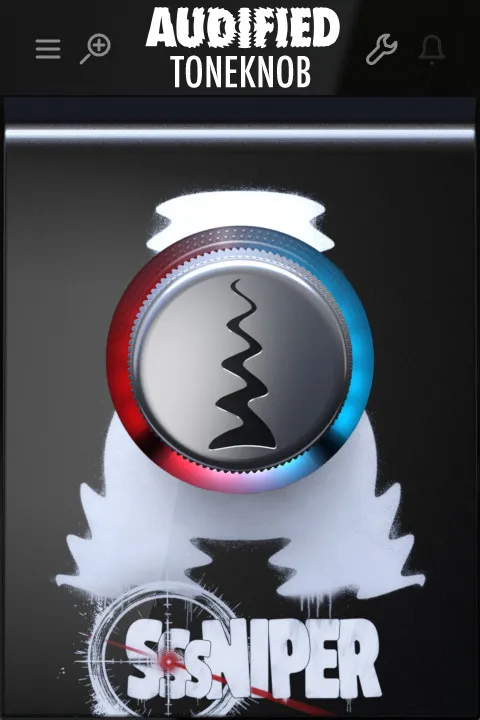
ToneKnob SSSniper de-esser plugin interface by Audified showing red and blue ring knob

ToneKnob SSSniper: Smart De-Esser Plugin by Audified

ToneKnob SSSniper is a smart de-esser plugin by Audified that reduces harsh sibilance on vocals and spoken word. It uses a single knob to control how much the S-sounds are trimmed, and it is available in VST3, AU and AAX formats.

VST3AUAAXWindowsmacOS
AVAILABLE ATPlugin Boutique
Opens the store in a new tab
01Overview

Harsh S-sounds are one of the most common problems in vocal recordings, and they are hard to fix with microphone technique alone. ToneKnob SSSniper is built to target sibilance directly, so you can reduce it without manual frequency hunting or threshold setup. Audified describes it as part of its ToneKnob family of effects, designed to keep vocals sounding natural while cutting the sibilance that can otherwise dominate a mix.

Best for

  • Vocal de-essing
  • Spoken word recordings
  • Podcast voice processing
  • Vocal mixing
  • Harsh S-sound reduction
Developer
Audified
Category
De Essers
Store
Plugin Boutique
02Key features

What you get

  • Single-knob control over sibilance reduction amount
  • Default position at 50% already applies gentle de-essing
  • Red ring side tuned for female vocal sibilance
  • Blue ring side tuned for male vocal sibilance
  • Ring brightness shows how much sibilance is being reduced
  • Automatic detection, no manual frequency or threshold setup
  • Available in VST3, AU and AAX formats
  • Part of the ToneKnob effects family
03In depth

How SSSniper Controls Sibilance

Unlike the rest of the ToneKnob series, SSSniper does not work on a simple low-to-high scale. The knob starts at its midpoint, 50%, and the developer says the effect already works gently at that default position, giving smooth de-essing without much setup.

The ring colors indicate which voice profile the plugin favors. The red side, on the left, is tuned for female vocals with sharper sibilance in higher frequencies. The blue side, on the right, is tuned for male vocals with a deeper sibilant profile. Turning the knob further in either direction increases reduction, and the ring brightens as more sibilance is trimmed.

Because sibilance varies between singers, Audified recommends trying both sides of the knob to see which suits your voice.
Why Use a Dedicated De-Esser Plugin

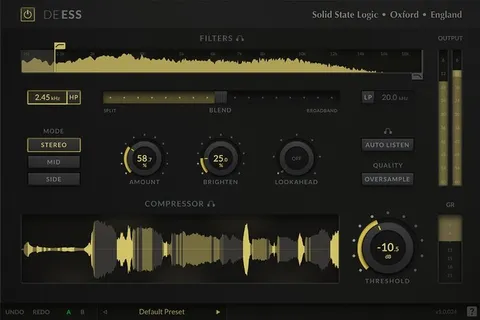
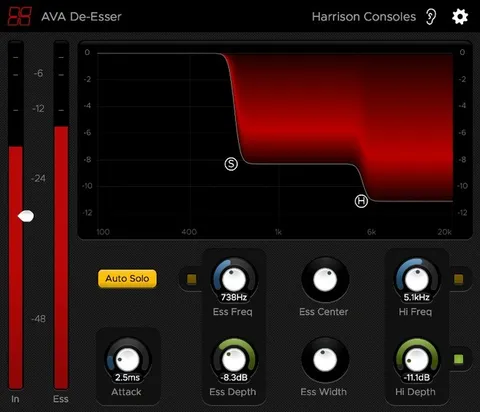
Many de-essers require calibration, frequency selection and threshold tuning. SSSniper handles that process automatically, locking onto sibilance and reducing it while aiming to avoid the pumping effect that heavy-handed de-essing can cause.

The developer says the goal is to keep vocals clear and natural while saving time in the mix. It is a practical option for vocal producers, podcasters and anyone recording spoken word who wants quick, controllable sibilance reduction.

04Specs

Will it run?

Formats, systems and requirements as listed by Plugin Boutique. Missing details are left out, not guessed.

DeveloperAudified
TypePlugin
CategoryDe Esser
FormatsVST3, AU, AAX
Operating systemsWindows, macOS
05FAQ

Questions, answered

What is ToneKnob SSSniper used for?

SSSniper is a de-esser that reduces harsh sibilance, the hissy S sounds that often appear in vocal and spoken word recordings. It is designed to reduce these sounds without requiring manual frequency or threshold setup.

Which formats and operating systems does SSSniper support?

SSSniper is available in VST3, AU and AAX formats. It runs on Windows and macOS. On macOS it supports Apple Silicon natively and requires macOS 10.13 or newer. On Windows it requires Windows 7 or newer.

How much system resources does SSSniper need?

SSSniper requires 50 MB of disk space and at least 4GB of memory on both Windows and macOS.

What is the difference between the red and blue ring sides?

The red side on the left is tuned for female vocals with sharper sibilance in higher frequencies. The blue side on the right is tuned for male vocals with a deeper sibilant profile. Audified recommends trying both to find the best fit for your voice.

07Developer

More from Audified

All Audified products →