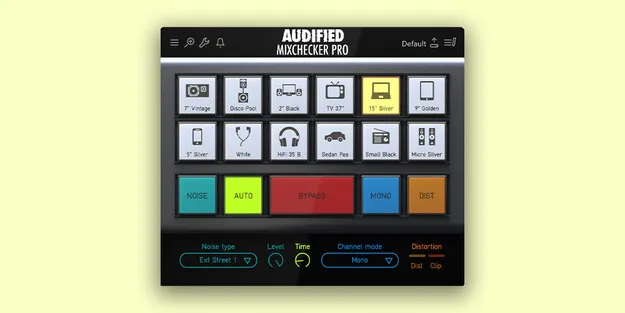
MixChecker Pro by Audified mix referencing plugin interface

MixChecker Pro: Consumer-Device Simulation Plugin by Audified

Rated 4.6/5 on Plugin Boutique (589 ratings)

MixChecker Pro is a referencing plugin from Audified that simulates consumer devices, listening environments and distortion so producers can check how a mix translates beyond the studio.

VST3AUAAXWindowsmacOS64-bit
AVAILABLE ATPlugin Boutique
Opens the store in a new tab
01Overview

MixChecker Pro is a studio tool built to answer a simple question: how will your mix sound on the devices your listeners actually use? It offers simulations of many consumer devices, including studio monitors, PA systems, computer speakers, TVs, laptops, tablets, smartphones and headphones. Audified adds non-linear distortion modeling and background noise, so the simulated listening conditions go beyond simple frequency curves. The interface stays simple, and a remote control works from iOS, Android and web browsers.

Best for

  • Mix translation checks
  • Consumer device referencing
  • Headphone mix checks
  • Laptop and phone playback
  • Club and PA playback checks
  • Video and film audio review
Developer
Audified
Store
Plugin Boutique
02Key features

What you get

  • Simulations of many additional consumer devices
  • Simulation of device distortion for speakers and circuits
  • Adjustable background noise mixed with simulated devices
  • Auto-advance function to step through simulations
  • Remote control from iOS, Android and web browsers
  • Editable button sets with custom labels and per-button settings
  • Adjustable stereo base width for each simulation
  • Simple user interface based on the original MixChecker
03In depth

Simulated Devices and Listening Conditions

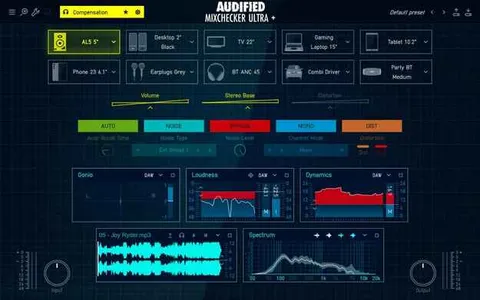
MixChecker Pro covers a wide range of playback systems. The device list includes several studio monitor models, live sound and PA setups such as club and disco speakers, desktop and LCD screen speakers, TV sets from 22 to 37 inches, and laptop speakers in 12 to 15-inch sizes.

Mobile playback is covered too, with tablet and smartphone speakers and a set of in-ear and on-ear headphones. Each simulation can be paired with background noise and an adjustable stereo base, so the mix is heard the way it would be on that device in a real environment.

Audified says the simulations were measured in laboratory conditions, and that the non-linear behavior of the devices is modeled as well as their linear response.
Workflow, Edit Mode and Controls

Simulations can be arranged into button sets, and each button can hold a different device with its own distortion amount, stereo base width and volume. Devices are grouped by category, which makes searching quick. Once a set is saved, the plugin returns to the same simple button view as the original MixChecker.

The default view includes a small panel for background noise settings and a mono button. Two LED indicators show when the distortion threshold is reached or when hard clipping occurs. Channel swap and single-channel listening on both monitors are available, and an auto-advance function can step through simulations for you.

04Specs

Will it run?

Formats, systems and requirements as listed by Plugin Boutique. Missing details are left out, not guessed.

DeveloperAudified
TypePlugin
CategoryReferencing Tools
FormatsVST3, AU, AAX
Operating systemsWindows, macOS
Architecture64-bit
05FAQ

Questions, answered

What formats does MixChecker Pro support?

MixChecker Pro is available in VST3, AU and AAX formats. It is 64-bit only and will not run on 32-bit systems.

Which operating systems can run MixChecker Pro?

It runs on macOS 10.11 and newer, with Intel and Apple Silicon supported, and on 64-bit Windows 7 and newer. The Windows version is listed for VST3 and AAX only.

What do I need to run MixChecker Pro?

The system requirements list about 120MB of disk space and at least 4GB of RAM on both macOS and Windows.

What is the difference between MixChecker and MixChecker Pro?

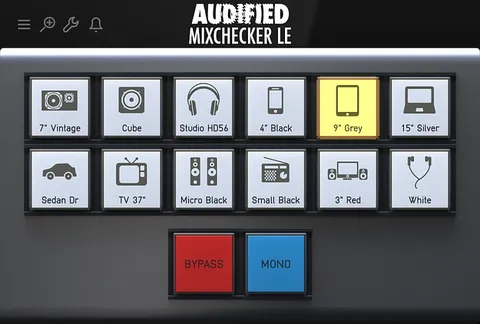
Audified says MixChecker Pro has new simulations measured from scratch, a rewritten processing engine with lower latency and phase linearity, device distortion modeling, background noise, and Edit mode for building custom button sets.

07Developer

More from Audified

All Audified products →