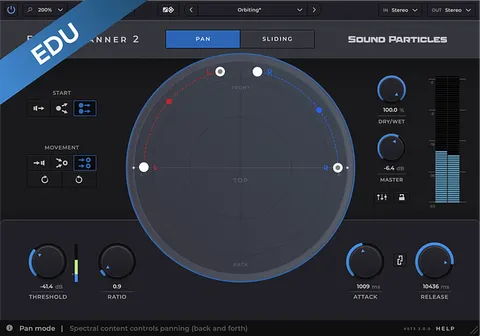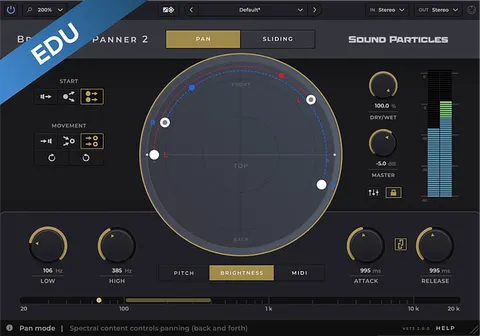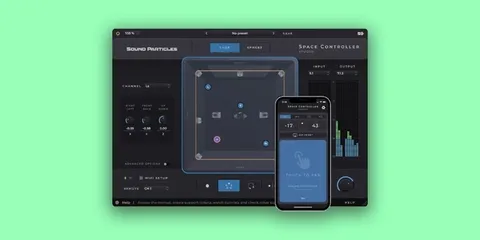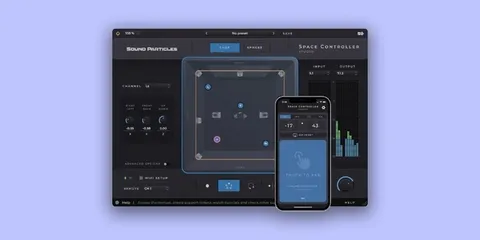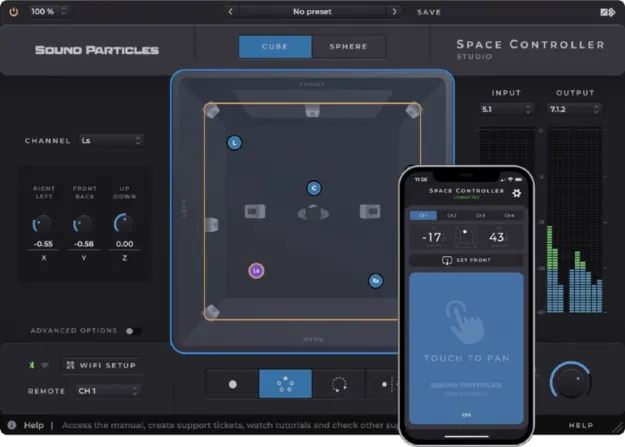
Space Controller Standard Educational Version surround panning plugin interface by Sound Particles

Space Controller Standard Educational Version: Surround Panning Plugin

Space Controller Standard Educational Version is a stereo width and immersive panning plugin by Sound Particles that pairs with a mobile device to position sound in surround and 3D formats.

VST3VST2AUAAXWindowsmacOS64-bit
AVAILABLE ATPlugin Boutique
Opens the store in a new tab
01Overview

Space Controller Standard Educational Version is a panning plugin from Sound Particles, sold as an educational edition for full-time students and faculty at eligible institutions. It works as a plugin and an app: a phone or iPod touch connects to your DAW over Bluetooth and its motion sensors steer each source. The developer says pointing the device moves the sound to that direction, which it presents as easier than working with knobs or joysticks in surround and 3D mixes.

Best for

  • Surround mixing
  • Immersive audio production
  • Stereo width control
  • 5.1 recording width
  • Dolby Atmos object panning
  • Home studio immersive setups
Category
Stereo Width
Store
Plugin Boutique
02Key features

What you get

  • Pans sound by pointing a connected phone or iPod touch
  • Cube and Sphere panning modes
  • Mono, Dual, Rotation and Symmetric modes
  • Adjustable source size controls how many speakers a sound reaches
  • Individual locks for position parameters
  • Top and rear visual views for placement
  • Stereo, binaural, FOA and 5.1 output options
  • Copy and paste automation to Dolby Atmos Objects
03In depth

Panning sound with motion sensors

Sound Particles describes the plugin as a way to pan by pointing a connected device. Panning in stereo with knobs is workable, but the developer notes that surround and 3D panning is harder to get right with knobs or joysticks. Space Controller aims to make those moves more direct.

Panning can be done in Cube or Sphere mode, so you can pick the approach that fits your workflow. Position parameters can be locked individually, either as coordinates in Cube mode or as angles in Sphere mode, which helps when you want one dimension to stay fixed while you adjust others.
Modes, sources and output formats

Four modes are available: Mono, Dual, Rotation and Symmetric. Mono and Dual place and move each source independently, Rotation moves the entire sound field, and Symmetric is used to control the width of a 5.1 recording.

Source size sets how many speakers a sound reaches. Larger sizes spread the sound across more speakers, while smaller sizes keep it in fewer. Output options range from stereo and binaural to FOA and 5.1, with panning also listed for Quad, LCR, LCRS and several Dolby Atmos bed layouts up to 11.1.8. The LFE channel can be controlled, and up to 128 communication links are supported.

04Specs

Will it run?

Formats, systems and requirements as listed by Plugin Boutique. Missing details are left out, not guessed.

DeveloperSound Particles
TypePlugin
CategoryStereo Width
FormatsVST3, VST2, AU, AAX
Operating systemsWindows, macOS
Architecture64-bit
05FAQ

Questions, answered

What formats and operating systems does Space Controller Standard support?

The plugin is available in VST3, VST2, AU and AAX formats. It runs on Windows and macOS, and the listed system requirements cover 64-bit operation.

What do I need to use Space Controller Standard?

Space Controller is a plugin and an app. You connect a mobile device, such as a phone or an iPod touch, to your DAW to use its motion sensors for panning. Minimum requirements are a 2-core CPU, 4GB RAM and 600 MB of disk space, while the recommended setup is a 4-core CPU, 8GB RAM and the same disk space.

Who is the Educational Version for?

The educational edition is for full-time students or faculty at an educational institution. Sound Particles says buyers must send their order number and proof of educational status to support so the license can be verified.

07Developer

More from Sound Particles

All Sound Particles products →