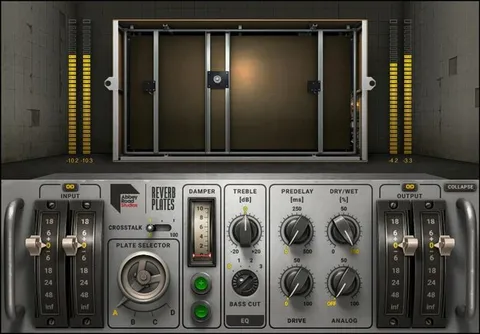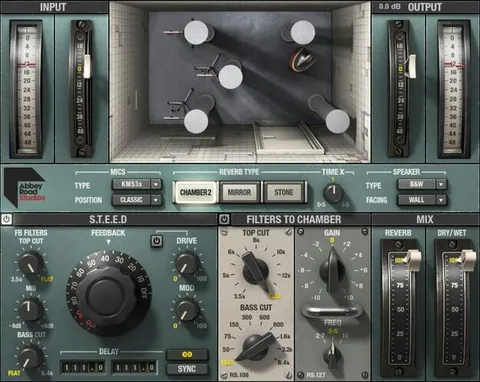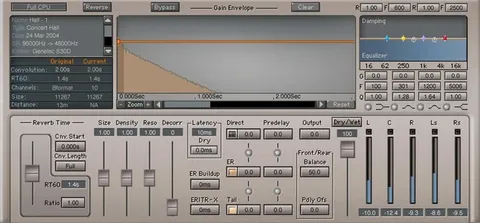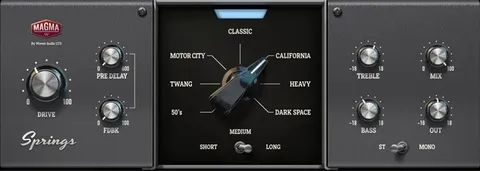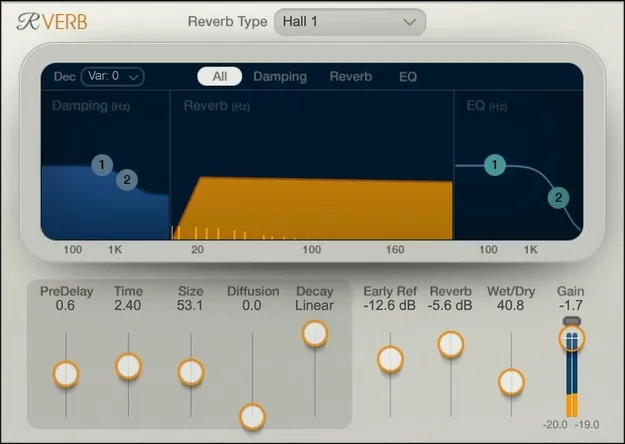
Renaissance Reverb by Waves algorithmic reverb plugin interface

Renaissance Reverb: Algorithmic Reverb Plugin by Waves

Renaissance Reverb is an algorithmic reverb plugin from Waves that offers 12 reverb types, including halls, chambers and plates, with adjustable early reflections and tail EQ. It is available in VST2, AU and AAX formats for Windows and macOS.

VST2AUAAXWindowsmacOS
AVAILABLE ATPlugin Boutique
Opens the store in a new tab
01Overview

Renaissance Reverb builds on the recursive processing behind the earliest digital reverbs, where reflections are fed back into each other to create dense, evolving tails. Waves updates that approach with a smoother, fuller tone and gathers 12 reverb types in one plugin. The interface keeps standard reverb parameters within reach, so you can shape the space without digging through menus. A set of 265 presets from mix engineers gives you starting points for common jobs.

Best for

  • Vocal reverb
  • Mix space and depth
  • Drum room ambience
  • Plate and hall effects
  • Preset-based starting points
Developer
Waves
Category
Reverbs
Store
Plugin Boutique
02Key features

What you get

  • Twelve reverb types, including halls, chambers and plates
  • Advanced early reflection system for added realism and depth
  • Dual-band EQ on the reverb tail
  • Custom damping controls for the decay
  • Standard reverb parameters for intuitive adjustment
  • Multipoint touch control interface
  • 265 presets from mix engineers
  • Available as VST2, AU and AAX
03In depth

Reverb Types and Early Reflections

The plugin includes halls, chambers, plates and nine other reverb types, so one instance can cover a wide range of spaces and textures. Waves describes its early reflection system as a way to add realism and depth to the first moments of the sound, before the tail develops.

The early reflection stage matters most when you want a reverb to sit in a believable room rather than wash over the whole mix. Switching between reverb types lets you move from a tight, controlled space to a larger, more open one while keeping the same basic controls.
Tail Control and Damping

Dual-band EQ on the reverb tail lets you shape the low and high frequencies of the decay separately. Custom damping controls give you a second way to tame brightness or muddiness as the tail fades.

Using the tail EQ and damping together helps keep a reverb from crowding vocals or masking the low end, which is useful when a long space needs to stay out of the way of the rest of the mix.

Presets and Workflow

The 265 presets come from mix engineers, and the developer presents them as a starting point for common uses. The interface uses multipoint touch control, and the standard reverb parameters are laid out for direct adjustment rather than deep programming.

Presets are a good place to begin when you need a reverb quickly, then you can adjust the type, early reflections and tail settings to fit your track.

04Specs

Will it run?

Formats, systems and requirements as listed by Plugin Boutique. Missing details are left out, not guessed.

DeveloperWaves
TypePlugin
CategoryReverb
FormatsVST2, AU, AAX
Operating systemsWindows, macOS
05FAQ

Questions, answered

What formats does Renaissance Reverb support?

Renaissance Reverb is available in VST2, AU and AAX formats.

Which operating systems does Renaissance Reverb run on?

It runs on Windows and macOS. On Mac it supports macOS Monterey 12, Ventura 13, Sonoma 14 and Sequoia 15 in VST, AU and AAX. On PC it supports Windows 10 and later in VST and AAX.

What types of reverb does Renaissance Reverb include?

It includes halls, chambers and plates, plus nine other reverb types, for a total of 12.

Does Renaissance Reverb come with presets?

Yes. It includes 265 presets from mix engineers that Waves describes as award-winning.

07Developer

More from Waves

All Waves products →