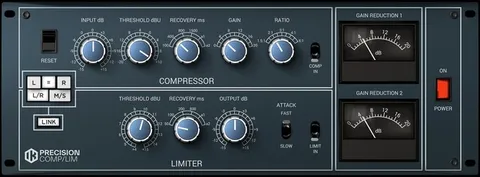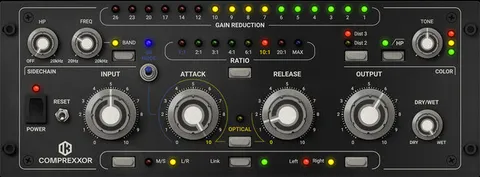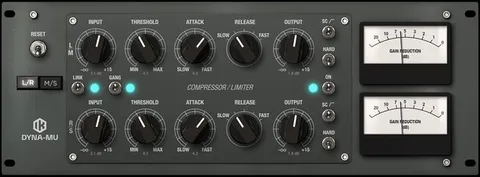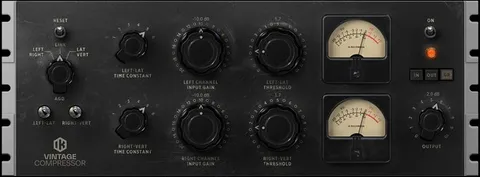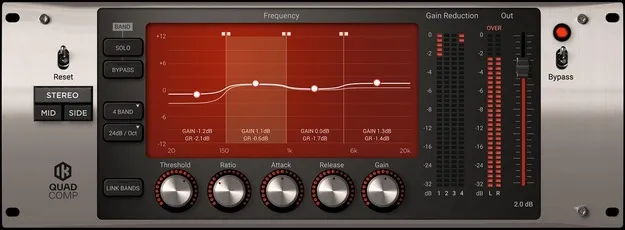
Quad Comp by IK Multimedia multiband compressor plugin interface

Quad Comp: Multiband Opto Compressor Plugin by IK Multimedia

Rated 5.0/5 on Plugin Boutique (5 ratings)

Quad Comp is a multiband compressor plugin from IK Multimedia that splits the signal into up to four bands, each with its own Opto-type compressor. It is available as VST3, VST2, AU and AAX for Windows and macOS.

VST3VST2AUAAXWindowsmacOS64-bit
AVAILABLE ATPlugin Boutique
Opens the store in a new tab
01Overview

Quad Comp applies compression to selected parts of the frequency spectrum instead of the whole signal. Filters divide the audio into up to four user-definable bands, and each band has a full set of compressor controls. Filter slopes can be set from 6 dB/Oct to 24 dB/Oct, and solo and mute buttons help you hear what each band is doing. It runs as a plugin on both Windows and macOS.

Best for

  • Mix bus dynamics
  • Dynamic EQ moves
  • Vocal control
  • Bass control
  • Taming frequency peaks
Developer
IK Multimedia
Category
Compressors
Store
Plugin Boutique
02Key features

What you get

  • Up to four independent multiband compressors
  • Opto-type compression on each band
  • User-definable frequency band splitting
  • Selectable filter slopes from 6 dB/Oct to 24 dB/Oct
  • Independent ratio and time constants per band
  • Solo and mute buttons for auditioning each band
  • Behaves like a dynamic EQ through per-band gain reduction
03In depth

Multiband Compression and Opto-Style Sound

Quad Comp is a multiband processor with up to four fully featured compressors, each working on a separate, user-definable frequency band. Because processing only affects the selected band, you can tame peaks in one part of the spectrum while leaving the rest untouched.

Each compressor is of the Opto type, which IK Multimedia describes as smooth and transparent. More aggressive results are possible by setting the threshold and ratio accordingly. Threshold, ratio and time constants can be set independently for each band.

IK Multimedia says the filters remain natural and musical even at the steepest 24 dB/Oct slope, so the processing on each band should not suffer from phasing issues.
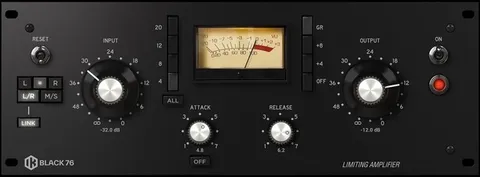
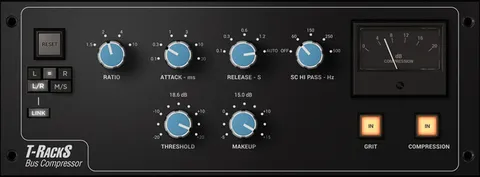
Mix Bus and Dynamic EQ Uses

Because gain reduction on each band responds only when that frequency range exceeds its threshold, Quad Comp can behave like a dynamic EQ. This makes it useful for fixing resonances or harsh spots that appear only at certain moments in a mix.

Most often it is placed on the stereo master bus to even out problem frequencies across a program. It is also suited to individual tracks whose tonal content changes a lot over time, such as vocals or bass.

04Specs

Will it run?

Formats, systems and requirements as listed by Plugin Boutique. Missing details are left out, not guessed.

DeveloperIK Multimedia
TypePlugin
CategoryCompressor
FormatsVST3, VST2, AU, AAX
Operating systemsWindows, macOS
Architecture64-bit
05FAQ

Questions, answered

What formats does Quad Comp support?

Quad Comp is available in VST3, VST2, AU and AAX formats. It runs on Windows and macOS, both in 64-bit.

What do I need to run Quad Comp?

On macOS you need Apple M1 or Intel Core i5, 8 GB of RAM, macOS 10.15 or newer and 9 GB of hard drive space. On Windows you need a Core i5 or equivalent, 8 GB of RAM, Windows 10 (64-bit) or newer, 9 GB of disk space and an ASIO-compatible sound card. An internet connection is required for Custom Shop operations.

Can Quad Comp work as a dynamic EQ?

Yes. Because gain reduction on each band depends on whether that frequency exceeds its threshold, the plugin can act like a dynamic EQ.

07Developer

More from IK Multimedia

All IK Multimedia products →