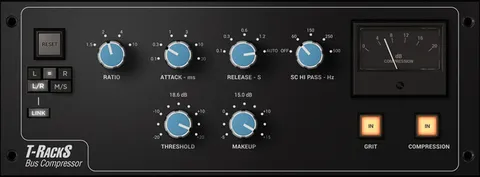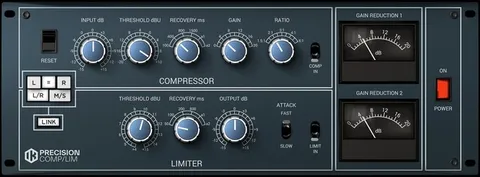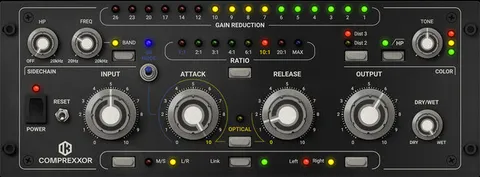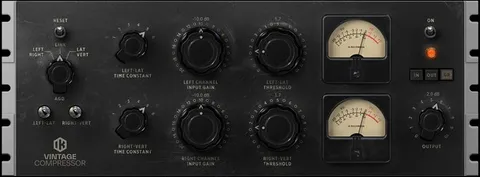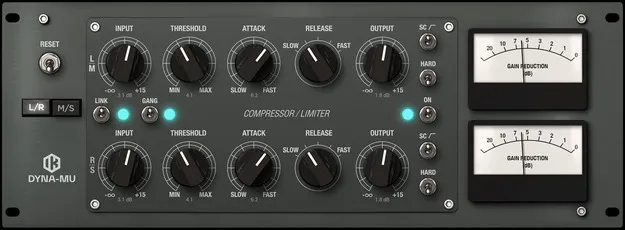
Dyna-Mu tube compressor plugin interface by IK Multimedia

Dyna-Mu: Vari-Mu Tube Compressor Plugin by IK Multimedia

Dyna-Mu is a vari-mu tube compressor plugin by IK Multimedia that emulates a well-known American tube compressor. It is designed to glue full mixes together and add warmth and saturation to individual tracks.

VST3VST2AUAAXWindowsmacOS64-bit
AVAILABLE ATPlugin Boutique
Opens the store in a new tab
01Overview

Dyna-Mu is part of IK Multimedia's T-RackS processor line. The developer says its virtual circuit modeling recreates the warm, colored tone of a classic American tube compressor. The plugin is aimed at two jobs: bringing cohesion to full mixes, especially in mastering chains, and adding color to single tracks or bus sends. When pushed hard, its saturation can add character to a mix or an individual element.

Best for

  • Full mix glue
  • Drum bus compression
  • Parallel drum compression
  • Vocal compression
  • Bass presence
  • Mastering chain processing
Developer
IK Multimedia
Category
Compressors
Store
Plugin Boutique
02Key features

What you get

  • Vari-mu tube compressor emulation modeled on a well-known American design
  • Soft default ratio of about 1.5:1
  • HARD switch engages a 4:1 ratio
  • Input, Threshold, Attack, Release and Output controls
  • Works in both L/R and M/S channel modes
  • GANG switch for controlling both rows together
  • LINK switch for linked or independent sidechain detection
  • SC switch with a gentle high-pass filter below 100 Hz
  • Saturation when driven to its limits
03In depth

Sound and compression character

IK Multimedia describes Dyna-Mu as an emulation of a well-known American tube compressor, with its circuit modeling intended to match the hardware closely.

By default the compression ratio is a soft setting of about 1.5:1. Engaging the HARD switch moves it to a medium ratio of 4:1. The developer positions the normal setting for mixes and the HARD setting for single tracks.

When driven to its limits, the processor produces saturation that can be used to add color to both full mixes and individual tracks.
Controls and sidechain workflow

Dyna-Mu uses simple controls that work in both L/R and M/S modes: Input, Threshold, Attack, Release and Output. Attack sets the time in milliseconds before processing starts after the threshold is exceeded. Release sets how quickly the compression eases off once the level falls below the threshold.

The GANG switch lets you control both rows at once. The LINK switch sets the sidechain detection for the two channels to either linked or independent.

The SC switch inserts a gentle high-pass filter so the compressor responds less to content below 100 Hz. The developer suggests this for heavy kick drums or deep bass.

04Specs

Will it run?

Formats, systems and requirements as listed by Plugin Boutique. Missing details are left out, not guessed.

DeveloperIK Multimedia
TypePlugin
CategoryCompressor
FormatsVST3, VST2, AU, AAX
Operating systemsWindows, macOS
Architecture64-bit
05FAQ

Questions, answered

What formats and operating systems does Dyna-Mu support?

Dyna-Mu is available in VST3, VST2, AU and AAX formats. It runs on Windows and macOS, and both versions are 64-bit.

What do I need to run Dyna-Mu?

On macOS, the minimum is an Intel Core 2 Duo, 4 GB of RAM (8 GB suggested) and macOS 10.10 or newer. On Windows, the minimum is an Intel Core 2 Duo or AMD Athlon 64 X2, 4 GB of RAM (8 GB suggested), Windows 7 or newer, and an ASIO-compatible sound card. An internet connection is required for Custom Shop operations.

When should I use the HARD switch on Dyna-Mu?

The developer recommends the HARD switch, which sets a 4:1 ratio, for single tracks. The normal setting, around 1.5:1, is intended for full mixes.

07Developer

More from IK Multimedia

All IK Multimedia products →