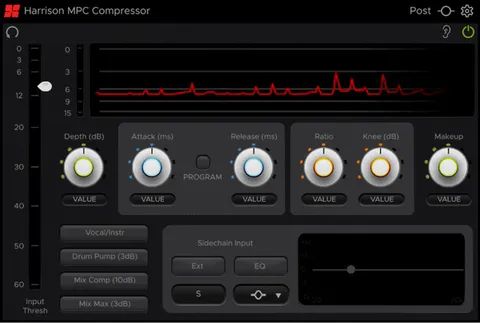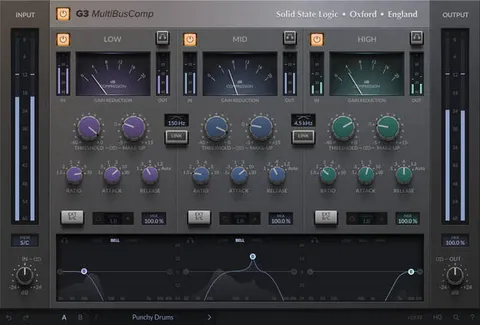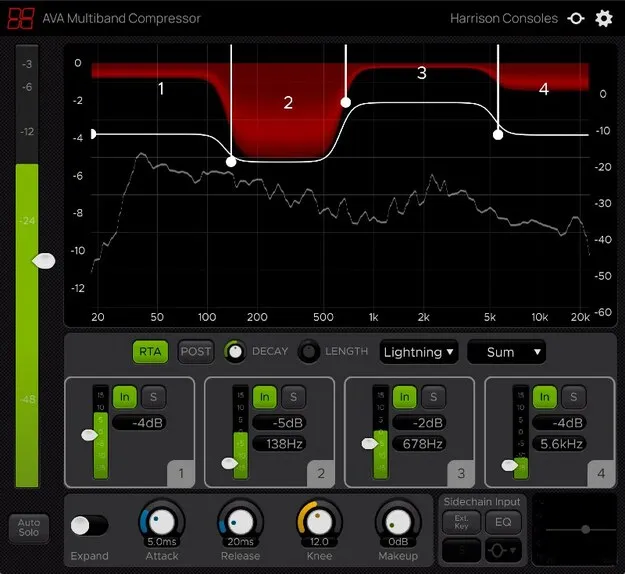
Multiband Compressor by Harrison Consoles effects plugin interface

Multiband Compressor: Multiband Compression Plugin by Harrison Consoles

Rated 4.6/5 on Plugin Boutique (270 ratings)

Multiband Compressor is a four-band compression plugin from Harrison Consoles, based on the developer's multiband compression algorithm. It is available in VST3, VST2, AU and AAX formats.

VST3VST2AUAAXWindowsmacOSLinux
AVAILABLE ATPlugin Boutique
Opens the store in a new tab
01Overview

Harrison Consoles describes Multiband Compressor as the fourth generation of its multiband compression algorithm, a design it says has been used in post-production facilities and refined through feedback from music and film users. The plugin splits the signal into four bands, each with its own threshold, attack, release, knee and makeup gain. It also offers an expander mode, a sidechain key input with dedicated EQ, and a real-time analyzer to help locate problem frequencies.

Best for

  • Mastering dynamics control
  • Bus compression
  • Frequency-specific mixing
  • Sidechain-driven compression
  • Live sound processing
  • Creative expansion effects
Category
Compressors
Store
Plugin Boutique
02Key features

What you get

  • Four-band multiband compression with per-band threshold and depth controls
  • Band Solo and Auto-Solo for dialing in frequency ranges
  • RTA analyzer display, switchable pre or post EQ
  • Up to 12dB reduction in each band
  • Sidechain key input with dedicated single-band EQ
  • Zero-latency processing suitable for live use
  • Expander mode for an additional creative effect
  • Momentary bypass via the Ear icon
  • Vintage theme based on Harrison's console software
03In depth

Controls and Band Layout for Multiband Compression

The main graph sets the frequency and depth of each of the four bands. Click inside a band and drag to change its frequency and depth, or use the scroll wheel to adjust depth alone.

Each band has its own input meter, threshold and bypass ('IN') button, plus a solo function. Auto-Solo plays back the band you are adjusting, which helps you hear the frequency content while you set its range. The band frequency ranges are 20 Hz for band 1, 50 to 400 Hz for band 2, 145 Hz to 2.5 kHz for band 3, and 1 kHz to 8 kHz for band 4.

A high-speed RTA display, which can be set to read before or after EQ changes, helps you find frequency ranges that need attention.
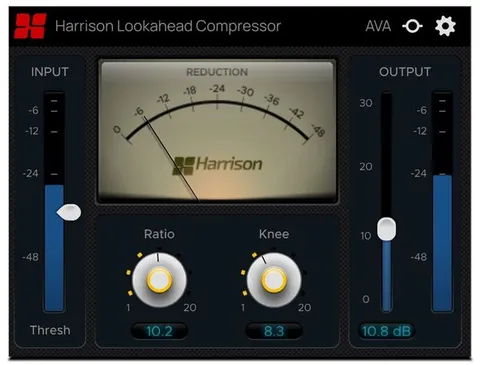
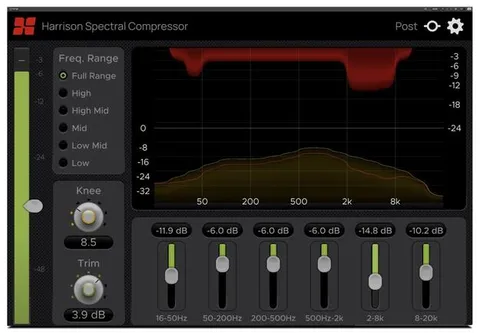
Sidechain Key Input and Expander Mode

The Ext. Key control lets a sidechain signal drive the compressor. When it is enabled, the main meter and threshold reference the key input, and a dedicated single-band EQ shapes that signal. A high or low-pass filter, bell, or shelf can be used to, for example, keep only the low-frequency energy to drive the bands.

The Expander control switches the plugin from compression to expansion, applying gain reduction when the signal falls below each band's threshold. Harrison Consoles presents this mode as an additional creative effect.

Who Multiband Compressor Suits

Multiband Compressor fits mixing and mastering sessions where you need to control specific frequency ranges rather than the full signal. Its zero-latency processing is also suited to live use, according to the developer.

The Ear icon provides a momentary bypass for auditioning the unprocessed signal while you hold the mouse button. The Gear menu offers resizing, theme selection and the version number, and a Vintage theme mirrors the colour scheme of Harrison's large-format console software.

04Specs

Will it run?

Formats, systems and requirements as listed by Plugin Boutique. Missing details are left out, not guessed.

DeveloperHarrison Consoles
TypePlugin
CategoryCompressor
FormatsVST3, VST2, AU, AAX
Operating systemsWindows, macOS, Linux
05FAQ

Questions, answered

What formats does Multiband Compressor support?

Multiband Compressor is available in VST3, VST2, AU and AAX formats. It runs on Windows, macOS and Linux.

What do I need to run Multiband Compressor in my DAW?

On macOS, version 10.9 or newer is required, and on Windows, Win7 or newer. Pro Tools needs version 10.3.5 or newer on Windows or 11 or higher on Mac, with the AAX format enabled during installation. Logic requires the AU format, Cubase requires VST or VST3, and most other workstations need the VST format enabled during installation. Linux users are directed to the demo.

Does Multiband Compressor add latency?

The developer describes the plugin's processing as zero-latency and suitable for live use.

Is there a free trial?

No, a trial is not offered for this plugin.

07Developer

More from Harrison Consoles

All Harrison Consoles products →