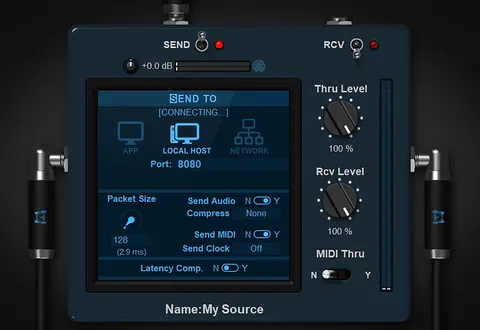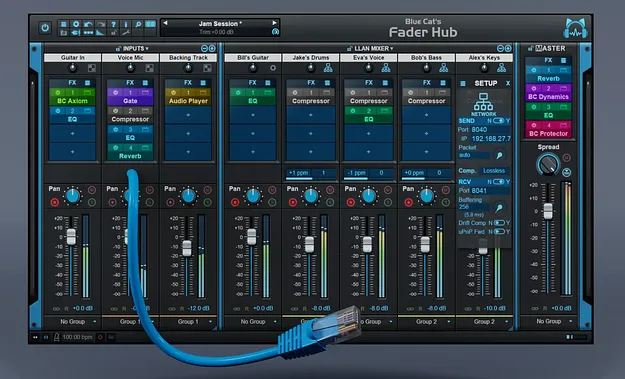
Fader Hub network mixing and streaming console plugin interface by Blue Cat Audio

Fader Hub: Network Mixing and Streaming Console by Blue Cat Audio

Rated 4.7/5 on Plugin Boutique (6 ratings)

Fader Hub is a network mixing and streaming console from Blue Cat Audio that lets musicians play and record together over a local network or the Internet in real time. It is available as a standalone app and as a plugin in VST3, VST2, AU and AAX formats.

VST3VST2AUAAXWindowsmacOS64-bit
AVAILABLE ATPlugin Boutique
Opens the store in a new tab
01Overview

Fader Hub connects musicians over the Low Latency Audio Network (LLAN). It combines a local mixing console, which mixes several audio inputs from an audio interface, with a network mixer that sends the local mix to other computers and blends in the streams received from them. Each musician can manage a personal headphone mix while keeping latency low for their own instrument. The tool also records the full mix or individual streams to disk, which suits multitrack sessions over an IP network.

Best for

  • Online jamming
  • Remote band rehearsal
  • Personal headphone mixes
  • Remote recording sessions
  • Networked live sound
  • Online music teaching
Category
Utilities
Store
Plugin Boutique
02Key features

What you get

  • Network mixing console for playing over a local network or the Internet
  • Peer-to-peer low latency connection over the LLAN
  • Up to 8 local stereo audio inputs for a personal mix
  • Connects up to 8 musicians, more by loading the plugin
  • Multitrack recording of the full mix or individual tracks
  • Built-in EQ, compressor, gate, delays and reverb
  • Loads third-party VST, VST3 and Audio Unit plugins
  • Built-in drift compensation and multi-sample-rate resampling
  • Fully compatible with Blue Cat's Connector
03In depth

Network Mixing for Remote Jamming and Recording

Fader Hub is built around a peer-to-peer connection that works on a local network or over the Internet. Blue Cat Audio describes it as a way to play and record with other musicians in real time.

Each computer sends its local mixdown to the others and mixes in the streams it receives. Up to 8 musicians can be connected directly, and more can be added by loading the plugin on additional machines.

The console also includes built-in drift compensation and resamples multiple sampling rates on a single connection, so participants do not need to match their setups exactly.
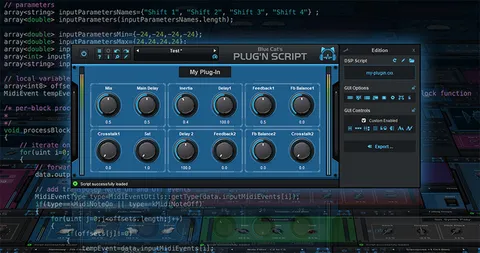
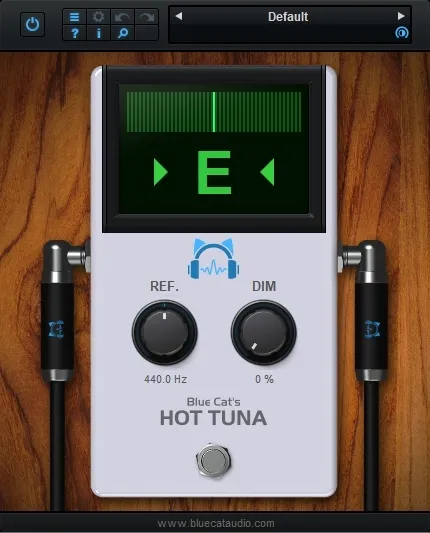
Mixing, Effects and Recording Workflow

On the local side, Fader Hub accepts up to 8 stereo audio inputs from an audio interface, so each player can build a personal mix. Built-in effects include EQ, compressor, gate, delays and reverb.

Third-party VST, VST3 and Audio Unit plugins can be loaded, which turns Fader Hub into a plugin host as well as a mixer. Full MIDI control, MIDI Learn and automation support are included.

Recording covers the full mix or individual tracks on the local machine, which is useful for capturing several instruments sent over the network.

04Specs

Will it run?

Formats, systems and requirements as listed by Plugin Boutique. Missing details are left out, not guessed.

DeveloperBlue Cat Audio
TypePlugin
CategoryUtility
FormatsVST3, VST2, AU, AAX
Operating systemsWindows, macOS
Architecture64-bit
05FAQ

Questions, answered

What is Fader Hub used for?

Fader Hub is used to play, mix and record with other musicians over a local network or the Internet. It also works as a personal headphone mixer and a host for third-party plugins.

Which formats and operating systems does Fader Hub support?

Fader Hub is available in VST3, VST2, AU and AAX formats. It runs on Windows and macOS, and the developer lists 64-bit support.

What do I need to use Fader Hub?

On Mac you need an Intel or Apple Silicon processor and macOS 10.9 or newer. On Windows you need an SSE2-enabled processor and Windows Vista, 7, 8 or 10, plus a compatible host application.

07Developer

More from Blue Cat Audio

All Blue Cat Audio products →