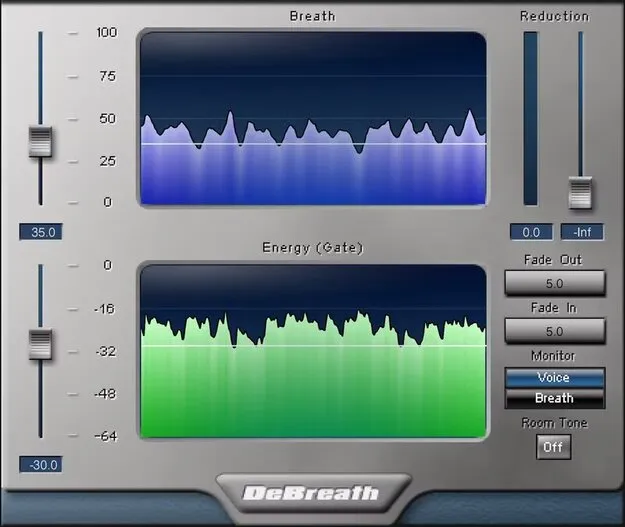
DeBreath by Waves vocal breath removal plugin interface

DeBreath: Breath Removal Plugin for Vocals by Waves

DeBreath is a breath removal plugin from Waves for vocal recordings, voiceovers and podcasts. It separates inhales from speech and singing so you can remove or reduce breaths without editing each one by hand.

VST2AUAAXWindowsmacOS
AVAILABLE ATPlugin Boutique
Opens the store in a new tab
01Overview

Vocal takes often contain breaths that are hard to edit out one by one. DeBreath, developed by Waves, works as an effects plugin in the Vocal Processing category. It separates breath sounds from the voice so you can decide how much breathing stays in the track and how it is processed. It is built for vocal recordings, voiceovers and podcast production.

Best for

  • Vocal recording cleanup
  • Voiceover breath editing
  • Podcast breath reduction
  • Narration editing
  • Vocal takes with audible inhales
Developer
Waves
Store
Plugin Boutique
02Key features

What you get

  • Breath removal designed for vocal recordings, voiceovers and podcasts
  • Individual breath and energy thresholds for identifying inhales
  • Dual displays for breath and voice paths to help optimize settings
  • Room Tone option fills silence left by removed breaths
  • Reduction slider sets how much of each inhale is removed
  • Crossfades for breath and voice paths from 0.1 to 200 ms
  • Monitor voice-only or breath-only audio
03In depth

How DeBreath Separates Breaths From the Voice

DeBreath identifies inhales using individual breath and energy thresholds. You set these thresholds to match the breaths in your recording, then review the dual displays, which show the breath path and the voice path separately. This makes it easier to check that the plugin is catching the right sounds.

Once the breaths are identified, the reduction slider controls how much of each inhale is removed. You can take a breath out completely or leave some of it in for a more natural result.
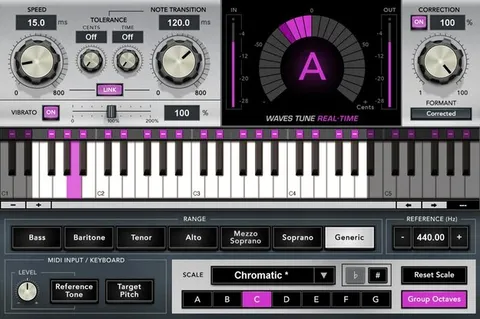
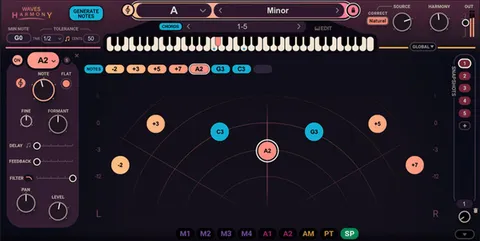
Controls for Fills, Crossfades and Monitoring

When breaths are removed, the resulting silence can sound unnatural. Enabling Room Tone fills those gaps with ambience. Crossfade settings for the breath and voice paths range from 0.1 to 200 ms, letting you shape how the edits blend into the surrounding audio.

You can also monitor just the voice path or just the breath path. Listening to the breath-only signal helps confirm what is being affected before you commit to a setting.

04Specs

Will it run?

Formats, systems and requirements as listed by Plugin Boutique. Missing details are left out, not guessed.

DeveloperWaves
TypePlugin
CategoryVocal Processing
FormatsVST2, AU, AAX
Operating systemsWindows, macOS
05FAQ

Questions, answered

What formats does DeBreath support?

DeBreath is available in VST2, AU and AAX formats. It runs on Windows and macOS.

What do I need to run DeBreath on macOS?

On Mac, DeBreath supports macOS Monterey 12, Ventura 13, Sonoma 14 and Sequoia 15 in VST, AU and AAX formats. On Windows, it supports Windows 10 and later in VST and AAX formats.

Can I keep some breathing instead of removing it completely?

Yes. The reduction slider lets you choose how much each inhale is reduced, so you can remove breaths fully or leave in as much as you want.

Will removing breaths leave silent gaps?

Enabling Room Tone fills the silence left by removed breaths. You can also adjust crossfades between 0.1 and 200 ms to smooth the transitions.

07Developer

More from Waves

All Waves products →