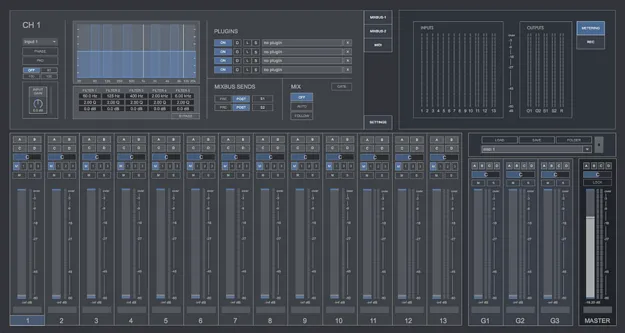
cMixer standalone digital broadcasting mixer software interface by Digital Brain Instruments

cMixer: Digital Mixer for Broadcasting and Podcasting Software Free Download

Rated 4.0/5 on Plugin Boutique (8 ratings)

cMixer is a standalone software digital mixer built for broadcasting, handling inside-the-box audio for online radio, podcasts, talk shows, conferences and small live concerts without a hardware mixer.

StandaloneWindowsmacOS64-bit
AVAILABLE ATPlugin Boutique
Free trial available from the developer
01Overview

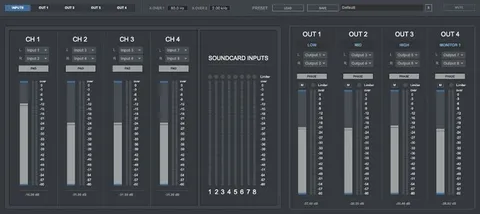
cMixer replaces a hardware mixer in a computer-based setup. It runs as a standalone application and combines 13 input channels, group channels, mix busses and recording output in one session. Its Automix, Follow and Gate modes are designed for sessions with several microphones, where only the active speakers should be heard. Developer Digital Brain Instruments positions it for events broadcasting, dialogue recording and speech.

Best for

  • Online radio broadcasts
  • Podcast recording
  • Talk show mixing
  • Conference audio
  • Speech and dialogue recording
  • Small live concerts
Category
Utilities
Store
Plugin Boutique
02Key features

What you get

  • 10 mono and 3 stereo input channels with 5-band parametric EQ
  • Up to 4 VST/AU plugins per input and per group channel
  • Automix engine for multi-microphone sessions
  • Follow mode mutes all but the main speaker
  • Gate mode for removing background noise
  • Side-chain gain control for stereo channels
  • Two stereo mix bus sends and two stereo outputs
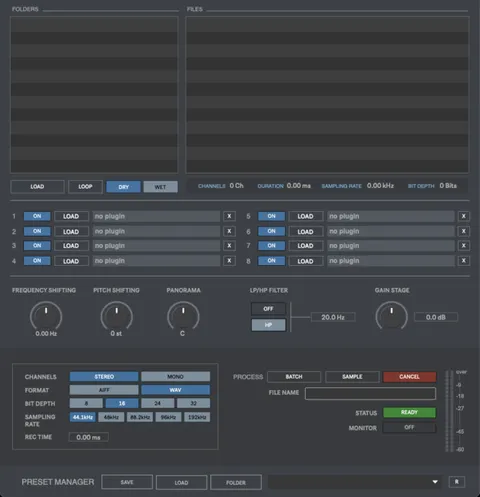
  • WAV/AIFF stereo and mono recording, plus multitrack mode
  • Preset manager to store and recall full sessions
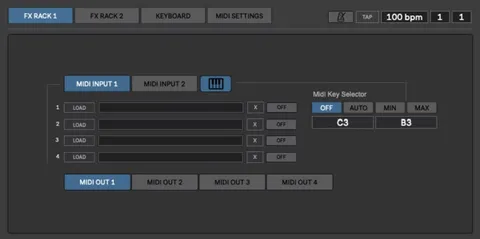
  • MIDI matrix for controlling cMixer with a MIDI device
03In depth

Inputs, EQ and Plugin Processing in cMixer

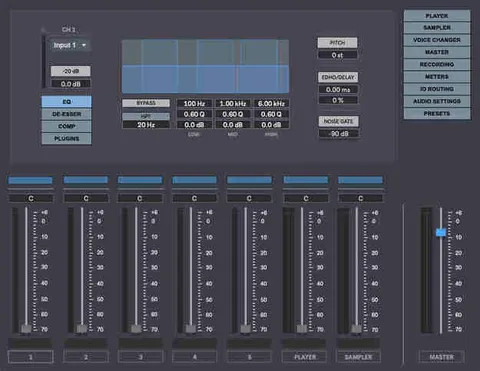
cMixer provides 10 mono input channels and 3 stereo input channels, and stereo channels can also run in mono configuration. Each input offers phase invert, a -20dB pad, a high-pass filter, input gain from +15dB to -15dB, a 5-band parametric EQ, panning, and mute and solo buttons.

Each channel can host up to 4 VST or AU plugins, so you can use your own processing chain. Three group channels offer the same 5-band EQ and plugin slots, and two stereo mix busses can receive pre or post fader sends, each with a dedicated mixing window.
Automix, Follow and Gate Modes for Multi-Microphone Sessions

The Automix engine controls output gains in real time when several microphones are open. It is designed to reduce feedback, comb filtering from nearby microphones and background noise. Automix, Follow and Gate modes are available only on mono input channels.

Follow mode listens to the main speaker and mutes the other channels automatically. Gate mode opens a channel only when its output level passes a threshold, which removes noise from microphones that are not in use. A side-chain gain control lowers stereo music channels automatically whenever someone speaks into a microphone.

04Specs

Will it run?

Formats, systems and requirements as listed by Plugin Boutique. Missing details are left out, not guessed.

DeveloperDigital Brain Instruments
TypePlugin
CategoryUtility
FormatsStandalone
Operating systemsWindows, macOS
Architecture64-bit
Free trialYes
05FAQ

Questions, answered

What formats does cMixer support?

cMixer is available as a Standalone application. It runs on Windows and macOS in 64-bit versions.

What are the system requirements for cMixer?

On Windows, cMixer needs Windows 7 or later (64-bit), at least 2GB RAM and a minimum screen resolution of 1920x1080. On Mac, it needs OS X 10.7 or later (64-bit), at least 2GB RAM and the same screen resolution.

Can cMixer replace a hardware mixer?

Yes. cMixer handles inputs, EQ, plugin processing, mix busses and recording inside a computer. The number of physical inputs and outputs depends on your soundcard, which also determines support for up to 192kHz and 24-bit audio.

Is there a trial version of cMixer?

Yes, cMixer offers a trial.

07Developer

More from Digital Brain Instruments

All Digital Brain Instruments products →