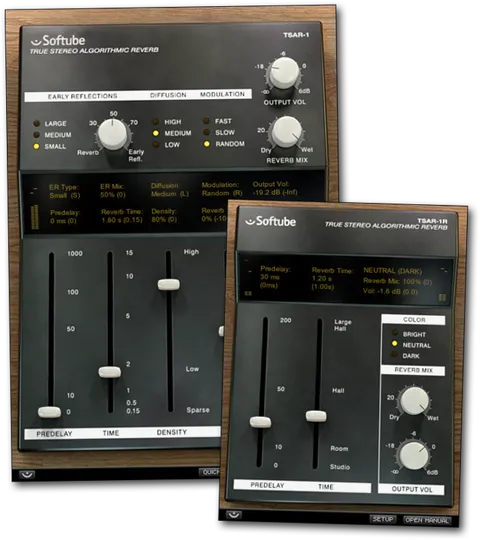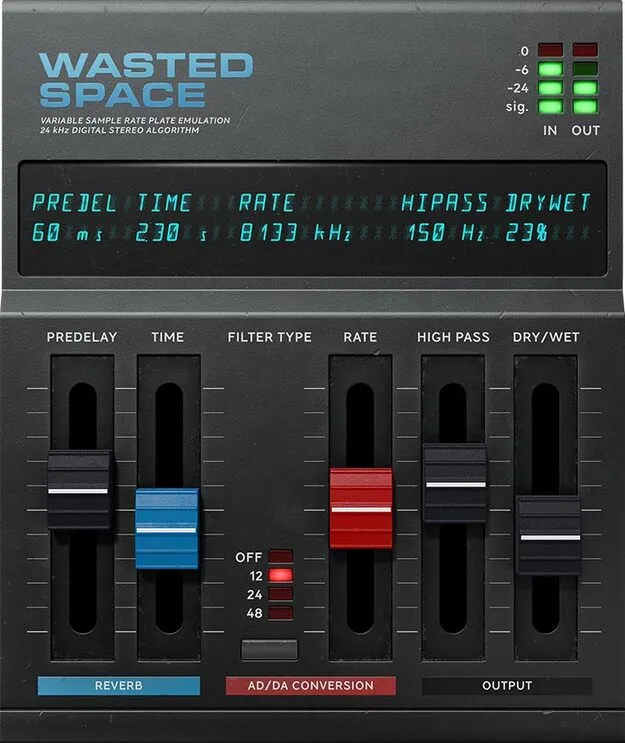
Wasted Space by Softube lo-fi reverb plugin interface

Wasted Space: Lo-Fi Digital Reverb Plugin by Softube

Rated 4.6/5 on Plugin Boutique (411 ratings)

Wasted Space is a lo-fi digital reverb plugin from Softube that adds aliasing artifacts and distortion to reverb. It is available as a native plug-in for Windows and macOS, plus a Softube Modular module.

VST3VST2AUAAXRTASWindowsmacOS64-bit
AVAILABLE ATPlugin Boutique
Opens the store in a new tab
01Overview

Wasted Space is built around intentional digital degradation. Its adjustable sample rate and selectable aliasing filter types let you dial in anything from a subtle crunch to heavily distorted, retro-sounding space. The plug-in pairs classic reverb controls, including predelay and reverb time, with a high pass filter that trims rumble from the low end. Softube also includes a Modular version of the effect, so the same character can be used inside its modular synthesizer platform.

Best for

  • Lo-fi reverb effects
  • Bringing elements forward in a mix
  • Full lo-fi bus processing
  • Retro electronic sound design
  • Pop and electronic production
Developer
Softube
Category
Reverbs
Store
Plugin Boutique
02Key features

What you get

  • Adjustable sample rate from 2400 Hz to 24000 Hz
  • Selectable aliasing filter types: 12, 24, 48 dB/octave, or Off
  • Variable high pass filter from 20 Hz to 2 kHz
  • Predelay adjustable from 0 to 60 milliseconds
  • Reverb time adjustable from 0 to 4.5 seconds
  • Wet/dry blend slider for track or bus use
  • Includes a Softube Modular module alongside the native plug-in
  • Supports Softube Extended Features
03In depth

Sound Character and Lo-Fi Controls

The sample rate control runs from 2400 Hz to 24000 Hz, so you can search for the degradation level that suits the track. Aliasing filter types of 12, 24 and 48 dB per octave shape how the distortion sounds, and an Off setting gives the harshest result. The 48 dB per octave setting is the smoothest of the three filter types.

The high pass filter ranges from 20 Hz to 2 kHz. Raising it reduces distortion in the high frequencies while keeping the distorted low end, which helps remove rumble from low-frequency buildup.
Reverb Controls and Mix Options

Predelay ranges from 0 to 60 milliseconds and reverb time from 0 to 4.5 seconds. A wet/dry blend slider lets you balance the effect on a single track or run it fully wet on a bus.

Wasted Space can also be used as a Softube Modular module, where it can be patched alongside Softube's modules from Doepfer, Buchla and Intellijel. Softube Extended Features are supported for additional control.

04Specs

Will it run?

Formats, systems and requirements as listed by Plugin Boutique. Missing details are left out, not guessed.

DeveloperSoftube
TypePlugin
CategoryReverb
FormatsVST3, VST2, AU, AAX, RTAS
Operating systemsWindows, macOS
Architecture64-bit
05FAQ

Questions, answered

What formats does Wasted Space support?

Wasted Space is available in VST3, VST2, AU, AAX and RTAS formats. The developer notes that TDM, VENUE and RTAS are no longer supported, and that AAX DSP is not in active development.

Which operating systems can run Wasted Space?

Wasted Space runs on Windows and macOS, in 64-bit versions. Windows 10 and 11 and macOS Big Sur 11, Monterey 12 and Ventura 13 are listed as supported. Softube recommends VST3 for the best feature support.

What do I need to use Wasted Space?

You need a Softube account and an iLok account, plus a compatible 64-bit host such as Pro Tools, Logic Pro, Cubase, Ableton Live, Studio One or Reaper. An internet connection is needed to download installers and manage licenses.

What is included with Wasted Space?

The product includes the native plug-in and a Wasted Space module for Softube Modular. Softube also lists an Amp Room module in the source material as an included version.

07Developer

More from Softube

All Softube products →