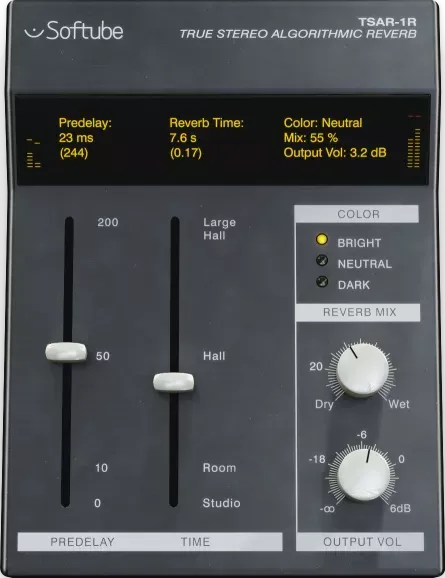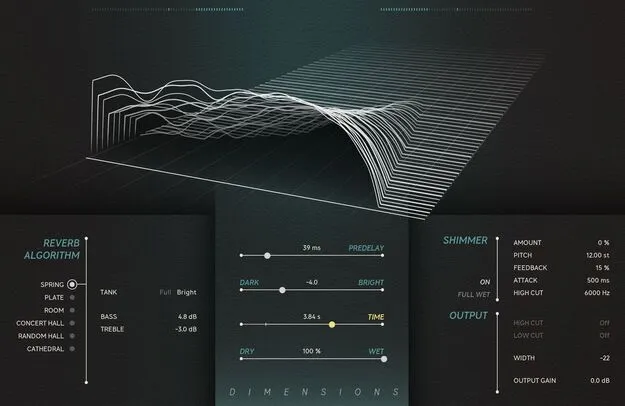
Dimensions by Softube reverb plugin interface with reverb tail visualizer

Dimensions: Six-Algorithm Reverb Plugin by Softube

Rated 5.0/5 on Plugin Boutique (9 ratings)

Dimensions is a reverb plugin from Softube that combines six reverb algorithms, including Spring, Plate, Concert Hall, Room, Random Hall and Cathedral, with a built-in Shimmer section and a reverb tail visualizer.

VST3VST2AUAAXRTASWindowsmacOS64-bit
AVAILABLE ATPlugin Boutique
Opens the store in a new tab
01Overview

Dimensions is built around six reverb algorithms that cover mechanical spring and plate sounds as well as hall and room spaces. Softube also includes a Shimmer section that can be applied to any of the six reverbs, and a reverb tail visualizer that shows how the tail changes as you adjust the controls. The plugin ships with a preset collection and offers Time, Dry/Wet, Dark/Bright and Predelay controls for shaping each reverb.

Best for

  • Vocal reverb
  • Drum room and plate sounds
  • Synth pads and ambience
  • Shimmer textures
  • Studio room ambience
Developer
Softube
Category
Reverbs
Store
Plugin Boutique
02Key features

What you get

  • Six reverb algorithms: Spring, Plate, Concert Hall, Room, Random Hall and Cathedral
  • Shimmer section that turns any reverb into a shimmer reverb
  • Reverb tail visualizer that displays the tail as you adjust settings
  • Time, Dry/Wet, Dark/Bright and Predelay controls
  • Comprehensive collection of presets included
  • Available in VST3, VST2, AU, AAX and RTAS formats
  • 64-bit plugin for Windows and macOS
03In depth

Six reverb algorithms and their characters

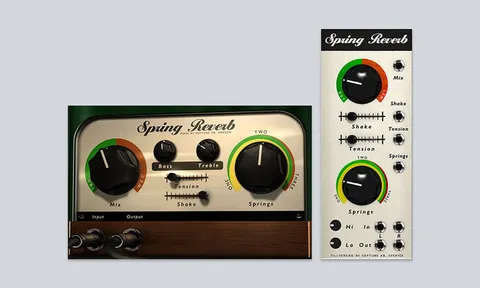
Dimensions organizes its reverbs into six distinct types. Spring and Plate are mechanical-style reverbs, with the Spring algorithm modeled from a tape echo unit and the Plate section offering three mechanical plate emulations plus one emulation of a 1976 digital plate reverb.

Concert Hall and Random Hall cover the hall end of the range. Softube describes Concert Hall as lush and sparse, and Random Hall as open and clear, with spatialization intended to help blend any source. Room is a variation of the Concert Hall algorithm tuned for smaller sizes, and Cathedral is described as long and lush, with modulation that the developer positions for making synths sound bigger.
Shimmer effect and reverb tail visualizer

The Shimmer section turns any of the six reverbs into a shimmer reverb. Changes to the Shimmer settings can be followed in the Reverb Tail Visualizer, which displays the reverb tail as you adjust the sound.

The visualizer is one of the main workflow aids in the plugin. It makes it easier to see how Time, Predelay, Dark/Bright and the Shimmer settings change the decay of the tail.

04Specs

Will it run?

Formats, systems and requirements as listed by Plugin Boutique. Missing details are left out, not guessed.

DeveloperSoftube
TypePlugin
CategoryReverb
FormatsVST3, VST2, AU, AAX, RTAS
Operating systemsWindows, macOS
Architecture64-bit
05FAQ

Questions, answered

What formats does Dimensions support?

Dimensions is listed in VST3, VST2, AU, AAX and RTAS formats. Softube notes that TDM, VENUE and RTAS are no longer supported, and that AAX DSP is not currently in active development.

What operating systems does Dimensions run on?

Dimensions runs on Windows and macOS. The listed requirements include macOS Big Sur 11, Monterey 12 and Ventura 13, and Windows 10 (64-bit) or Windows 11.

What do I need to use Dimensions?

You need a compatible 64-bit host such as an AU, VST, VST3 or AAX-compatible DAW, a Softube account and an iLok account, and internet access for downloading installers and managing licenses. Softube officially tests in Pro Tools, Logic Pro, Cubase, Ableton Live, Studio One and Reaper.

Which sample rates does Dimensions support?

Dimensions supports 44.1, 48, 88.2, 96, 176.4 and 192 kHz, in both mono and stereo. Softube recommends using the VST3 format.

07Developer

More from Softube

All Softube products →