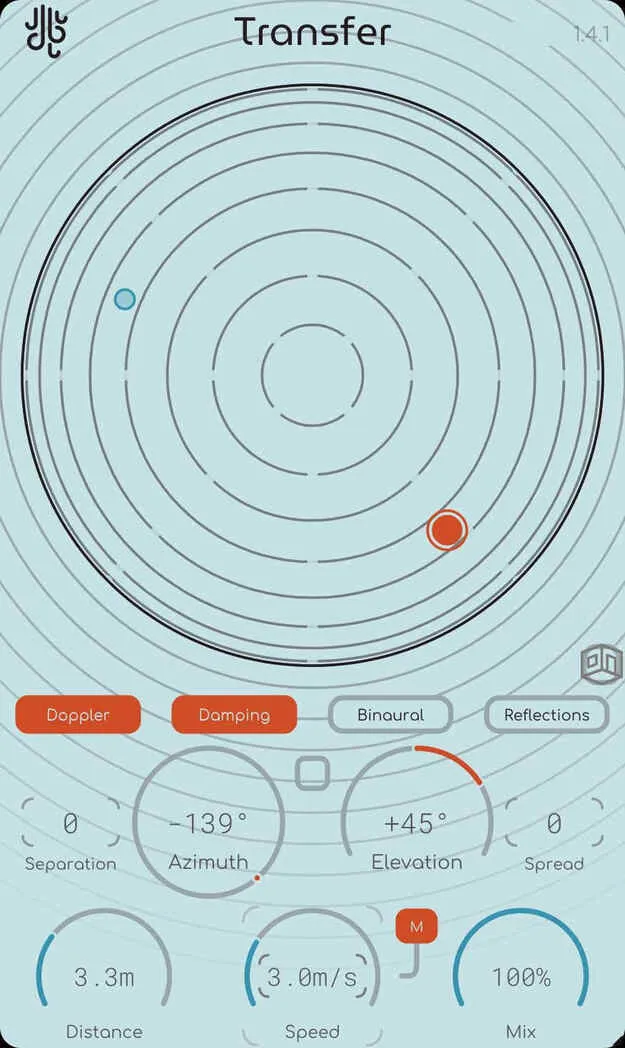
Transfer by Lese spatial audio positioner plugin interface

Transfer: Spatial Audio Positioner Plugin by Lese Free Download

Rated 4.7/5 on Plugin Boutique (46 ratings)

Transfer is an effects plugin from Lese that positions audio in space, using ambisonic processing to place a sound around the listener with doppler and room simulation. It is available in VST3, AU and AAX on Windows and macOS.

VST3AUAAXWindowsmacOS
AVAILABLE ATPlugin Boutique
Free trial available from the developer
01Overview

Transfer is a stereo width and spatial effects plugin built around positioning. Instead of exposing a stack of encoding and decoding variables, it takes audio in and returns a spatialized signal. Two control modes are offered: a full spherical positioner, and an X/Y pad that maps the left, right, front and back space around the listener. The plugin combines binaural-style ear modeling, doppler simulation, spread and separation, and early and late room reflections in one unit.

Best for

  • Spatial mixing
  • Moving sound effects
  • Stereo width control
  • Room ambience design
  • Film and game audio
  • Immersive sound design
Developer
Lese
Category
Stereo Width
Store
Plugin Boutique
02Key features

What you get

  • Binaural-ready ear modeling for spatial audio positioning
  • Spherical positioner and X/Y pad control modes
  • Spread control for a more diffuse, less localized source
  • Separation mode places left and right channels at separate angles
  • Doppler effect simulation for moving sound sources
  • Early and late room reflections added in version 1.2.0
  • Room dimensions, materials and Size Sync to Distance
  • Available in VST3, AU and AAX formats
03In depth

Positioning and Spatial Character

Transfer handles the ambisonic encoding and decoding internally, so the work of placing a sound happens in one place. You choose a position using the spherical positioner or the X/Y pad, depending on how you prefer to think about space.

The Spread control reduces how easily a listener can point to the source, which gives a softer, more diffuse placement. Separation can split a stereo input so that the left and right channels arrive from separate angles while keeping the same distance from the listener.

The binaural-ready modeling filters the signal according to how the human ear perceives sound from a given angle. The developer describes the result as ultra-realistic spatial audio with lower CPU usage than comparable approaches.
Doppler, Reflections and Room Simulation

The doppler effect is simulated to represent how moving sound changes in pitch and character, which is useful for movement that passes around or toward the listener. Lese notes that its demos illustrate the effect.

In version 1.2.0 the Reflections toggle adds early and late reflections. You can set room dimensions and surface materials, or enable Size Sync to map the room size to the Distance parameter. A separate volume mix for early and late reflections lets you adjust how much space you hear.

04Specs

Will it run?

Formats, systems and requirements as listed by Plugin Boutique. Missing details are left out, not guessed.

DeveloperLese
TypePlugin
CategoryStereo Width
FormatsVST3, AU, AAX
Operating systemsWindows, macOS
Free trialYes
05FAQ

Questions, answered

What formats does Transfer support?

Transfer is available in VST3, AU and AAX formats. Windows builds include VST3 and AAX, while macOS builds include VST3, AU and AAX on Intel and ARM.

What operating systems does Transfer run on?

Transfer runs on Windows and macOS. The system requirements list macOS on both Intel and ARM processors.

What does Transfer's doppler effect do?

Transfer simulates the doppler effect, the change in sound as a source moves toward or away from the listener. Lese says the simulation is a mathematically accurate representation of how it sounds in real life.

Does Transfer have a free trial?

Yes, Transfer offers a trial version.

07Developer

More from Lese

All Lese products →