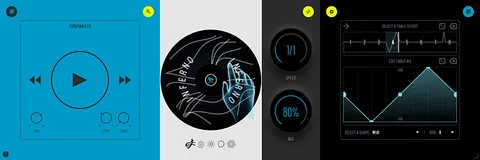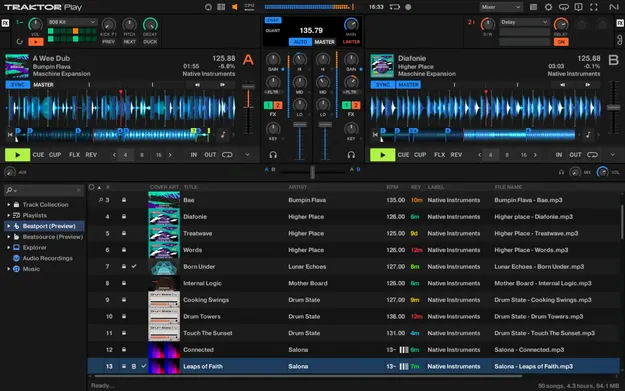
Traktor Play DJ software interface by Native Instruments showing two decks

Traktor Play: Streamlined DJ Software by Native Instruments

Traktor Play is a streamlined DJ software application from Native Instruments that offers two decks, core mixing tools and creative effects in a simpler package than Traktor Pro 4.

WindowsmacOS
AVAILABLE ATPlugin Boutique
Opens the store in a new tab
01Overview

Traktor Play is Native Instruments' entry-level version of its DJ software, built around the mixing core of Traktor Pro 4. It gives you two decks, familiar mainstay controls such as visualized waveforms, key track information, a pitch fader and hot cues, and it runs from a laptop with no controller required. Beatport Previews is included, so you can start mixing from a library of millions of tracks without logging in.

Best for

  • Learning to DJ
  • Laptop-only DJ sets
  • Controller-based mixing
  • Live loop performance
  • Drum removal mashups
  • Background music mixing
Category
DJ Tools
Store
Plugin Boutique
02Key features

What you get

  • Two DJ decks with visualized waveforms, pitch fader and hot cues
  • Runs from a laptop with no controller needed
  • Sync engine and key detection for aligned transitions
  • EQs and filters modeled on industry-standard mixers
  • Master limiter to help prevent distorted output
  • AutoMix for hands-free background listening
  • Reverb, delay and gater effects with Mixer FX control
  • Streamlined stem separation to remove all drums
  • 808 kit from Traktor's Pattern Player
  • 11 loop sizes, loop rolls, eight hot cues and eight hot loops
03In depth

Core mixing features and sync

Traktor Play focuses on the essentials of DJ performance. Two decks give you the mainstay controls, including visualized waveforms, key track information, a pitch fader and hot cues.

Native Instruments describes the sync engine and key detection as among the most accurate in the industry, aimed at keeping tracks lined up and transitions smooth. EQs and filters are modeled on industry-standard mixers, and a master limiter is included to help keep the output from distorting. AutoMix provides hands-free background listening.
Creative tools for live sets

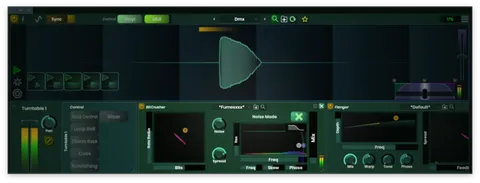
The creative tools go beyond basic mixing. Studio-grade reverb, delay and gater effects can change the character of a mix, and Mixer FX let you cut lows or highs or apply a filtered delay with a single control.

A streamlined version of Traktor's stem separation removes all drums with one button. The 808 kit from Traktor's Pattern Player is included, and you can use 11 loop sizes, loop rolls, eight hot cues or eight hot loops. Flux Mode helps you keep a track going or build energy before a drop.

04Specs

Will it run?

Formats, systems and requirements as listed by Plugin Boutique. Missing details are left out, not guessed.

DeveloperNative Instruments
TypePlugin
CategoryDJ Tools
Operating systemsWindows, macOS
05FAQ

Questions, answered

What is Traktor Play?

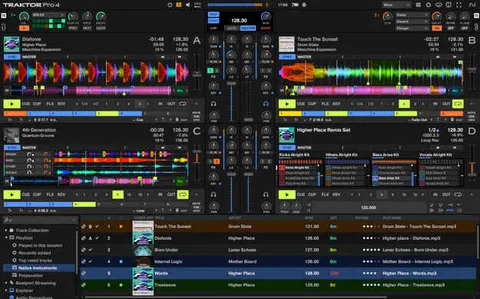
Traktor Play is the streamlined version of Native Instruments' DJ software, with two decks and core mixing and creative tools. It is designed to be easier to use than Traktor Pro 4.

Which operating systems does Traktor Play support?

Traktor Play runs on Windows and macOS. The macOS requirements list macOS 12 through 16, with iTunes 12 and an Intel Core i5 or Apple M1 or M2 processor and 4 GB of RAM. Windows 10 and 11 are supported with an Intel Core i5 or equivalent CPU and 4 GB of RAM.

Do I need a controller to use Traktor Play?

No. You can start DJing with just your laptop. Traktor Play also works with controllers such as the AlphaTheta DDJ-FLX2 and FLX4, and with Reloop Ready and Reloop Buddy controllers.

Can I upgrade to Traktor Pro 4 later?

Yes. Native Instruments says you can upgrade to Traktor Pro 4 at any time.

07Developer

More from Native Instruments

All Native Instruments products →