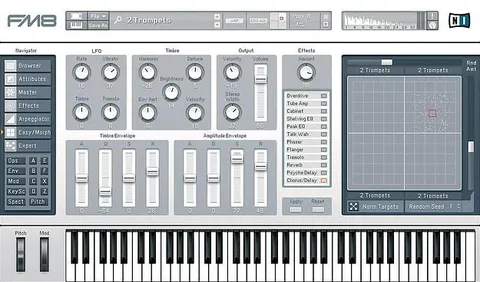
FORM by Native Instruments sample-tracking synthesizer plugin interface

FORM: Sample-Tracking Synthesizer by Native Instruments

Rated 4.7/5 on Plugin Boutique (99 ratings)

FORM is a sample-tracking synthesizer from Native Instruments that uses a sample as its primary oscillator. Drop in a sound, scrub its waveform, and shape it with oscillator, modulation and effects tools.

VST2AUAAXStandaloneReaktorWindowsmacOS64-bit
AVAILABLE ATPlugin Boutique
Opens the store in a new tab
01Overview

FORM by Native Instruments takes a different route to sound design: instead of starting from a basic waveform, you drag a sample into the interface and use it as the main oscillator of the synth engine. Scrubbing through the waveform lets you select a section to work with, and playback direction and rates can be set to sample length, frequency or BPM. FORM is available as VST2, AU, AAX and Standalone, and it is built on the Reaktor platform.

Best for

  • Sample-based sound design
  • Evolving pads
  • Experimental textures
  • Rhythmic sequences
  • Sound effects
Category
Synths
Store
Plugin Boutique
02Key features

What you get

  • Uses a dropped-in sample as the primary synth oscillator
  • Pitch and formants controlled independently from playback speed
  • Additive oscillator for harmonic enhancement
  • OSC FX section with wave deformation and FM
  • Curve Editor for redrawing amplitude shape
  • Performance slots storing reusable parameter snapshots
  • Multi mode for layered evolving sounds
  • Two-band frequency shaping, saturation, dynamics, delay and reverb
03In depth

Sample-Based Sound Design and Oscillator Control

The Sound section sets pitch and formants independently from playback speed, so a sample can be transposed without changing its timbre, or the other way around. An additive oscillator adds harmonic content, and the OSC FX section lets you deform the wave and add frequency modulation (FM).

Amplitude is shaped with a curve that can be loaded from presets or redrawn in the Curve Editor, which is how static samples get movement over time.

Modulation, Performance Slots and Effects

Modulation works by clicking a parameter, choosing a source and assigning it. Performance slots store multiple snapshots of parameter settings that can be applied to any sample, so a new sample can be auditioned across several variations quickly. Multi mode plays several snapshots at once across voices.

The effects section includes a two-band frequency splitter, digital or analogue saturation, dynamics, delay and reverb, and any effect can be modulated.

04Specs

Will it run?

Formats, systems and requirements as listed by Plugin Boutique. Missing details are left out, not guessed.

DeveloperNative Instruments
TypePlugin
CategorySynth
FormatsVST2, AU, AAX, Standalone, Reaktor
Operating systemsWindows, macOS
Architecture64-bit
05FAQ

Questions, answered

What do I need to run FORM?

FORM requires the free Reaktor 6 Player. An Internet connection and a graphics card supporting OpenGL 2.1 or higher are needed to download and activate the product, after which it can be used offline. The listed CPU is an Intel Core i5 or equivalent with 4 GB RAM.

Which formats and operating systems does FORM support?

FORM is listed in VST2, AU, AAX and Standalone formats, plus Reaktor. It is supported on Windows (64-bit only, Windows 10) and macOS (64-bit only, versions 10.14, 10.15 or 11).

Does FORM work with Komplete Kontrol keyboards?

Native Instruments says FORM is designed for integration with Komplete Kontrol S-Series keyboards. Its performance presets are assigned to keys automatically, and the keyboard's Light Guide shows the detected pitch of a new sample.

07Developer

More from Native Instruments

All Native Instruments products →