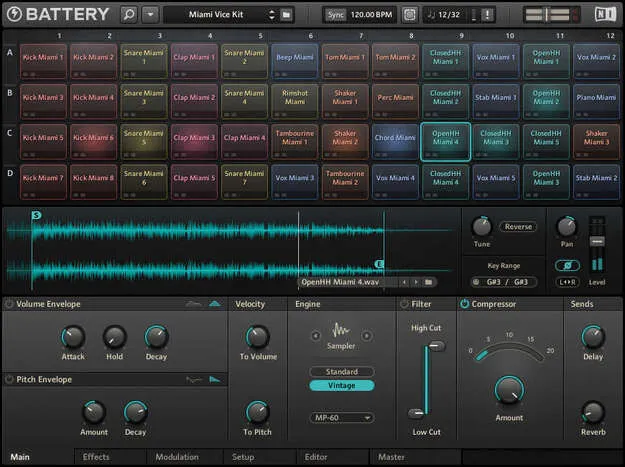
Battery 4 drum sampler plugin interface by Native Instruments

Battery 4: Drum Sampler Plugin by Native Instruments

Rated 4.6/5 on Plugin Boutique (37 ratings)

Battery 4 is a drum sampler plugin from Native Instruments for building and playing drum kits. It runs as VST3, VST2, AU, AAX and Standalone on Windows and macOS.

VST3VST2AUAAXStandaloneWindowsmacOS64-bit
AVAILABLE ATPlugin Boutique
Opens the store in a new tab
01Overview

Battery 4 is built around drum sampling, with a workflow meant to keep producers focused on beat making. Factory samples and kits are arranged with a color-coding system, and you can load your own samples and assign colors to them. Its library targets electronic and urban styles. The plugin is available in VST3, VST2, AU, AAX and Standalone formats for Windows and macOS, so it can be used in most common DAWs and as a standalone application.

Best for

  • Electronic beat making
  • Urban drum kits
  • Live drum performance
  • Sample-based kit building
  • Drum bus processing
  • Sound design with samples
Store
Plugin Boutique
02Key features

What you get

  • Seven sample modes, including classic sampler and groovebox emulations
  • Color-coded kit layout for factory and user samples
  • Drag-and-drop MIDI learn for performance controllers
  • Time Machine Pro algorithm for time stretching
  • Waveform display with start/end and volume curve editing
  • On-board SOLID EQ, SOLID BUS COMP and TRANSIENT MASTER effects
  • Tape saturation, LoFi and convolution reverb included
  • Drag-and-drop sidechaining across four busses and master
03In depth

Sample Handling and Kit Building

Battery 4 offers seven sample modes, including emulations of classic samplers and grooveboxes, which gives you a wide range of tonal options from the same sounds. Its time stretching is handled by the Time Machine Pro algorithm, and a waveform display lets you adjust start and end points and volume curves. Instant cell rendering is intended to speed up kit building and sound design.

MIDI learn works by drag and drop, so you can map sounds to performance controllers without leaving the flow of playing.
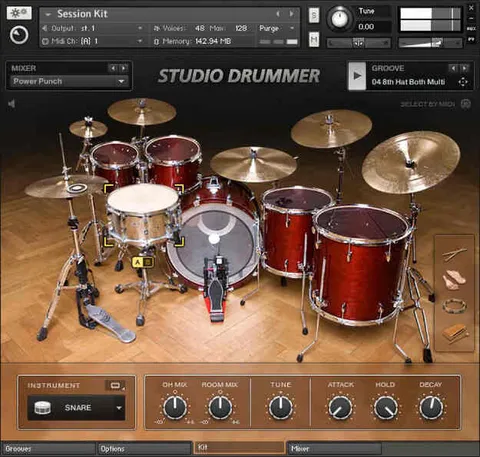
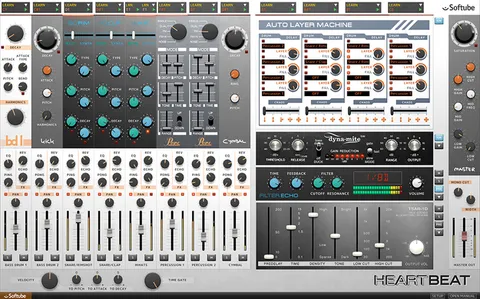
On-Board Effects and Routing

Each cell, group of cells or the master outs can receive effects. The included set covers SOLID EQ, SOLID BUS COMP, TRANSIENT MASTER, tape saturation, LoFi and a convolution reverb. You can build effect chains, reorder them, and set up sidechaining by dragging between four busses and the master channel.

For additional sounds, Native Instruments offers expansions with kits built for specific genres, which can be useful when you need a particular kick, snare or percussion style.

04Specs

Will it run?

Formats, systems and requirements as listed by Plugin Boutique. Missing details are left out, not guessed.

DeveloperNative Instruments
TypePlugin
CategoryDrum Machine
FormatsVST3, VST2, AU, AAX, Standalone
Operating systemsWindows, macOS
Architecture64-bit
05FAQ

Questions, answered

What formats does Battery 4 support?

Battery 4 is available in VST3, VST2, AU, AAX and Standalone formats. Windows support is 64-bit only, and macOS support is 64-bit only as well.

What operating systems does Battery 4 run on?

Battery 4 runs on Windows 10 and 11 and on macOS 11, 12 and 13. Apple Silicon Macs can run it in native mode or through Rosetta 2.

What do I need to use Battery 4?

You need an Intel Core i5 or equivalent CPU, 4 GB of RAM and at least 0.6 GB of free disk space, or 4.6 GB for the complete installation. An Internet connection and a graphics card supporting OpenGL 2.1 or higher are required to download and activate the product. After activation it can be used offline.

07Developer

More from Native Instruments

All Native Instruments products →