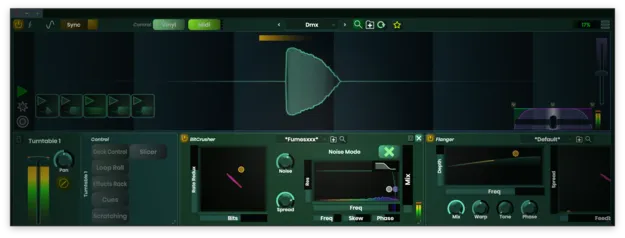
Scratch Track by Stagecraft Software DJ scratch plugin interface

Scratch Track: Timecoded Vinyl Scratch Plugin by Stagecraft Software Free Download

Rated 3.8/5 on Plugin Boutique (129 ratings)

Scratch Track is a DJ-style scratch effect plugin from Stagecraft Software that lets you scratch samples, loops, tracks and live audio inside your DAW using timecoded vinyl or MIDI controllers.

VST3AUAAXStandaloneWindowsmacOS64-bit
AVAILABLE ATPlugin Boutique
Free trial available from the developer
01Overview

Scratch Track brings turntable scratching into a music production session. It runs as a plugin in your DAW, so you can scratch recorded material, incoming live audio and sounds generated by the host program without leaving your project. Stagecraft Software positions it as a way to add scratches to recordings with timecoded vinyl, MIDI platters or other MIDI controllers. It is available in VST3, AU, AAX and Standalone formats on Windows and macOS.

Best for

  • Turntablism in production
  • Live input scratching
  • Hip-hop scratch parts
  • Sample scratch effects
  • Automated scratch editing
  • MIDI controller scratching
Category
DJ Tools
Store
Plugin Boutique
02Key features

What you get

  • Interprets timecoded vinyl for scratching inside your DAW
  • Scratch samples, loops, tracks and live incoming audio
  • Record and scratch live inputs in real time
  • Record loops into the scratch buffer
  • Programmable cue points for jumping between sample cues
  • MIDI learn on buttons, sliders and crossfader
  • Supports MIDI platters controllers and most MIDI controllers
  • Automation output and input for recording and editing scratches
03In depth

Timecoded Vinyl and MIDI Control for Scratching

Scratch Track interprets timecoded vinyl, so you can use a turntable to scratch audio inside your DAW. Once vinyl input is enabled in the plugin and the correct vinyl type is selected, the plugin reads the turntable movement and produces the scratch.

If you prefer hardware without a turntable, the plugin supports MIDI platters controllers and most MIDI controllers. Any slider or button can be mapped through MIDI learn by right-clicking the control and activating learn, and the crossfader curve can be adjusted in the plugin.

The plugin is also CDJ compatible, which may suit DJs who want to use familiar hardware while producing tracks.
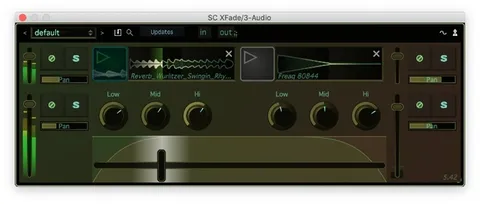
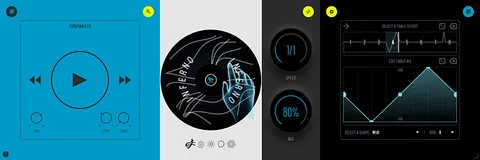
Scratching Live Input, Samples and Loops

Scratch Track can trigger and scratch samples, loops and tracks. Programmable cue points let you jump between cues in a sample at the touch of a button.

The live input mode lets you scratch incoming audio as it is played. A sung phrase or a live MC can be recorded into the scratch buffer and scratched right after it is created. Pressing the sync button returns the scratched stream to the current playtime.

With the automation features, the developer says you can record how the vinyl was moved, then edit the scratch afterward or create moves that a turntable could not perform.

04Specs

Will it run?

Formats, systems and requirements as listed by Plugin Boutique. Missing details are left out, not guessed.

DeveloperStagecraft Software
TypePlugin
CategoryDJ Tools
FormatsVST3, AU, AAX, Standalone
Operating systemsWindows, macOS
Architecture64-bit
Free trialYes
05FAQ

Questions, answered

What formats and operating systems does Scratch Track support?

Scratch Track is available in VST3, AU, AAX and Standalone formats. It runs on Windows and macOS as a 64-bit plugin.

What are the system requirements for Scratch Track?

On macOS, it requires macOS 10.13 or newer and supports Intel and M1 Apple Silicon, with AAX, AU, VST3 and Standalone formats. On Windows, it requires Windows 7 or newer, with AAX, VST3 and Standalone formats.

Can I use Scratch Track without a turntable?

Yes. The plugin supports MIDI platters controllers and most MIDI controllers, and any slider or button can be mapped with MIDI learn.

Is there a trial version?

Yes, Scratch Track offers a trial.

07Developer

More from Stagecraft Software

All Stagecraft Software products →