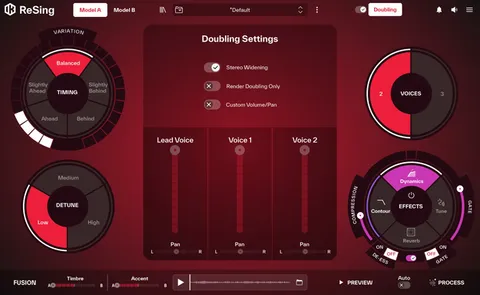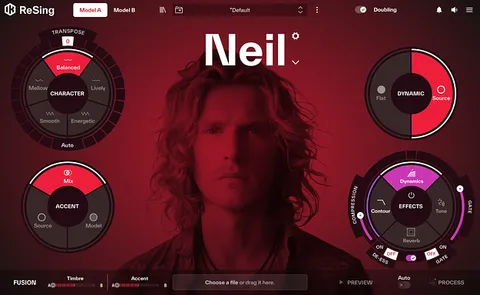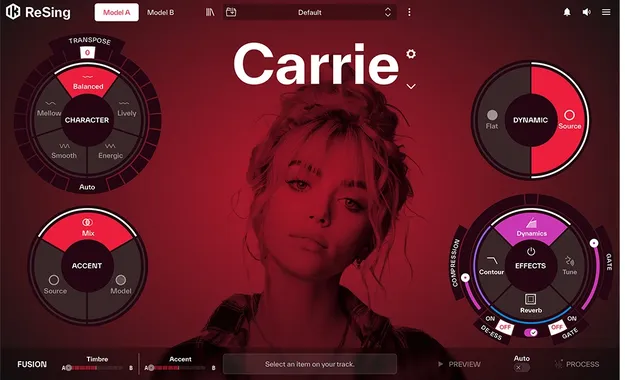
ReSing MAX Upgrade by IK Multimedia AI vocal plugin interface

ReSing MAX Upgrade: AI Vocal and Voice Modeling Plugin by IK Multimedia

ReSing MAX Upgrade is an AI-powered vocal processing plugin from IK Multimedia that replaces vocal takes and instrument parts with voice models. It is an upgrade for existing ReSing, ReSing SE and ReSing Doubling owners.

VST3VST2AUAAXWindowsmacOS64-bit
AVAILABLE ATPlugin Boutique
Opens the store in a new tab
01Overview

ReSing MAX Upgrade adds the full ReSing MAX feature set to existing ReSing, ReSing SE or ReSing Doubling installations. It runs as a native desktop plugin and standalone app, so vocal processing happens on your computer without uploading audio. Its voice models are built on AI technology, and the plugin supports Audio Units, VST 2, VST 3 and AAX formats. A one-time perpetual license applies, with no subscription.

Best for

  • Vocal demo replacement
  • Hook and melody prototyping
  • Instrument parts from sung ideas
  • Voice model creation
  • Vocal blending and harmonies
  • ARA vocal editing
Developer
IK Multimedia
Store
Plugin Boutique
02Key features

What you get

  • Replace vocal takes with AI voice model performances
  • Adjust vocal energy, tone and style, and blend voices
  • Turn phone recordings into studio-style vocal takes
  • Sing basslines, riffs and hooks and convert them to instruments
  • Create unlimited local voice models to share or license
  • Supports English and Spanish models, with more planned
  • Full DAW integration with ARA support
  • Desktop processing with no uploading or internet required for core use
  • One-time perpetual license with no subscription
03In depth

Voice Replacement and Vocal Character

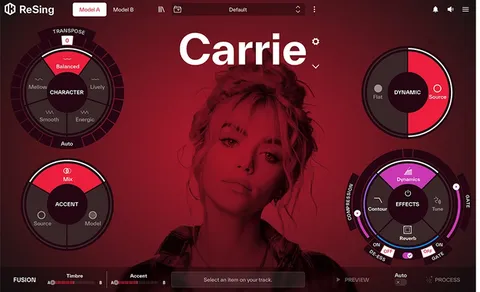
ReSing MAX Upgrade replaces the tone and pronunciation of a recorded take with those of an AI voice model. You can adjust vocal energy, tone and style, blend two models, and save favorite voices and settings to keep a consistent sound across sessions.

IK Multimedia says the engine can work from a rough vocal recorded on a phone, so a demo take does not need to be perfect to start. Models are available in English and Spanish, with more planned.
Workflow, DAW Integration and Instruments

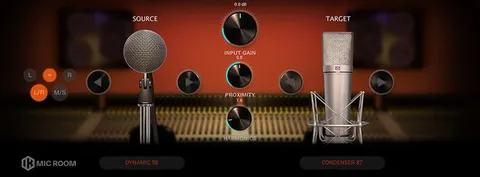
The plugin integrates with your DAW and supports ARA, so you can process vocals directly within ARA-compatible hosts. Built-in tools cover Dynamics, EQ, Reverb and Pitch Correction, with presets included.

The same voice controls can be applied to instrumental parts. You can sing basslines, riffs and hooks and convert them into instrument sounds, then transpose them while the output keeps a natural character, according to the developer.

The upgrade also lets you create unlimited voice models locally, import RVC voice models from open communities, and browse a growing catalog of partner voices.

04Specs

Will it run?

Formats, systems and requirements as listed by Plugin Boutique. Missing details are left out, not guessed.

DeveloperIK Multimedia
TypePlugin
CategoryVocal Processing
FormatsVST3, VST2, AU, AAX
Operating systemsWindows, macOS
Architecture64-bit
05FAQ

Questions, answered

Who is the ReSing MAX Upgrade for?

It is an upgrade for owners of ReSing, ReSing SE or ReSing Doubling. The full version of ReSing MAX is sold separately.

What formats and operating systems does it support?

It is available in VST3, VST2, AU and AAX formats for macOS, and VST3, VST2 and AAX formats for Windows, all 64-bit.

What do I need to run it?

macOS users need macOS 10.15 or newer (macOS 11 or newer for Apple Silicon), 8 GB of RAM and 9 GB of disk space. Windows users need Windows 10 (64-bit) or newer, 8 GB of RAM, 9 GB of disk space and an ASIO-compatible sound card. Both platforms require an OpenGL 2 compatible graphics adapter and an internet connection for Custom Shop operations.

Does it work without an internet connection?

Yes for core processing, since ReSing runs natively on your computer. The developer notes that Custom Shop operations are web based and require an internet connection.

07Developer

More from IK Multimedia

All IK Multimedia products →