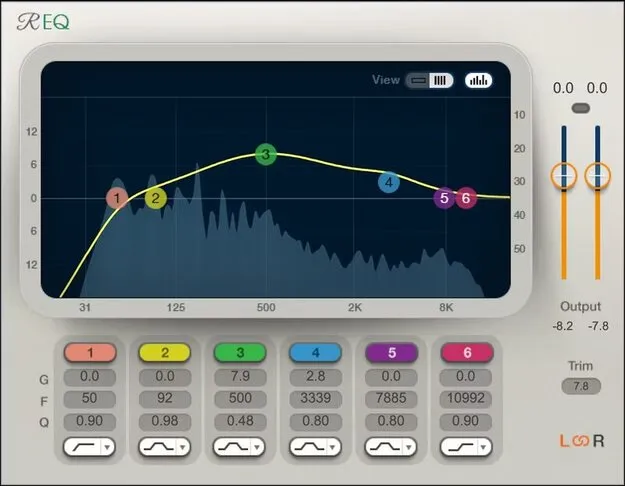
Renaissance Equalizer by Waves EQ plugin interface

Renaissance Equalizer: Transparent Multiband EQ Plugin by Waves

Renaissance Equalizer is a multiband equalizer plugin by Waves for macOS and Windows. It is available in VST2, AU and AAX formats and offers 2, 4 or 6-band configurations with multiple curve options per band.

VST2AUAAXWindowsmacOS
AVAILABLE ATPlugin Boutique
Opens the store in a new tab
01Overview

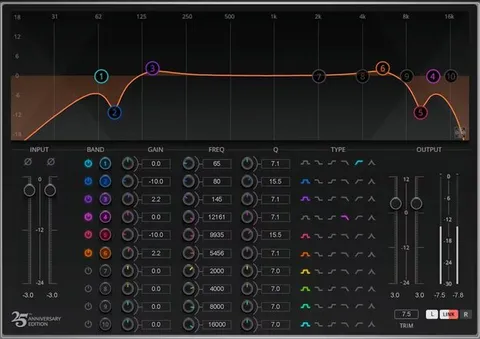
Renaissance Equalizer is an EQ plugin from Waves, sold in 2-, 4- and 6-band versions. The developer describes its sound as neutral and unbiased, so changes come from the settings you choose rather than from coloration added by the processor. The interface offers three skins, including a dark skin for video editing suites, and lets you view all band parameters at once or focus on a single band.

Best for

  • Corrective mixing EQ
  • Mastering-style tonal shaping
  • Gain staging workflows
  • Video editing suite audio
  • Stereo channel processing
Developer
Waves
Category
EQ
Store
Plugin Boutique
02Key features

What you get

  • Choose from 2, 4, or 6-band components
  • Multiple curve options on all bands
  • Integrated spectrum analyzer showing EQ effect on the sound
  • Link left and right channels or process separately
  • Trim control for simplified gain staging
  • Three interface skins, including a dark skin
  • Touch-friendly multipoint interface
  • Available in VST2, AU and AAX formats
03In depth

Sound, Controls and Workflow in Renaissance EQ

The plugin lets you choose a 2, 4 or 6-band component, and every band offers multiple curve options. An integrated spectrum analyzer shows how your EQ changes are affecting the signal, which helps when you are working out where a problem frequency sits.

A trim control is included to simplify gain staging, the step of setting proper levels as you move through a signal chain. Left and right channels can be linked for matched processing or handled separately when the channels need different treatment.
Who Renaissance Equalizer Suits

The developer positions the plugin for engineers who want corrective and shaping EQ without a distinctive sonic signature. Its clean, touch-friendly layout makes it practical for working in mixing sessions across music and post-production.

The dark skin is aimed at video editing suites, so the plugin also fits picture work where a darker interface suits the environment.

04Specs

Will it run?

Formats, systems and requirements as listed by Plugin Boutique. Missing details are left out, not guessed.

DeveloperWaves
TypePlugin
CategoryEQ
FormatsVST2, AU, AAX
Operating systemsWindows, macOS
05FAQ

Questions, answered

What formats is Renaissance Equalizer available in?

Renaissance Equalizer is available in VST2, AU and AAX formats.

Does Renaissance Equalizer run on Mac and Windows?

Yes. The plugin supports macOS and Windows. The listed system requirements include macOS Monterey 12 through Sequoia 15 for VST, AU and AAX, and Windows 10 and later for VST and AAX.

What is the Trim control for?

The Trim control simplifies gain staging, the process of setting correct levels through your signal chain.

Can I process left and right channels separately?

Yes. You can link the left and right channels or process them separately.

07Developer

More from Waves

All Waves products →