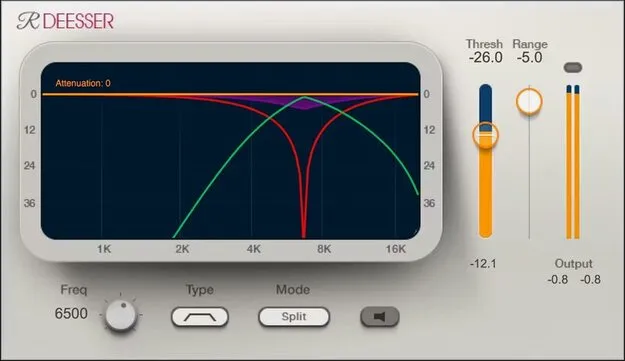
Renaissance DeEsser by Waves vocal de-esser plugin interface

Renaissance DeEsser: Vocal De-Esser Plugin by Waves

Renaissance DeEsser is a de-essing plugin from Waves that reduces harsh "ess" and "shh" sounds in vocal recordings. It is available in VST2, AU and AAX formats for Windows and macOS.

VST2AUAAXWindowsmacOS
AVAILABLE ATPlugin Boutique
Opens the store in a new tab
01Overview

Renaissance DeEsser targets the high-frequency sibilance that builds up when recording vocals, voiceover, audiobooks and podcasts. Excessive sibilance can distort, splatter and make equalization harder to get right. The plugin focuses on reducing these sounds with filtering aimed at the esses themselves, so the rest of the signal is affected less. It runs as a plugin in VST2, AU and AAX formats on Windows and macOS.

Best for

  • Vocal recording cleanup
  • Voiceover sibilance control
  • Audiobook narration
  • Podcast vocal processing
  • Vocal mixing
Developer
Waves
Category
De Essers
Store
Plugin Boutique
02Key features

What you get

  • Phase-compensated crossover designed to minimize coloration
  • Precision filtering that limits impact on frequencies near esses
  • Real-time display of filter type, range, frequency and de-essing
  • Sidechain monitoring for precise tuning to the ess frequency
  • Strong or gentle de-essing in wideband or split modes
  • Light, dark and space-saving legacy interface skins
03In depth

Filtering and Sound Character

Waves builds the crossover on phase compensation, which the developer says minimizes coloration of the signal. Precision filtering is designed to limit the impact on frequencies next to the ess range, so the processing stays focused on the problem sound.

A real-time display shows the filter type, range and frequency, along with the de-essing action as it happens. The sidechain can be monitored, which helps you tune precisely to the frequency where the esses sit.
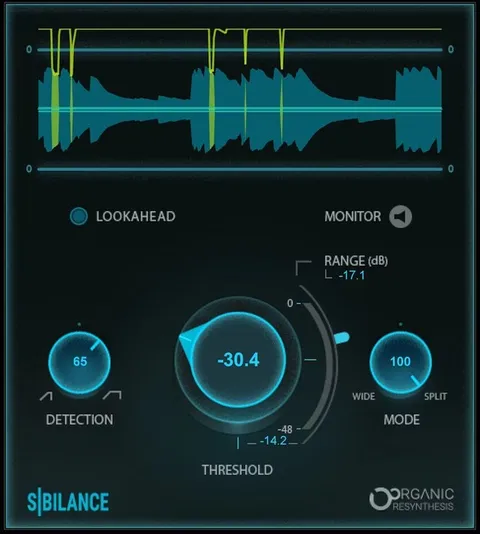
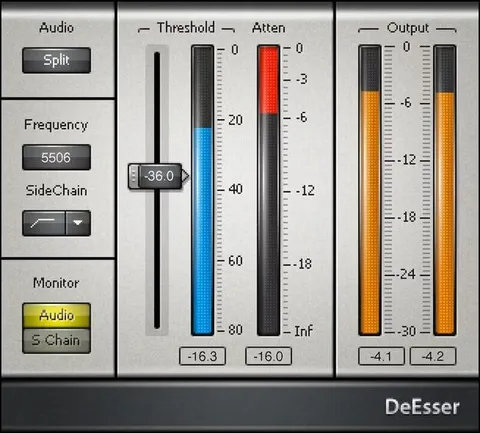
Modes, Skins and Setup

You can choose strong or gentle de-essing and work in wideband or split modes, depending on how aggressive the correction needs to be and how the sibilance is spread across the signal.

Three interface skins are available: light, dark and a space-saving legacy skin. The plugin is supported on macOS Monterey 12 through Sequoia 15 and on Windows 10 and later, in the formats listed above.

04Specs

Will it run?

Formats, systems and requirements as listed by Plugin Boutique. Missing details are left out, not guessed.

DeveloperWaves
TypePlugin
CategoryDe Esser
FormatsVST2, AU, AAX
Operating systemsWindows, macOS
05FAQ

Questions, answered

What is Renaissance DeEsser used for?

It is used to reduce harsh sibilance, the "ess" and "shh" sounds, in vocals, voiceover, audiobooks and podcasts.

Which formats and operating systems does Renaissance DeEsser support?

It is available in VST2, AU and AAX formats. The developer lists support for Windows 10 and later, and macOS Monterey 12 through Sequoia 15.

Can I hear only the esses I am removing?

Yes. Monitoring the sidechain lets you tune precisely to the ess frequency before adjusting the de-essing.

Does it support both gentle and strong de-essing?

Yes. You can choose strong or gentle de-essing and work in either wideband or split mode.

07Developer

More from Waves

All Waves products →