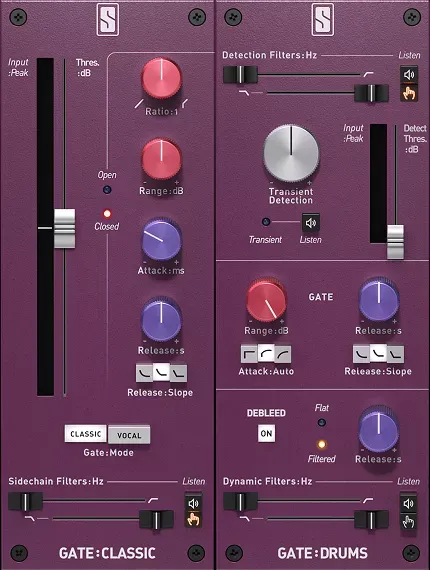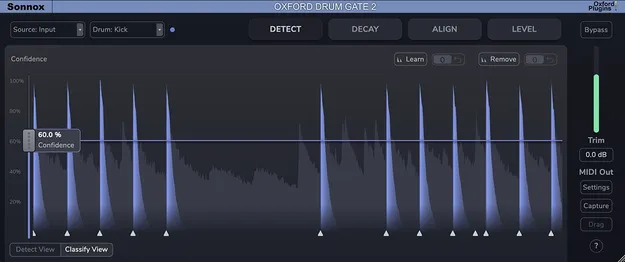
Oxford Drum Gate 2 Upgrade from Drum Gate 1 by Sonnox gate plugin interface

Oxford Drum Gate 2 Upgrade from Drum Gate 1: Drum Gate Plugin Upgrade Free Download

Rated 4.8/5 on Plugin Boutique (59 ratings)

Oxford Drum Gate 2 Upgrade from Drum Gate 1 is an upgrade plugin from Sonnox that moves existing Drum Gate 1 owners to the Drum Gate 2 gate for drum processing. It adds new detection, decay, sidechain and clipping tools.

WindowsmacOS
AVAILABLE ATPlugin Boutique
Free trial available from the developer
01Overview

This upgrade is built for existing owners of Oxford Drum Gate 1 who want the newer version of the gate. Drum Gate 2 focuses on drum hit detection for kick, snare, tom and hi-hat parts, and the developer adds tools for aligning multiple microphones, shaping resonant decay and clipping transients. Sonnox positions the update as a step forward for multitrack drum work, with a revised interface and a faster workflow alongside the features carried over from the first version.

Best for

  • Multitrack drum mixing
  • Multi-mic snare alignment
  • Drum gating and bleed reduction
  • Transient shaping on drums
  • Gating triggered drum tracks
  • Overhead and room mic linking
Developer
Sonnox
Category
Gates
Store
Plugin Boutique
02Key features

What you get

  • Upgrade path for existing Oxford Drum Gate 1 owners
  • Improved drum type classification for kick, snare and toms
  • Time, polarity and phase alignment in a new Align tab
  • Adaptive Resonant Decay with HF Damping control
  • External sidechain with audio and MIDI triggering
  • Hit Clip with separate soft and loud hit controls
  • Standard mode retains the Drum Gate 1 decay behavior
  • MIDI export for detected hits and Learn/Remove functions
03In depth

Drum Detection and Multitrack Alignment

Sonnox says Drum Gate 2 uses an improved classification model to identify kick, snare, tom and hi-hat hits across different playing styles and recording setups. Detection of hi-hats, all transients and no-gating modes is added in this version.

The new Align tab targets phase problems that appear when a drum kit is recorded with several microphones, such as top and bottom snare mics or close mics combined with overheads. It groups tracks by name, shows visual feedback and offers stereo linking for overheads and room mics, so separate alignment software is not needed for that step.
Decay, Sidechain and Transient Control

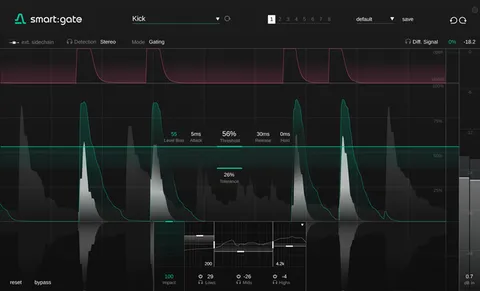
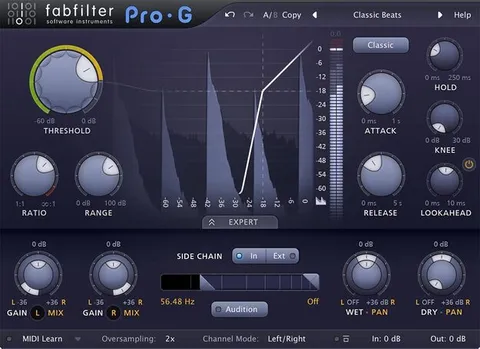
The Adaptive Resonant Decay algorithm separates the resonance of each hit from surrounding spill while leaving transients intact. Gain Reduction, Decay, HF Damping and the high and low cutoffs for the resonant region can be set independently. A Standard mode is included for users who prefer the behavior of Drum Gate 1.

The external sidechain accepts audio and MIDI triggering through Internal, External and MIDI input modes. Hit Clip calculates a ceiling for each hit based on its post-leveller peak, with separate Soft Hits and Loud Hits amounts and automatic make-up gain.

04Specs

Will it run?

Formats, systems and requirements as listed by Plugin Boutique. Missing details are left out, not guessed.

DeveloperSonnox
TypePlugin
CategoryGate
Operating systemsWindows, macOS
Free trialYes
05FAQ

Questions, answered

Who is Oxford Drum Gate 2 Upgrade for?

It is intended for existing owners of Oxford Drum Gate 1 who want to move to Drum Gate 2. Sonnox describes it as an upgrade path rather than a standalone purchase.

What does the Align tab do?

The Align tab provides time, polarity and phase alignment for multi-mic drum recordings. It groups tracks by name and offers stereo linking for overheads and room mics.

What operating systems does it support?

It runs on Windows and macOS. On Windows, Windows 10 or higher with an Intel i7 CPU and 8GB of RAM is listed. On macOS, macOS 11.0 or higher with an Intel i7 or Apple Silicon M1 or higher and 8GB of RAM is listed.

Is there a trial available?

Yes, a trial is available for this product.

07Developer

More from Sonnox

All Sonnox products →