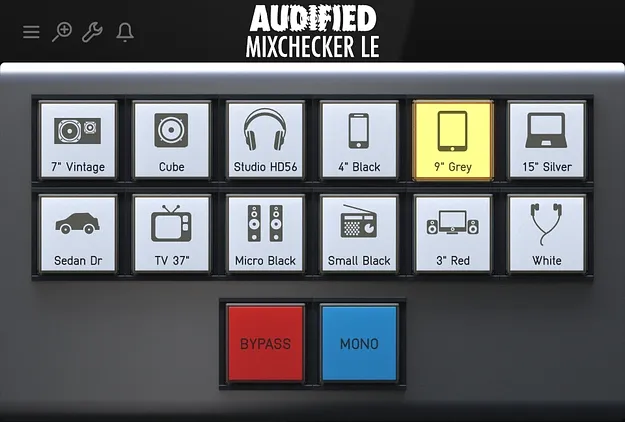
MixChecker LE by Audified mix translation checking plugin interface

MixChecker LE: Mix Translation Checking Plugin by Audified

MixChecker LE is a mix translation checking plugin from Audified that simulates 12 playback systems inside your DAW. It lets you hear how a mix sounds on different devices without bouncing or exporting.

AVAILABLE ATPlugin Boutique
Opens the store in a new tab
01Overview

Mixing on studio monitors does not always predict how a track will sound on other playback systems. MixChecker LE is designed to close that gap. It runs as a plugin in your session, so you can switch between device simulations and compare your mix against each one. The developer positions it as the entry point in the MixChecker family, aimed at quick, everyday reality checks rather than an exhaustive device library.

Best for

  • Mix translation checking
  • Final mix reference
  • Low-end balance checks
  • Stereo image checks
  • Vocal clarity checks
Developer
Audified
Store
Plugin Boutique
02Key features

What you get

  • 12 playback system simulations in one plugin
  • Runs inside your DAW as an insert plugin
  • Instant switching between device simulations
  • No exports, bouncing or external hardware needed
  • Covers consumer and professional playback systems
  • Part of the MixChecker family with PRO and ULTRA upgrades
03In depth

12 Playback Simulations for Translation Checks

MixChecker LE includes 12 device simulations covering consumer and more serious monitoring environments. Audified describes them as a selected set of playback systems for a practical reality check, covering the kinds of devices people use every day.

Switching between simulations is immediate, so you can compare how the low end, mids and stereo image hold up across devices without leaving your session. The main use is spotting problems that are hard to hear on your main monitors, such as an overbearing low end or vocals and guitars losing definition on smaller speakers.
Workflow Inside Your DAW

MixChecker LE is meant to sit in your session as a plugin. You do not need to export, bounce or rely on extra hardware to use it. Insert the plugin, switch between listening environments and make decisions from what you hear.

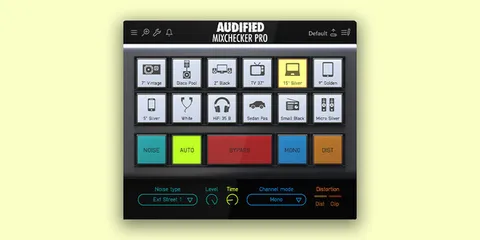
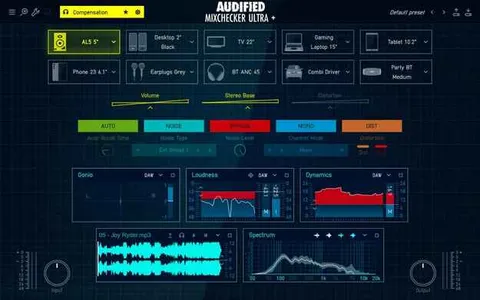
This keeps translation checking part of the normal mixing loop rather than a separate final step. If you want deeper control later, the developer offers MixChecker PRO and MixChecker ULTRA with larger device sets.

04Specs

Will it run?

Formats, systems and requirements as listed by Plugin Boutique. Missing details are left out, not guessed.

DeveloperAudified
TypePlugin
CategoryReferencing Tools
05FAQ

Questions, answered

What is MixChecker LE?

MixChecker LE is a mix translation checking plugin from Audified. It simulates 12 playback systems so you can hear how your mix behaves outside your studio monitors.

How many device simulations does MixChecker LE include?

MixChecker LE includes 12 playback system simulations, covering everyday consumer listening and more serious monitoring environments. The developer offers PRO and ULTRA editions with more devices.

Do I need to export my mix to use MixChecker LE?

No. MixChecker LE runs inside your DAW as an insert plugin, so you can switch between simulations without exporting or bouncing.

07Developer

More from Audified

All Audified products →