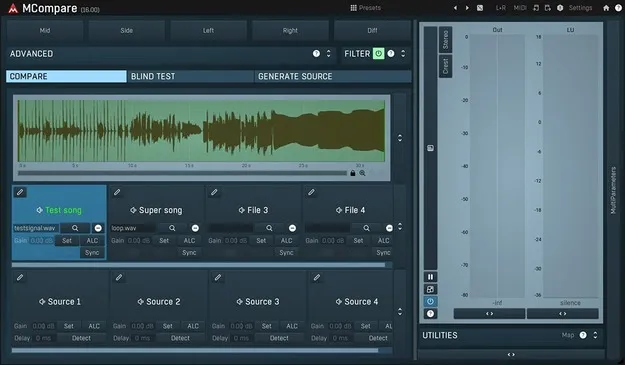
MCompare by MeldaProduction referencing plugin interface for mixing and mastering

MCompare: Reference Tool for Mixing and Mastering by MeldaProduction Free Download

Rated 4.6/5 on Plugin Boutique (271 ratings)

MCompare is a studio referencing plugin from MeldaProduction that quickly crossfades your audio against a reference track or different stages of your processing chain. It matches loudness automatically so comparisons reflect sound quality rather than volume.

VST3VST2AUAAXWindowsmacOS64-bit
AVAILABLE ATPlugin Boutique
Free trial available from the developer
01Overview

MCompare is built for the comparison step in mixing and mastering. Instead of switching tracks in your host and adjusting levels by ear, you press a button to crossfade between your project and a reference file or another stage of your chain. The plugin can also match the loudness of the reference to your own track, which helps you judge balance and detail without being pulled toward the louder version. Everything runs in a single instance, so comparisons stay one click away while you work.

Best for

  • Mix referencing
  • Mastering comparison
  • Loudness-matched A/B testing
  • Surround mix checking
  • Chain version comparison
Store
Plugin Boutique
02Key features

What you get

  • Crossfade between your track and reference tracks with one button
  • Automatic loudness matching between reference and your track
  • Compare master against dry mix and earlier chain stages
  • Latency compensation during comparisons, per the developer
  • Mono, stereo, mid/side and up to 8-channel surround processing
  • Classic meters and time graphs for metering
  • MIDI Learn for real-time parameter control
  • Resizable, stylable interface with GPU-accelerated graphics
03In depth

Loudness-Matched Referencing for Mixing and Mastering

MeldaProduction says louder music tends to sound better to the ear, which can hide spectral, spatial and acoustic problems. MCompare can automatically match the loudness of reference tracks to your own track, so differences you hear are more likely to come from the audio itself.

It can also compare your master against the dry mix or earlier stages of your mastering chain, and the developer says it compensates for latency during these comparisons. Different versions of your chain can be compared in the same instance.
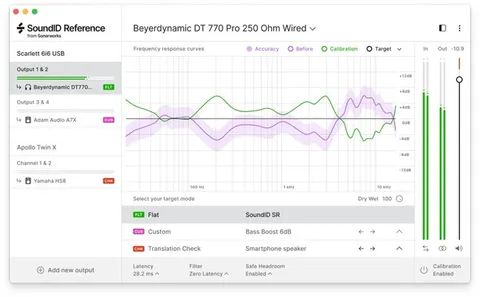
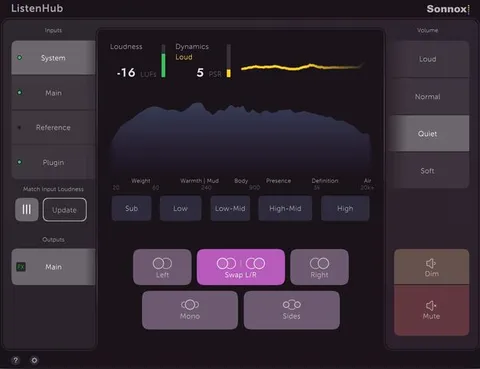
Metering, Channel Modes and Control

MCompare handles mono and stereo signals, mid/side encoding, separate left and right channels, a single mid or side signal, and up to 8 channels of surround audio. Metering can show values with classic meters or as time graphs.

A MIDI processor with MIDI Learn lets controllers or a MIDI keyboard change parameters in real time. The interface can be resized and styled, and graphics are GPU-accelerated, which the developer notes keeps CPU resources focused on audio.

04Specs

Will it run?

Formats, systems and requirements as listed by Plugin Boutique. Missing details are left out, not guessed.

DeveloperMeldaProduction
TypePlugin
CategoryReferencing Tools
FormatsVST3, VST2, AU, AAX
Operating systemsWindows, macOS
Architecture64-bit
Free trialYes
05FAQ

Questions, answered

What formats does MCompare support?

MCompare is available in VST3, VST2, AU and AAX formats. It runs on Windows and macOS.

What do I need to run MCompare?

On Windows you need Windows 8, 10 or 11 (64-bit) and a VST, VST3 or AAX compatible host. On macOS you need macOS 10.14 or newer (64-bit) and a VST, VST3, AU or AAX compatible host. Both require an Intel or AMD processor with SSE2 support; macOS also supports Apple Silicon natively.

Does MCompare require a dongle or internet connection to activate?

No. According to MeldaProduction, activation uses license files rather than a USB dongle, and the license is tied to the person, so it can be used on all of your computers.

Is there a trial version?

Yes, MCompare offers a trial.

07Developer

More from MeldaProduction

All MeldaProduction products →