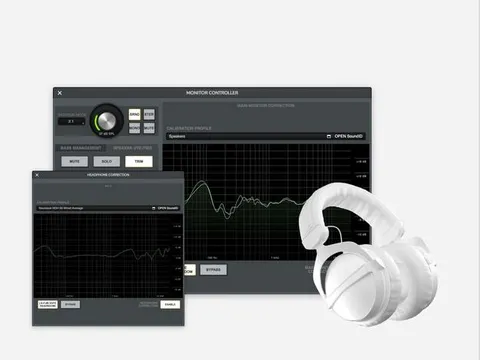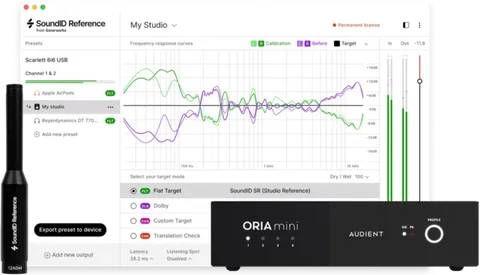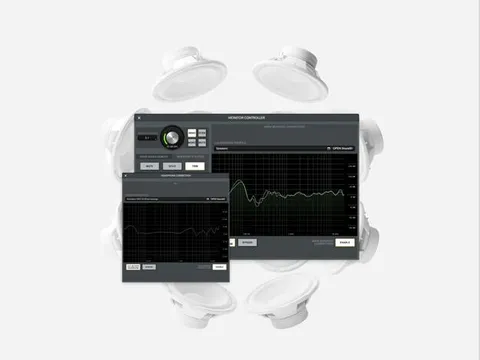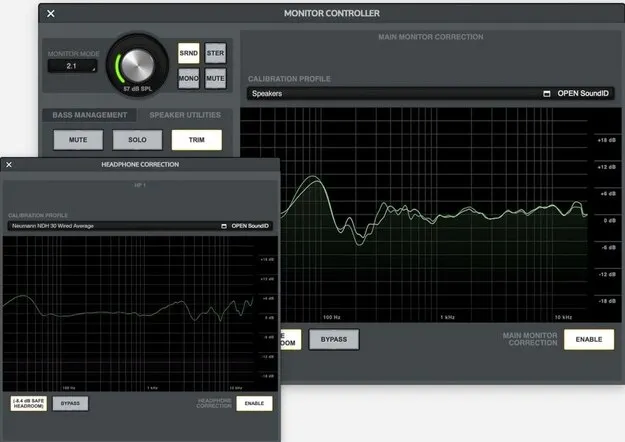
Apollo Monitor Correction Add-on by Sonarworks calibration plugin interface

Apollo Monitor Correction Add-on for SoundID Reference: Hardware Speaker and Headphone Calibration

Rated 4.6/5 on Plugin Boutique (45 ratings)

Apollo Monitor Correction Add-on for SoundID Reference is a Sonarworks plugin add-on that runs speaker and headphone calibration directly on Universal Audio Apollo X interfaces. It works only alongside a valid SoundID Reference license.

VST2AUAAXWindowsmacOS
AVAILABLE ATPlugin Boutique
Opens the store in a new tab
01Overview

The add-on brings SoundID Reference calibration into supported Apollo X Gen 1 and Gen 2 interfaces, so correction runs on the hardware itself. It covers speaker layouts from stereo up to 9.1.6 and headphone calibration for more than 500 headphone models. Multiple outputs can be calibrated at once: one speaker profile and up to two headphone profiles, depending on the Apollo X model. The add-on is sold as a license key that can be activated on three devices.

Best for

  • Studio speaker calibration
  • Headphone monitoring correction
  • Surround monitor setup
  • Subwoofer bass management
  • Mixing on Apollo X
Developer
Sonarworks
Store
Plugin Boutique
02Key features

What you get

  • Speaker and headphone calibration running directly on Apollo X hardware
  • Hardware calibration for stereo through 9.1.6 speaker layouts
  • Hardware calibration for over 500 headphone models
  • One speaker profile plus up to two headphone profiles at once
  • Calibrated bass management for stereo setups with subwoofer
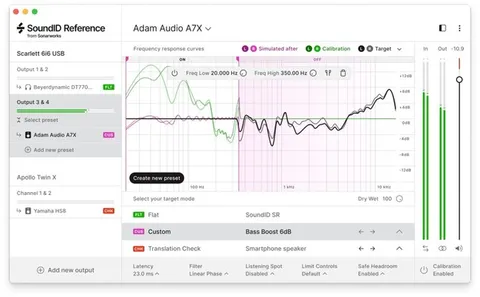
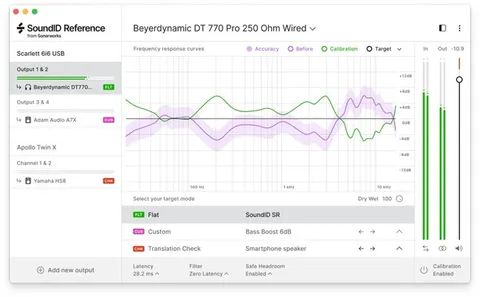
  • Flat, Dolby Atmos Music and user Custom target modes
  • Device emulation targets via Translation Check
  • Near-zero latency integrated performance
03In depth

Calibration Running on Apollo X Hardware

The add-on runs speaker and headphone calibration directly on supported Apollo X interfaces rather than in the host computer. Sonarworks describes the integration as near-zero latency.

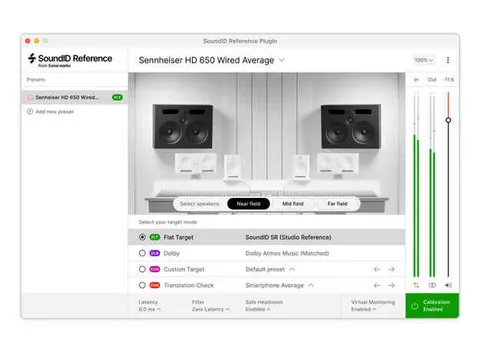
Calibrated bass management is available for stereo speaker setups that include a subwoofer. Supported target modes include Flat, the Dolby Atmos Music curve and a user Custom target, and Translation Check offers several device emulation targets.
Speaker Layouts and Supported Interfaces

Hardware calibration covers popular stereo and surround speaker layouts, from stereo up to 9.1.6. Headphone calibration covers over 500 supported models.

The add-on requires a supported Apollo X interface. Apollo X Gen 1 supports Apollo Twin X Duo/Quad, Apollo Twin X USB, Apollo x4, Apollo x6, Apollo x8, Apollo x8p and Apollo x16. Apollo X Gen 2 supports Apollo Twin X Duo/Quad, Apollo x4, Apollo x6, Apollo x8, Apollo x8p, Apollo x16 and Apollo x16D.

04Specs

Will it run?

Formats, systems and requirements as listed by Plugin Boutique. Missing details are left out, not guessed.

DeveloperSonarworks
TypePlugin
CategoryReferencing Tools
FormatsVST2, AU, AAX
Operating systemsWindows, macOS
05FAQ

Questions, answered

What do I need to use Apollo Monitor Correction Add-on?

You need a valid permanent SoundID Reference license, one of the SoundID Reference products for headphones, speakers or multichannel, and a supported Apollo X audio interface. The add-on does not function on its own.

Which formats and operating systems does it support?

The add-on is available in VST2, AU and AAX formats. It runs on macOS 11 or higher and Windows 10 or higher.

Which Apollo X interfaces are supported?

Apollo X Gen 1 supports Apollo Twin X Duo/Quad, Apollo Twin X USB, Apollo x4, Apollo x6, Apollo x8, Apollo x8p and Apollo x16. Apollo X Gen 2 supports Apollo Twin X Duo/Quad, Apollo x4, Apollo x6, Apollo x8, Apollo x8p, Apollo x16 and Apollo x16D.

How many devices can the license be activated on?

The add-on can be activated and used on three devices.

07Developer

More from Sonarworks

All Sonarworks products →