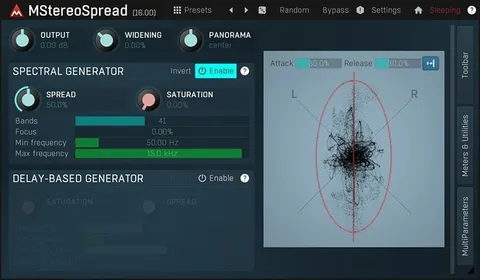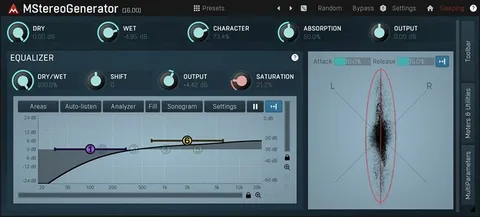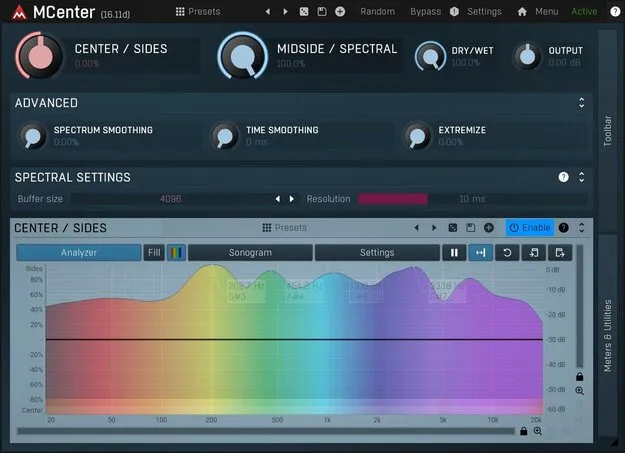
MCenter stereo width plugin interface by MeldaProduction

MCenter: Stereo Width and Phantom Center Plugin by MeldaProduction Free Download

Rated 4.6/5 on Plugin Boutique (302 ratings)

MCenter is a stereo processing plugin by MeldaProduction that separates the phantom center from the stereo signal so you can balance center and sides. It is available in VST3, VST2, AU and AAX formats.

VST3VST2AUAAXWindowsmacOS64-bit
AVAILABLE ATPlugin Boutique
Free trial available from the developer
01Overview

MCenter targets the stereo image of a mix or master. Instead of relying only on classic mid-side processing, it uses a spectral algorithm to tell apart the parts of a signal that sound stereo from those that sound mono. The developer notes that a hard-panned track counts as half mid and half side under standard mid-side processing, even though it sounds stereophonic. MCenter is designed for mastering as well as mixing and creative stereo work.

Best for

  • Mastering stereo balance
  • Mix bus width control
  • Center vocal and bass focus
  • Creative stereo sculpting
Category
Stereo Width
Store
Plugin Boutique
02Key features

What you get

  • Spectral algorithm separating stereo-sounding and mono-sounding content
  • Phantom center control beyond traditional mid-side processing
  • Single CENTER/SIDES knob for fast stereo balancing
  • Dual processing: spectral mode and classic mid-side mode
  • Freeform drawing to shape individual frequency bands
  • Available in VST3, VST2, AU and AAX formats
  • Runs on Windows and macOS, including Apple Silicon
03In depth

Phantom Center Control and Spectral Processing

MCenter is built around control of the phantom center, the part of a stereo signal that sits in the middle of the image. Its spectral algorithm separates content that really sounds stereo from content that really sounds mono, which the developer says standard mid-side processing does not do.

You can switch between the spectral approach and traditional mid-side operation, then compare the two results on the same material. This makes it easier to pick the method that suits the source and the goal.
Single-Knob Balancing and Freeform Frequency Drawing

For quick work, the CENTER/SIDES knob balances the center and side parts of the stereo signal in one movement, so you do not need to dig into the detail.

When you need more precision, the freeform drawing mode lets you shape the response of individual frequency bands. Each frequency can be controlled separately, which allows fine sculpting of the stereo balance across the spectrum.

04Specs

Will it run?

Formats, systems and requirements as listed by Plugin Boutique. Missing details are left out, not guessed.

DeveloperMeldaProduction
TypePlugin
CategoryStereo Width
FormatsVST3, VST2, AU, AAX
Operating systemsWindows, macOS
Architecture64-bit
Free trialYes
05FAQ

Questions, answered

What is MCenter used for?

MCenter is used to control the phantom center and the side content of a stereo signal. It works for mastering, mixing and creative stereo processing.

Which formats and operating systems does MCenter support?

MCenter is available in VST3, VST2, AU and AAX formats. It runs on Windows 8, 10 and 11 (64-bit) and on macOS 10.14 and newer, including Apple Silicon.

What do I need to run MCenter?

You need a 64-bit VST, VST3, AU or AAX compatible host and an Intel, AMD or Apple Silicon processor with SSE2 support. Check the product PDF documentation for installation instructions.

Is there a trial version of MCenter?

Yes, MCenter offers a trial version.

07Developer

More from MeldaProduction

All MeldaProduction products →