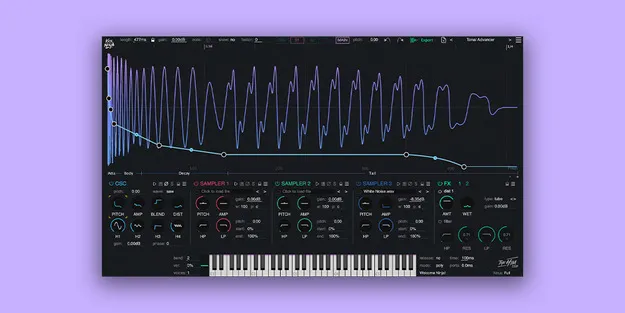
Kick Ninja by The Him DSP drum synth plugin interface

Kick Ninja: Drum Synth Plugin for Custom Kick Drums by The Him DSP

Rated 4.7/5 on Plugin Boutique (255 ratings)

Kick Ninja is a drum synth plugin from The Him DSP for designing kick drums. It offers envelope-based control over pitch, amplitude and distortion, and can recreate kicks from imported samples.

VST3AUAAXWindowsmacOS64-bit
AVAILABLE ATPlugin Boutique
Opens the store in a new tab
01Overview

Kick Ninja is built around one job: shaping kick drums. Its editor centers on pitch, amp and effect envelopes with custom curves, so you can fine-tune the attack, body and tail of a kick in detail. Three sample layers let you add attack, noise or texture alongside the synth. The plugin also includes an AI import feature that analyzes a kick sample and recreates its pitch and amp curves as a new preset, giving you an editable starting point for sounds you already like.

Best for

  • Kick drum design
  • Techno and electronic kicks
  • Recreating reference kicks
  • Tuned bass drums
  • Sample layering
Developer
The Him DSP
Category
Drum Synths
Store
Plugin Boutique
02Key features

What you get

  • Oscillator blending a pure sine wave with a selectable waveform and harmonic oscillator
  • 28 sample-accurate automatable envelopes with custom curves and tension
  • AI import that recreates pitch and amp curves from a kick drum sample
  • Phase locking to keep kick tails stable while editing the start
  • Pitch snapping to notes, with pitch tracking via MIDI
  • Two oversampled FX sections with nine distortion types, compressor and filter
  • Three sample layers with automatable high-pass and low-pass filters
  • 16-voice polyphony, legato and glide, plus drag-and-drop audio export
03In depth

Kick Drum Design and Envelope Control

Kick Ninja uses an anti-aliasing oscillator that blends a pure sine wave with a selectable waveform and a harmonic oscillator. Its 28 envelopes are sample-accurate and can be automated, and each curve has adjustable tension.

Two oversampled FX sections provide nine distortion types, a compressor and an automatable filter. Tools such as copy and paste of envelope points, automatic envelope simplification, and undo/redo make detailed editing faster.

Phase locking lets you lock the tail of the kick while you edit the start, and the linear and logarithmic time views with a settable skew factor give you precise visual control where the sound needs it most.
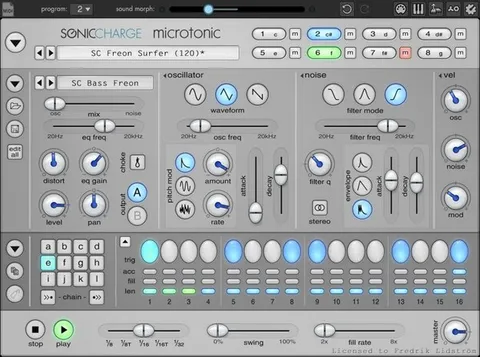
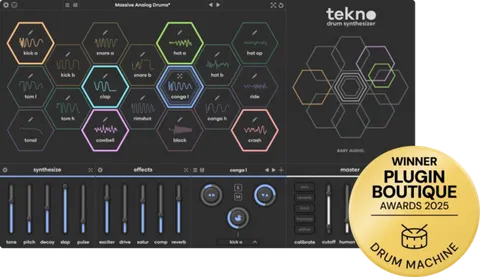
Workflow, MIDI and Sample Export

Pitch snapping tunes the kick to your track's key, and pitch tracking can be controlled via MIDI. The plugin supports 16-voice polyphony, legato and glide, and can follow MIDI.

You can drag and export samples as audio, which is useful for moving a finished kick into another project or sampler. The package includes 70 presets to start from.

04Specs

Will it run?

Formats, systems and requirements as listed by Plugin Boutique. Missing details are left out, not guessed.

DeveloperThe Him DSP
TypePlugin
CategoryDrum Synth
FormatsVST3, AU, AAX
Operating systemsWindows, macOS
Architecture64-bit
05FAQ

Questions, answered

What formats does Kick Ninja support?

Kick Ninja is available in VST3, AU and AAX formats.

Which operating systems can run Kick Ninja?

Kick Ninja runs on Windows and macOS. Listed requirements include macOS Mojave 10.14 or later on Intel Core i5 or better or Apple Silicon M1 or better, and Windows 7 64-bit or later. An internet connection is listed as required.

What does the AI import feature do?

You can drag any kick drum sample into Kick Ninja, and its AI algorithm recreates the pitch and amp curves to match that sound. The result is saved as a new preset you can edit.

Does Kick Ninja come with presets?

Yes, it includes 70 presets to use as starting points for your own kick designs.

07Developer

More from The Him DSP

All The Him DSP products →