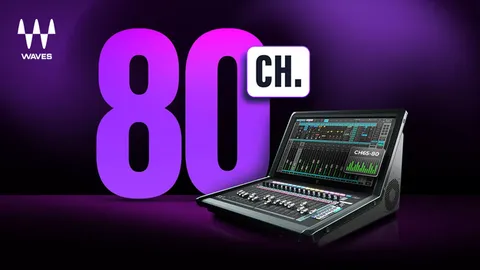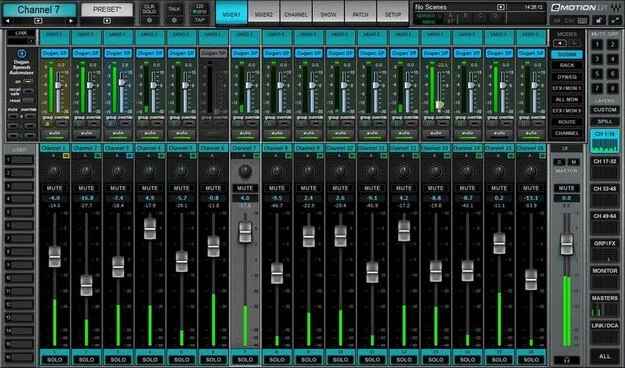
Dugan Speech by Waves automatic mixing plugin interface

Dugan Speech: Automatic Mixing Plugin for Multiple Mics by Waves

Dugan Speech is a Waves automatic mixing plugin, developed with audio inventor Dan Dugan, that controls microphone gain automatically in real time. It is built for setups with many mics, such as panels, talk shows and houses of worship.

WindowsmacOS
AVAILABLE ATPlugin Boutique
Opens the store in a new tab
01Overview

Dugan Speech is a software version of the Dugan Automatic Mixing Controllers, designed by Dan Dugan. It handles situations where several people speak through separate microphones, a common problem in panel discussions, corporate events and talk shows. When one person speaks, the plugin lowers the gain of the other mics. When several people speak, it shares gain across the active channels. The result is a mix that stays under control without someone riding every fader by hand.

Best for

  • Panel discussions
  • Corporate events
  • Talk shows
  • Houses of worship
  • Multi-mic conferences
Developer
Waves
Category
Utilities
Store
Plugin Boutique
02Key features

What you get

  • Software version of the Dugan Automatic Mixing Controllers by Dan Dugan
  • Reduces gain on other mics when only one person is speaking
  • Shares gain across channels when multiple people speak
  • Smooth level changes without the abrupt action of noise gates
  • Automix On and Off modes, with Off passing unity gain inputs
  • Channel Override prioritizes specific mics, such as a host's
  • Adjustable channel sensitivities while automixing
  • Recall Safe mode excludes snapshots from changing settings
  • Gain bargraph and input level metering
03In depth

How Dugan Speech Controls Gain Across Multiple Mics

The plugin reduces the gain of microphones that are not in use when only one person is speaking. This cuts down on feedback and comb filtering that build up when many open mics pick up the same sound.

When multiple people speak at once, Dugan Speech shares gain across the channels instead of dropping any of them out. Level changes are smooth, so the mix does not have the abrupt action of a noise gate. Each channel can also have its sensitivity adjusted while the automixer is running.
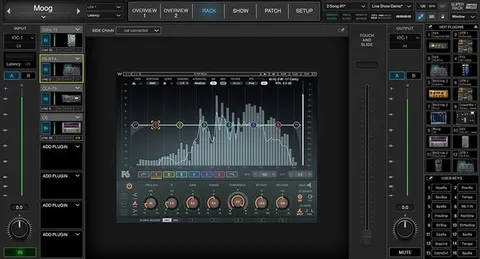

Workflow Controls for Live Mixing

Dugan Speech offers two modes: Automix On for normal operation, and Off, which passes inputs at unity gain. Channel Override lets you prioritize specific mics, such as a host's, so that channel keeps priority in the mix.

For show-to-show consistency, the Recall Safe mode keeps snapshots from changing the plugin's settings. A gain bargraph meter and input level metering help you monitor what the automixer is doing.

04Specs

Will it run?

Formats, systems and requirements as listed by Plugin Boutique. Missing details are left out, not guessed.

DeveloperWaves
TypePlugin
CategoryUtility
Operating systemsWindows, macOS
05FAQ

Questions, answered

What is Dugan Speech used for?

Dugan Speech automatically controls microphone gain when several people speak through separate mics. It is aimed at panel discussions, corporate events, talk shows and houses of worship.

Which operating systems does Dugan Speech support?

Dugan Speech runs on Windows and macOS. The listed macOS versions are Monterey 12, Ventura 13, Sonoma 14 and Sequoia 15, and the listed Windows version is Windows 10 or later.

What do I need to use Dugan Speech?

Dugan Speech works with Waves' eMotion LV1 mixer and with other consoles through SuperRack SoundGrid or SuperRack Performer.

How many mics can Dugan Speech handle?

The developer says Dugan Speech can run up to 64 mics.

07Developer

More from Waves

All Waves products →