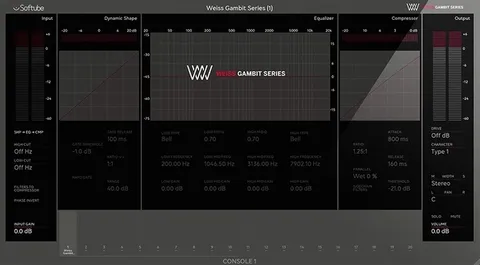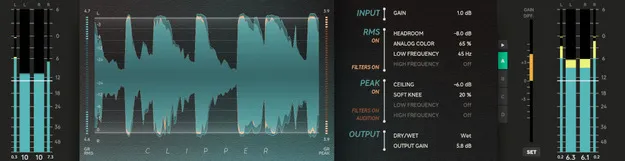
Clipper by Softube dual-stage peak clipper plugin interface

Clipper: Dual-Stage Peak Clipper Plugin by Softube

Rated 4.7/5 on Plugin Boutique (324 ratings)

Clipper is a dual-stage peak clipping plugin from Softube for music producers. It limits transient peaks without the pumping of a compressor or limiter, and adds an RMS stage and Analog Color controls for shaping tonality.

VST3VST2AUAAXWindowsmacOS64-bit
AVAILABLE ATPlugin Boutique
Opens the store in a new tab
01Overview

Clipper is built for the final push in a track, helping it reach loudness targets during mixing or mastering. Its peak stage removes transients quickly, while the RMS stage before it shapes the material and adds character when driven hard. Softube also includes Analog Color controls, which add even-order harmonics to the RMS stage. The result is a clipper that works both as an analytical tool and a creative one, and it is Console 1-ready.

Best for

  • Mastering loudness
  • Drum bus distortion
  • 808 tonality shaping
  • Transient control on tracks
  • Exciting synths
  • Mixing loudness push
Developer
Softube
Store
Plugin Boutique
02Key features

What you get

  • Easy to use peak clipping with no pumping or gradual level decrease
  • Analytical and vibey approach to clipping
  • Dual stages: RMS shaping followed by peak clipping
  • Analog Color controls for adding even-order harmonics
  • Multiple stages of 4x oversampling to reduce artifacts
  • Low and High frequency settings to target a frequency area
  • Console 1-ready
03In depth

Peak Clipping With an RMS Stage for Shaping Tone

Clipper's peak stage works like a limiter with infinitely fast attack and release. It shaves transients off the signal without the pumping or gradual level reduction that a limiter or compressor can cause. This helps when a few transients would otherwise force a limiter to pull down the overall loudness of a track.

Before the peak stage, Clipper offers an RMS stage that gently shapes the material. In smaller amounts it stays transparent. When pushed hard, it breaks into a thick distortion. Clipper uses multiple stages of 4x oversampling and anti-aliasing techniques to reduce artifacts, which helps keep the clipping clean.
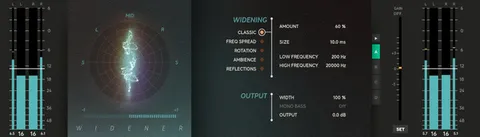
Analog Color and Frequency Controls for Clipping Tonality

The Analog Color controls increase the even-order harmonics generated by the RMS stage, which is useful for changing the tonality of an 808 or a drum bus. Headroom, Low and High frequency settings let you focus the distortion on a specific frequency area.

Softube describes Analog Color as a name chosen for how the sound is experienced. The controls are not based on analog circuits.

04Specs

Will it run?

Formats, systems and requirements as listed by Plugin Boutique. Missing details are left out, not guessed.

DeveloperSoftube
TypePlugin
CategoryDynamics Processor
FormatsVST3, VST2, AU, AAX
Operating systemsWindows, macOS
Architecture64-bit
05FAQ

Questions, answered

What formats does Clipper support?

Clipper is available in VST3, VST2, AU and AAX formats. It runs on Windows and macOS and is 64-bit.

What do I need to run Clipper?

Clipper needs a computer with an AU, VST, VST3 or AAX compatible DAW host, internet access for downloads and license management, a Softube account and an iLok account. Supported systems are macOS Big Sur 11, Monterey 12 and Ventura 13, or Windows 10 (64-bit) and Windows 11.

What is the difference between the RMS and Peak stages?

The RMS stage gently shapes the material before clipping and stays transparent at low amounts. The Peak stage then shaves transients off the remaining audio, working like a limiter with infinitely fast attack and release.

07Developer

More from Softube

All Softube products →