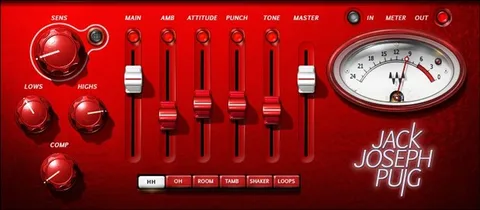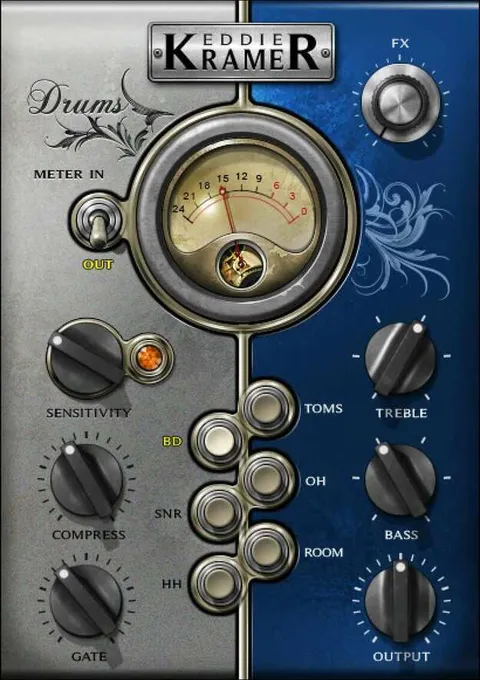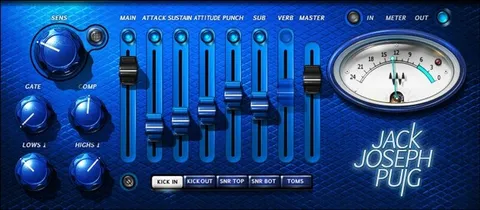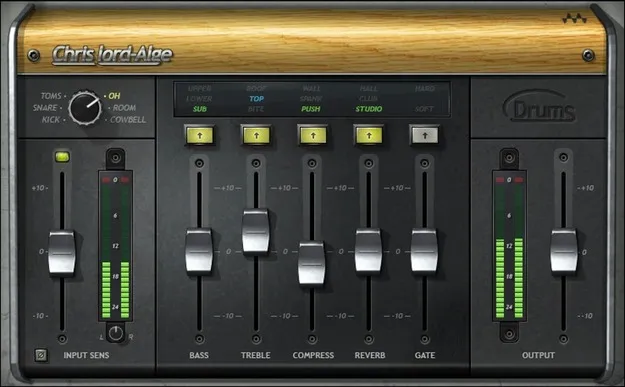
CLA Drums drum processing plugin interface by Waves

CLA Drums: Drum Processing Plugin by Waves

CLA Drums is a drum processing plugin from Waves that applies separate effects to individual drum tracks, including tom, snare, kick, room, overhead and cymbal or hi-hat sounds. It is available in VST2, AU and AAX formats.

VST2AUAAXWindowsmacOS
AVAILABLE ATPlugin Boutique
Opens the store in a new tab
01Overview

CLA Drums is an effects plugin for processing drum sounds one track at a time. Each of its five drum-specific settings has its own tuning, so a kick, snare, tom, room mic or overhead can each receive treatment suited to its role in the mix. The developer describes the aim as getting a solid drum sound quickly, without needing to be an engineer. It combines EQ, compression, reverb and gating in one plugin.

Best for

  • Kick and snare processing
  • Drum bus ambience
  • Gated drum effects
  • Programmed drum mixing
  • Old-school drum sounds
Developer
Waves
Category
Drum FX
Store
Plugin Boutique
02Key features

What you get

  • Processes tom, snare, kick, room, overhead and cymbal or hi-hat tracks
  • Five drum-specific effects, each with three modes
  • Treble and bass EQ for adding snap and depth or trimming harshness and mud
  • Selective compression that can punch some drums and leave others alone
  • Three reverb modes for ambience and space
  • Hard or soft gating for gated drum effects
  • Works with individual outputs from samplers and drum machines
03In depth

Drum-Specific Processing and Character

CLA Drums offers five effects with three modes, tuned for each of the five drum sounds it supports. The treble and bass EQ can add snap to a snare or depth to a kick, or trim harshness and mud where they build up.

Compression is applied selectively, so you can punch up some drums while leaving others untouched. Hard or soft gating is available for gated drum effects, and three reverb modes add ambience and space.

Waves also says the plugin is designed to bring old-school analog drum sounds into modern productions.
Workflow and Best Uses

CLA Drums works on individual drum tracks, so it suits producers who route kit pieces to separate channels. It also accepts individual outputs from samplers and drum machines, which makes it practical for programmed or sampled drum parts as well as recorded kits.

Typical uses include processing kick and snare channels in a mix, adding room or overhead ambience, and creating gated drum effects.

04Specs

Will it run?

Formats, systems and requirements as listed by Plugin Boutique. Missing details are left out, not guessed.

DeveloperWaves
TypePlugin
CategoryDrum FX
FormatsVST2, AU, AAX
Operating systemsWindows, macOS
05FAQ

Questions, answered

What is CLA Drums used for?

CLA Drums is used to process individual drum tracks, including tom, snare, kick, room, overhead and cymbal or hi-hat sounds. It combines EQ, compression, reverb and gating for each drum type.

Which formats and operating systems does CLA Drums support?

CLA Drums is available in VST2, AU and AAX formats. It runs on Windows and macOS. Mac requires macOS Monterey 12 or later, and PC requires Windows 10 or later.

Can I use CLA Drums with drum machines or samplers?

Yes. The plugin can be used with individual outputs from samplers and drum machines, so each sound can be processed on its own track.

07Developer

More from Waves

All Waves products →