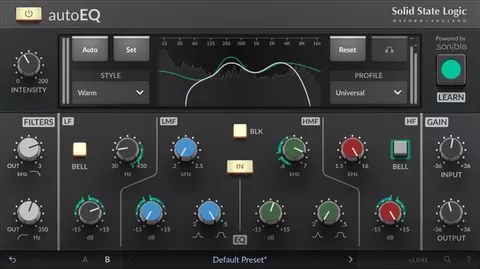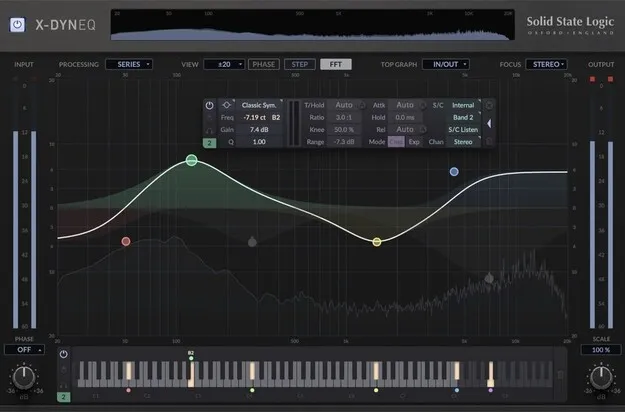
X-DynEQ dynamic EQ plugin interface by Solid State Logic

X-DynEQ: Dynamic EQ Plugin by Solid State Logic

Rated 4.8/5 on Plugin Boutique (238 ratings)

X-DynEQ is a dynamic equalizer plugin from Solid State Logic that can boost or cut frequencies based on the level of the incoming audio. It offers 24 dynamic EQ bands and 20 filter types.

VST3VST2AUAAXWindowsmacOS64-bit
AVAILABLE ATPlugin Boutique
Opens the store in a new tab
01Overview

X-DynEQ is SSL's EQ plugin for recording, mixing and mastering, built on the earlier X-EQ 2. Each band can work as a standard parametric EQ or as a dynamic EQ, which changes its gain as the signal's level moves. The developer says the design aims to keep the mix clear and its transients intact while fixing specific frequency problems. The plugin runs in VST3, VST2, AU and AAX formats on Windows and macOS.

Best for

  • Mix bus EQ
  • Vocal de-essing
  • Resonance control
  • Stereo image shaping
  • Mastering tonal balance
  • Sidechain EQ effects
Category
EQ
Store
Plugin Boutique
02Key features

What you get

  • 24 bands of dynamic EQ with upward and downward processing
  • 20 EQ types and filter shapes in total
  • Auto Attack, Release and Threshold for dynamic bands
  • New Notch, Bandpass and Tilt EQ filter types
  • Per-band left, right, mid and side processing
  • Focus mode for concentrating on part of the stereo field
  • Per-band internal and external sidechain routing
  • Piano roll view aligning filter frequencies with musical tones
  • Imports presets from X-EQ 2
  • HQ mode and anti-cramping EQ response
03In depth

Dynamic EQ Bands and Filter Types

X-DynEQ provides up to 24 dynamic bands, and each band can use any of its 20 EQ types and filter shapes. Dynamic processing works on shelf and bell filters and can be set as upward or downward compression or expansion.

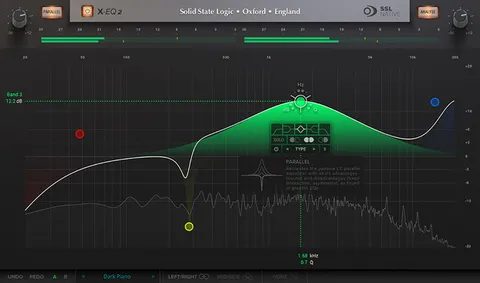
Three filter types are new compared with X-EQ 2: Notch, Bandpass and Tilt EQ. The notch is intended for precise fixes, the bandpass for isolating a range, and the tilt EQ for shifting the balance between highs and lows. When a band is not in dynamic mode, the plugin works as a fully featured parametric EQ.
Auto Settings and Stereo Control

The Auto Attack, Release and Threshold options adapt to the incoming signal, which the developer says reduces manual adjustment. Per-band controls let you process the left, right, mid or side signal, and the Focus mode concentrates processing on one part of the stereo field.

Per-band sidechaining can use an internal or external signal from any other band, which is useful for both corrective work and creative dynamic effects. The node-based interface lets you double-click to add a band and use keyboard and mouse wheel shortcuts to change values. The piano roll view shows filter cutoffs and center frequencies against musical pitches.

04Specs

Will it run?

Formats, systems and requirements as listed by Plugin Boutique. Missing details are left out, not guessed.

DeveloperSolid State Logic
TypePlugin
CategoryEQ
FormatsVST3, VST2, AU, AAX
Operating systemsWindows, macOS
Architecture64-bit
05FAQ

Questions, answered

What formats and operating systems does X-DynEQ support?

X-DynEQ is available in VST3, VST2, AU and AAX formats. It runs on Windows and macOS, and the 64-bit version is required on both.

What do I need to run X-DynEQ?

On macOS it requires macOS 11 Big Sur through macOS 13 Ventura, and on Windows Windows 10 or Windows 11. A free iLok account is required to authorize the software. The developer recommends 8 GB of RAM.

Can I use my X-EQ 2 presets in X-DynEQ?

Yes. X-DynEQ translates presets from X-EQ 2, so earlier work can be opened and continued in the new plugin.

07Developer

More from Solid State Logic

All Solid State Logic products →