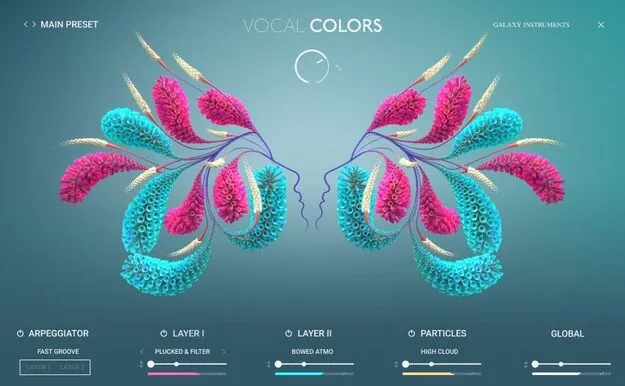
Vocal Colors by Native Instruments Kontakt vocal instrument interface

Vocal Colors: Kontakt Vocal Instrument by Native Instruments

Vocal Colors is a Kontakt instrument from Native Instruments that turns vocal samples into pads, pulses and textures. It includes double-tracked samples, expressive modulation and support for importing your own audio.

REQUIRESKontaktHost player sold separately
KontaktWindowsmacOS64-bit
AVAILABLE ATPlugin Boutique
Opens the store in a new tab
01Overview

Vocal Colors is built around the human voice. Native Instruments describes it as a way to explore vocal textures that blend electronic and organic sounds, using double-tracked samples as the starting point. Expressive modulation controls shape the sound, and polyphonic aftertouch support lets you respond to how you play. The instrument runs inside Kontakt on Windows and macOS, and its drag-and-drop import lets you build textures from your own recordings.

Best for

  • Vocal pad design
  • Textured soundscapes
  • Electronic vocal pulses
  • Ambient vocal layers
  • Custom sample textures
Requires
Kontakt
Store
Plugin Boutique
02Key features

What you get

  • Double-tracked vocal samples blending electronic and organic sounds
  • Expressive modulation controls for shaping vocal soundscapes
  • Polyphonic aftertouch support for expressive playing
  • Drag-and-drop import of your own samples
  • 180 added presets in the latest update
  • Creates pads, pulses and textures from voice material
  • Runs in Kontakt on Windows and macOS
  • 64-bit plugin
03In depth

Vocal Sound Design and Texture Building

Vocal Colors focuses on sound design rather than a single vocal sound. Native Instruments says the library is designed to reveal new depths in the human voice, with samples that combine electronic and organic character.

The modulation controls are the main way to move beyond the raw samples. They let you shape the vocal material into immersive soundscapes, and polyphonic aftertouch support adds expressive control when playing chords or layered parts.

The instrument includes 180 added presets, giving you a range of starting points before you edit the sound yourself.
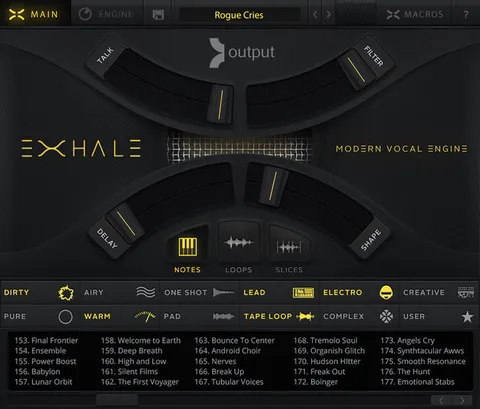
Importing Your Own Vocal Samples

A newer feature in Vocal Colors is user sample import. You can drag your own sounds into the instrument and transform them with its effects and controls.

This makes it useful if you already record vocals or have a collection of voice material and want the Vocal Colors engine to turn it into pads, pulses and textures.

04Specs

Will it run?

Formats, systems and requirements as listed by Plugin Boutique. Missing details are left out, not guessed.

DeveloperNative Instruments
TypePlugin
CategoryKontakt Instrument
RequiresKontakt
FormatsKontakt
Operating systemsWindows, macOS
Architecture64-bit
05FAQ

Questions, answered

What do I need to use Vocal Colors?

Vocal Colors requires Kontakt. You can run it with the free Kontakt Player, or with Kontakt version 7.7.0 or higher.

Which operating systems does Vocal Colors support?

Vocal Colors runs on Windows and macOS. The Windows version needs Windows 10 or 11 (64-bit), and the Mac version needs macOS 13, 14 or 15.

Can I use my own vocal recordings in Vocal Colors?

Yes. The user sample drag-and-drop feature lets you import your own sounds and transform them with the instrument's effects and controls.

07Developer

More from Native Instruments

All Native Instruments products →